Nano Banana Pro vs GPT Image 2.5
Google's Nano Banana Pro and OpenAI's GPT Image 2.5 are the two image models most people meet inside a chat app, Gemini and ChatGPT. Both render text, both edit, both cost more than the field. We ran both through the same twelve prompts.

Anvisha Pai, Co-founder & CEO, Voyager
Which to use
It is the closest pair on the site and the answer is the job. GPT Image 2.5 Flare edges the logo, the product on white, the busy market and the five-object placement test; Nano Banana Pro edges the chart, the infographic, the woodblock print and the wide banner, where it left the copy space clean. Both set the poster perfectly, both edited only what was asked, both do faces well. For brand assets and precise briefs, GPT Image 2.5. For charts, layouts and anything with a lot of small text, Nano Banana Pro.
What others found
Other people who ran both models, quoted and linked. Where our clips agree or disagree, we say so.
Gemini seems to have the best image editing and creation capabilities. This was true until late April, when OpenAI's GPT Image 2 overtook Nano Banana 2.
heaney-555, Hacker News comment, .
LM Arena testers report that gpt-image-2 achieves near 100% character-level accuracy, outperforming Nano Banana Pro in scenarios involving UI labels, signage, and short multilingual text.
APIYI, GPT Image 2 vs Nano Banana Pro, .
On our three-line poster both models were perfect; the difference shows on smaller type.
For long-form paragraph text (such as infographics or document-style posters), readability remains a strength for Banana Pro.
APIYI, GPT Image 2 vs Nano Banana Pro, .
Matches our infographic result, where Nano Banana Pro's card carried readable sub-copy.
GPT Image 2 is the stronger pick for social ads, product hero shots, and anything where photographic realism sells the asset.
ChatCut, GPT Image 2 vs Nano Banana Pro, .
For standard 16:9 slide decks, Nano Banana Pro is better: it natively generates 16:9 at up to 4K, eliminating the crop / upscale step.
2Slides, GPT Image 2 vs Nano Banana Pro and 2 for slides, .
Side by side, measured
| Nano Banana Pro | GPT Image 2.5 Flare | |
|---|---|---|
| Vendor | Google DeepMind | OpenAI |
| Released | 2025-11-20 | 2026-09-08 |
| Price | $0.134 per 1k or 2k image via Gemini API | $0.05268 per 1024 by 1024, high quality via fal |
| Seconds per image | 15 to 87 | 16 to 66 |
| 12 pictures cost | $1.80 | $0.54 |
| Sizes | Three sizes, 1K, 2K and 4K, in ten fixed shapes from wide 21:9 to tall 9:16 | Exact pixel dimensions from a 1:3 strip to a 3:1 banner, up to 3840 on the long edge |
Seconds and cost are from our own runs of the same 12 prompts through each model.
The same 12 prompts, Nano Banana Pro against GPT Image 2.5 Flare
One try each, nothing re-rolled or retouched, generated by us. Nano Banana Pro is on the left, GPT Image 2.5 Flare on the right. Every prompt has its own page with the whole roster.
Text in an image
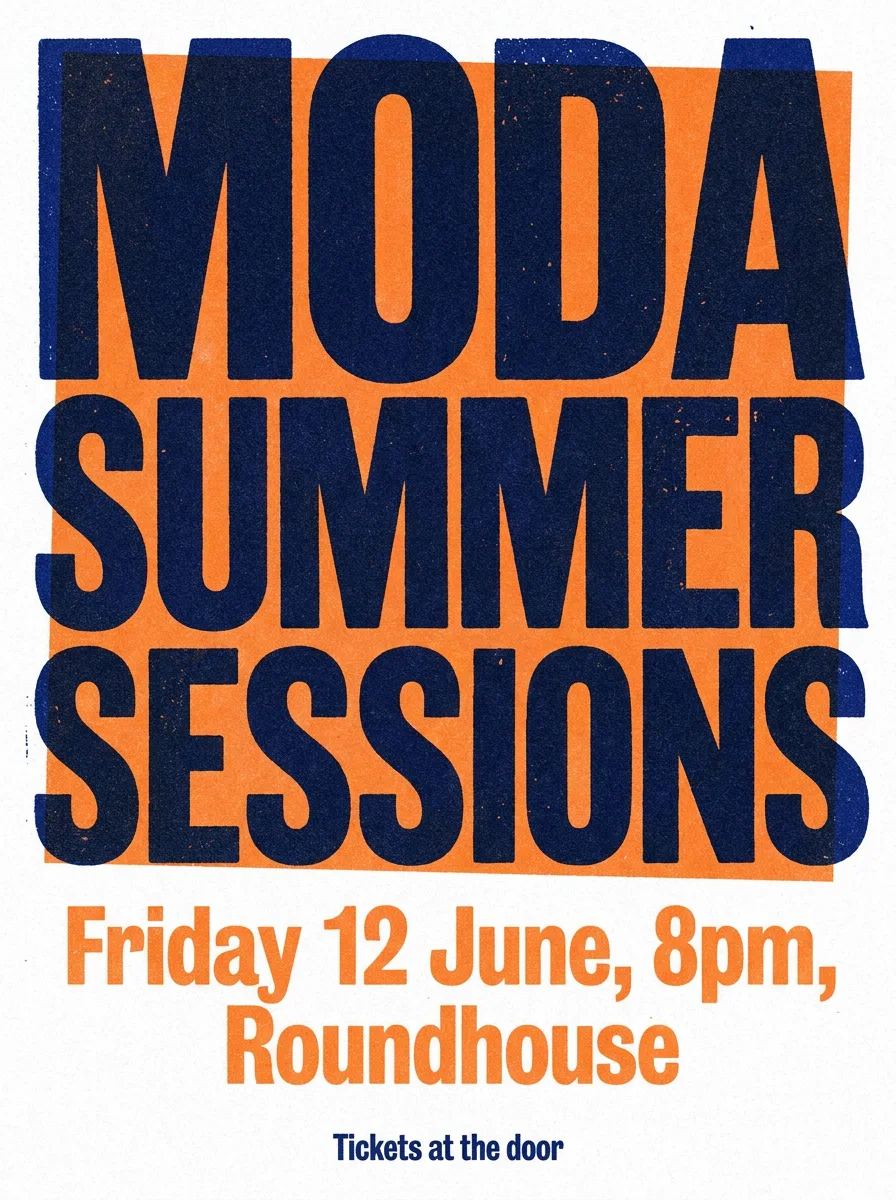
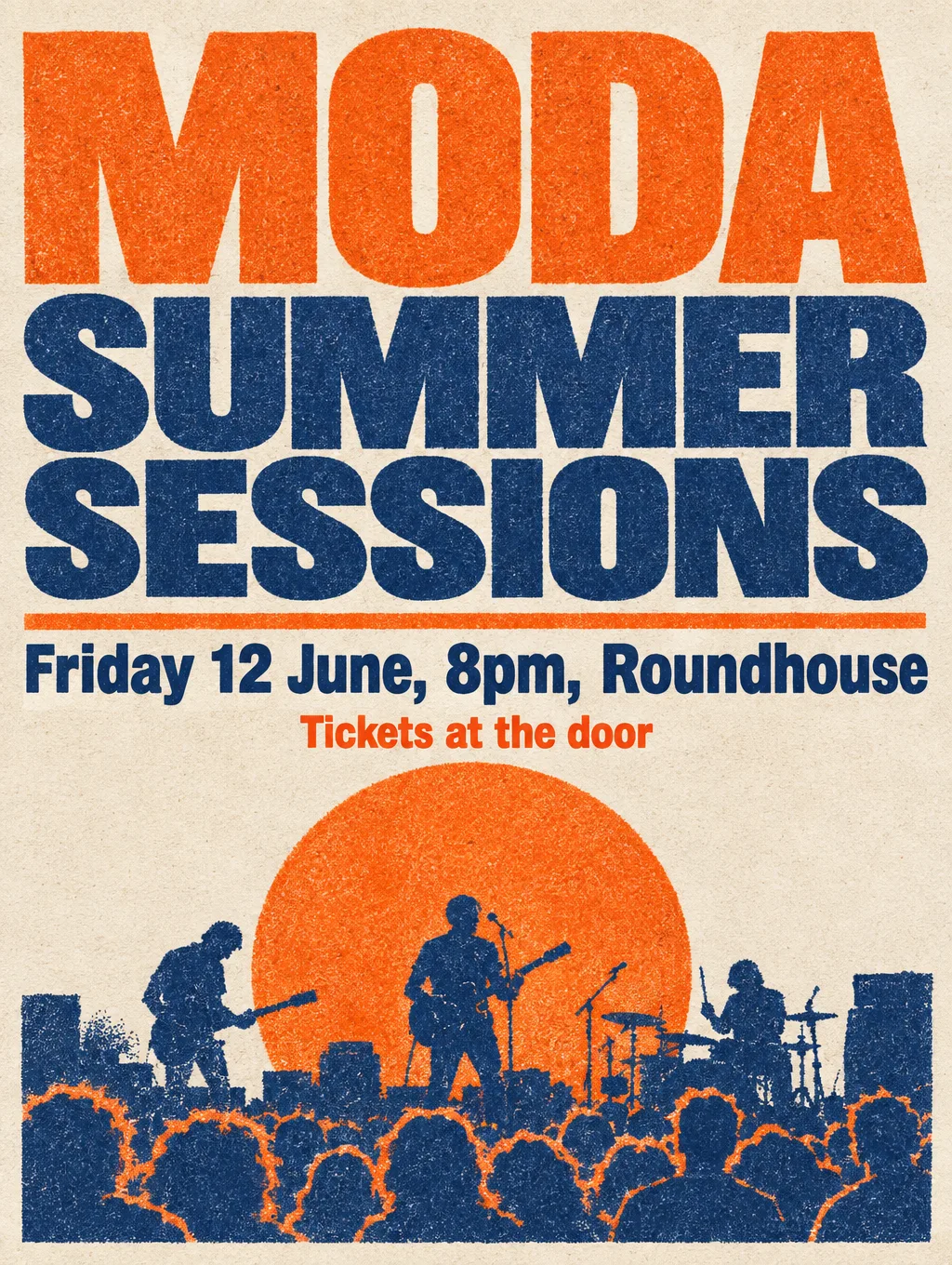
Every model on this prompt →Both set all three lines correctly; Nano Banana's type is bolder, GPT Image's has a scene behind it.
›What we asked for
A concert poster that reads 'MODA SUMMER SESSIONS' in large bold type, with the subtitle 'Friday 12 June, 8pm, Roundhouse' and a smaller line 'Tickets at the door'. Risograph style, two colours, tangerine and navy, grainy ink texture.
Product on white
Every model on this prompt →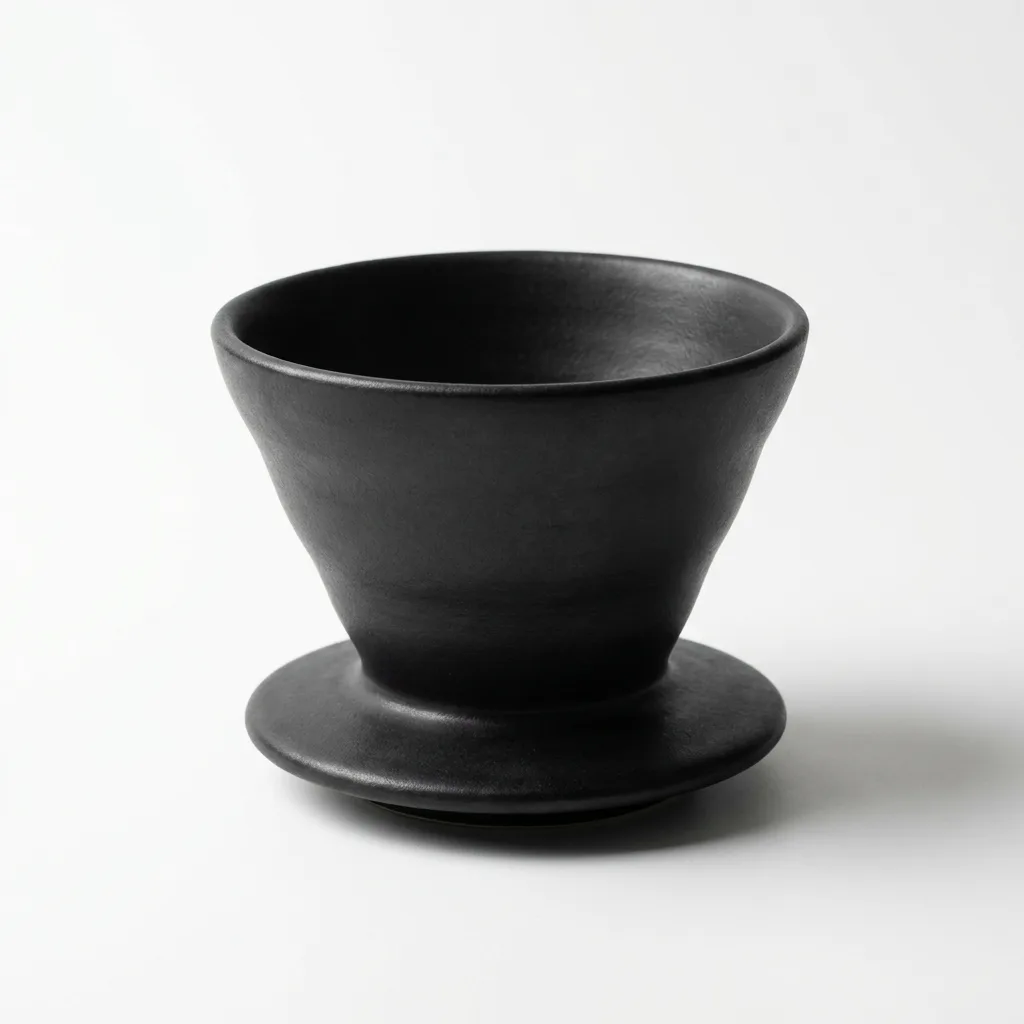
›What we asked for
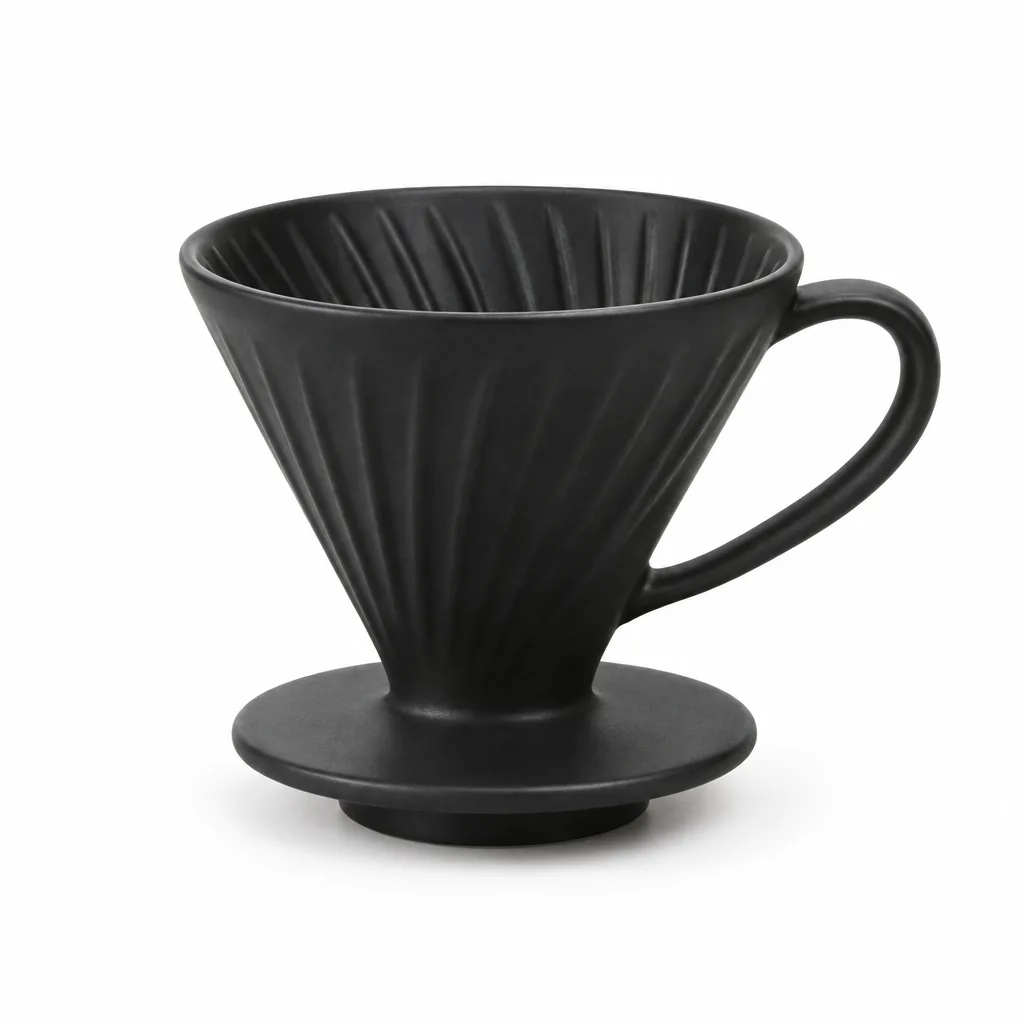
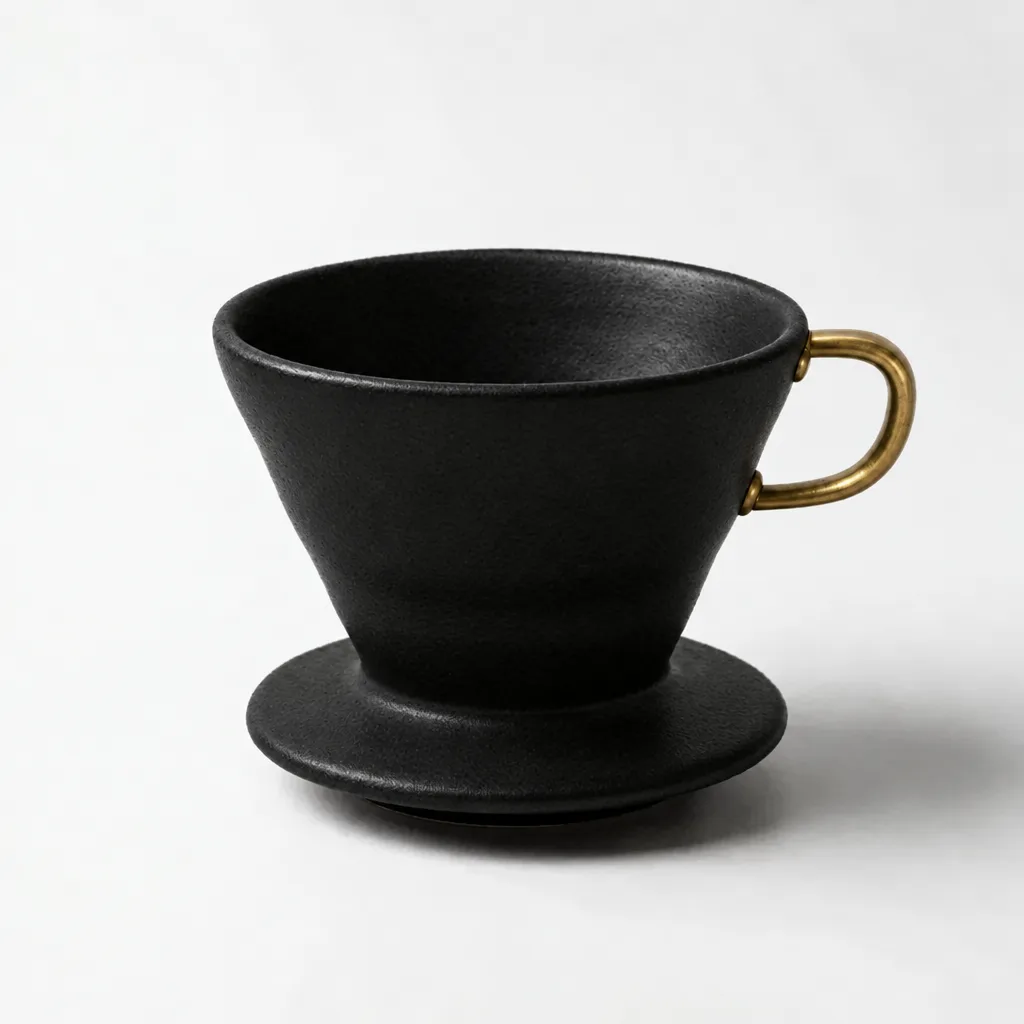
Studio product photograph of a matte black ceramic pour-over coffee dripper on a seamless white background, soft top light, subtle contact shadow, centred, catalogue style.
Face and hands
Every model on this prompt →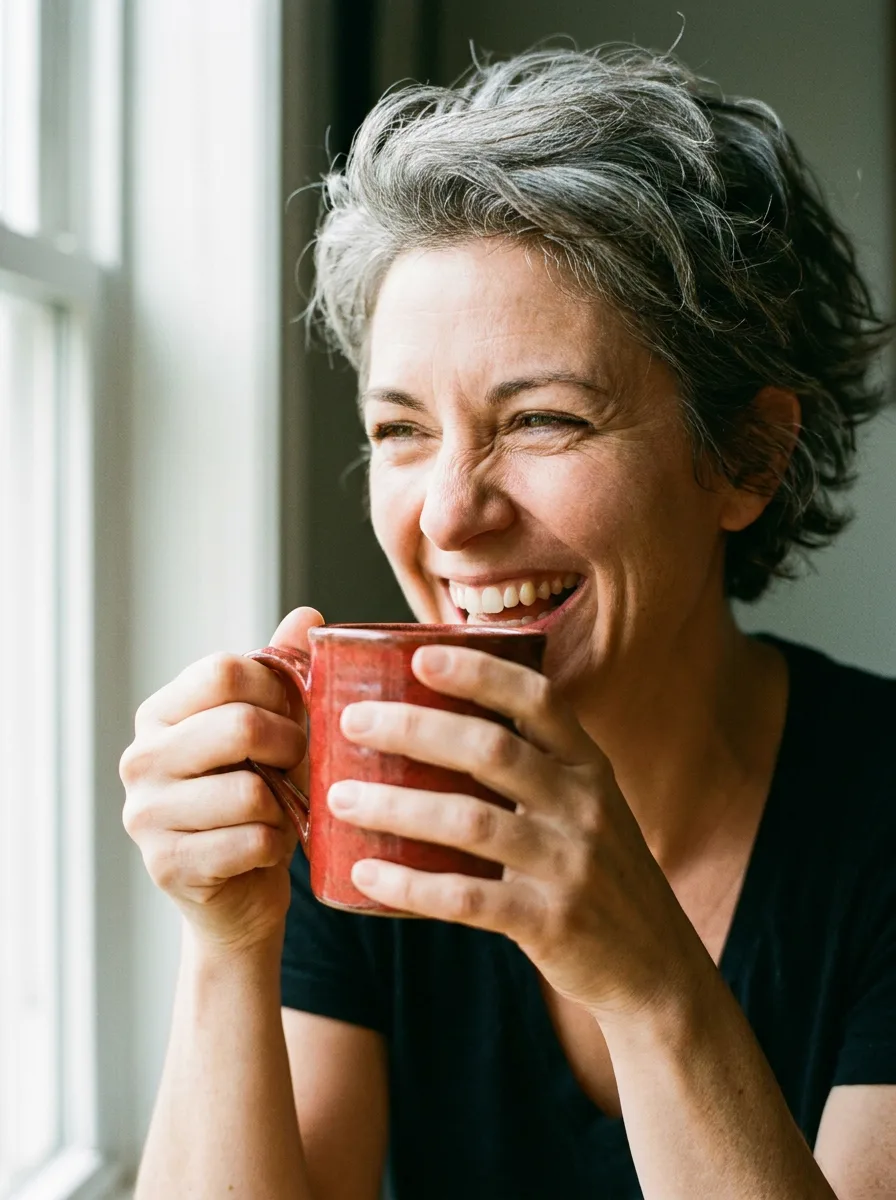
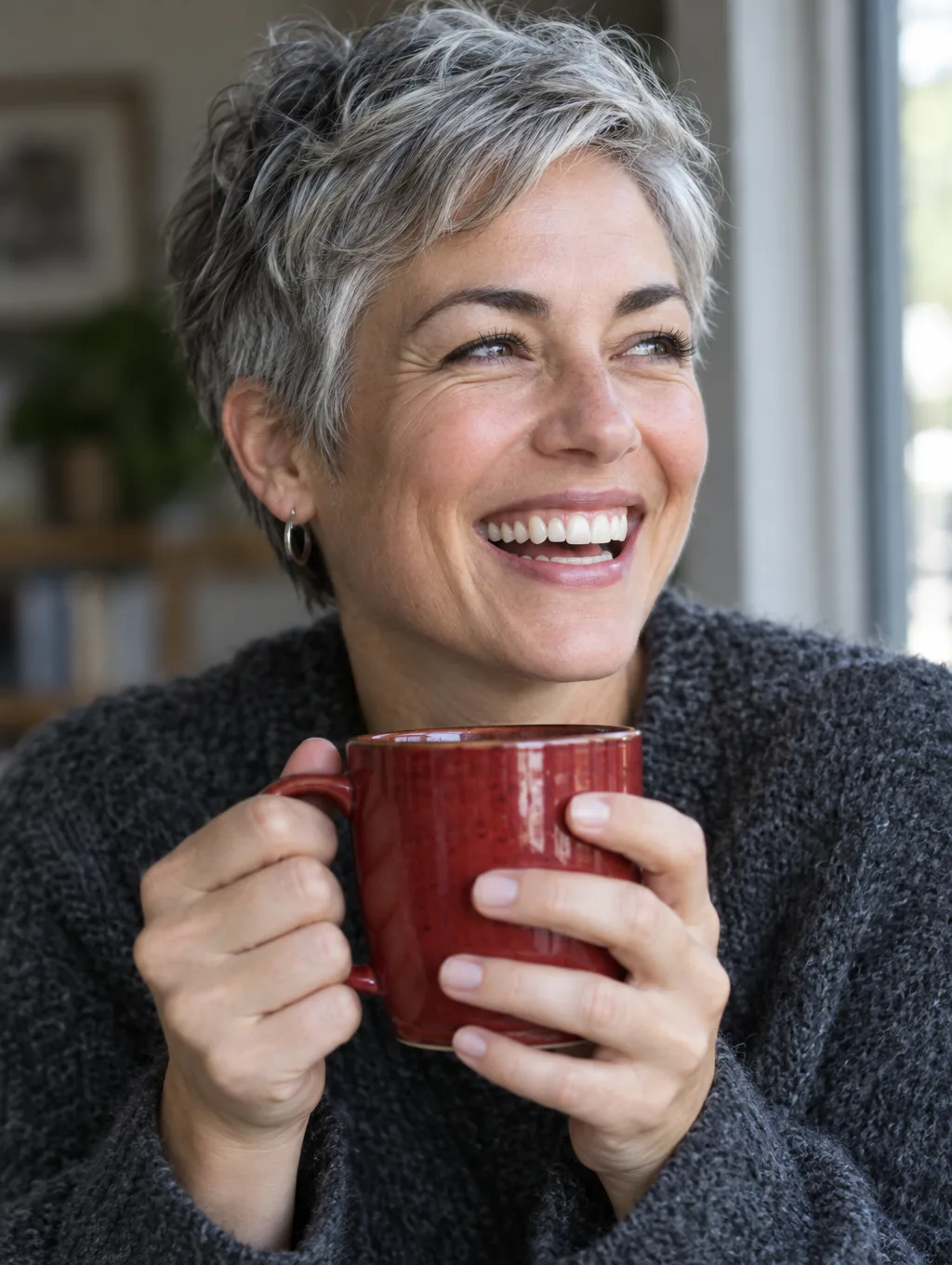
›What we asked for
Close-up portrait of a woman in her 40s with short grey hair, laughing, holding a red ceramic mug with both hands, natural window light, 85mm lens, shallow depth of field.
Logo mark
Every model on this prompt →GPT Image's chain-and-wheel mark is the one to trace; Nano Banana's circular mark is clean but plainer.


›What we asked for
A flat vector logo mark for a bicycle repair shop called 'Spoke & Chain': a single-colour icon combining a chain link and a wheel spoke, with the wordmark below in a geometric sans-serif, black on white.
Busy scene
Every model on this prompt →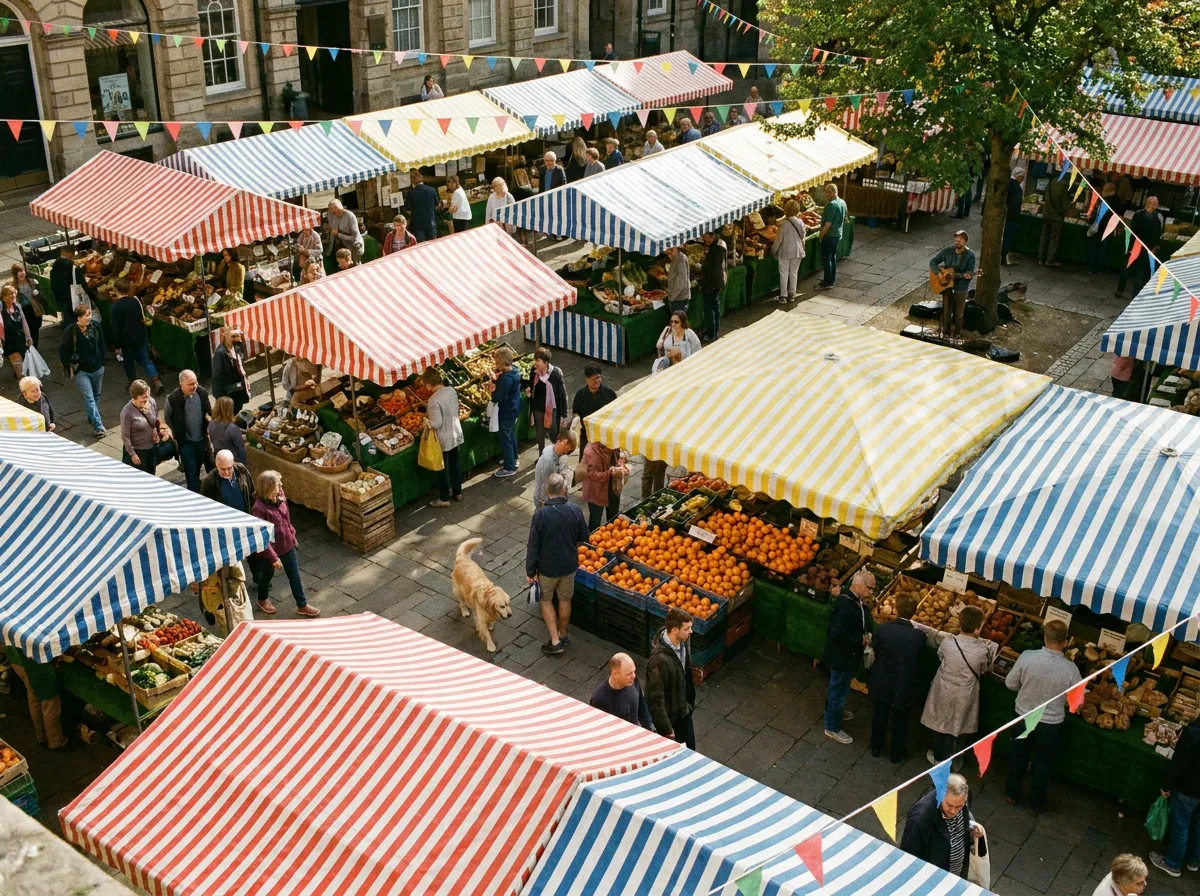
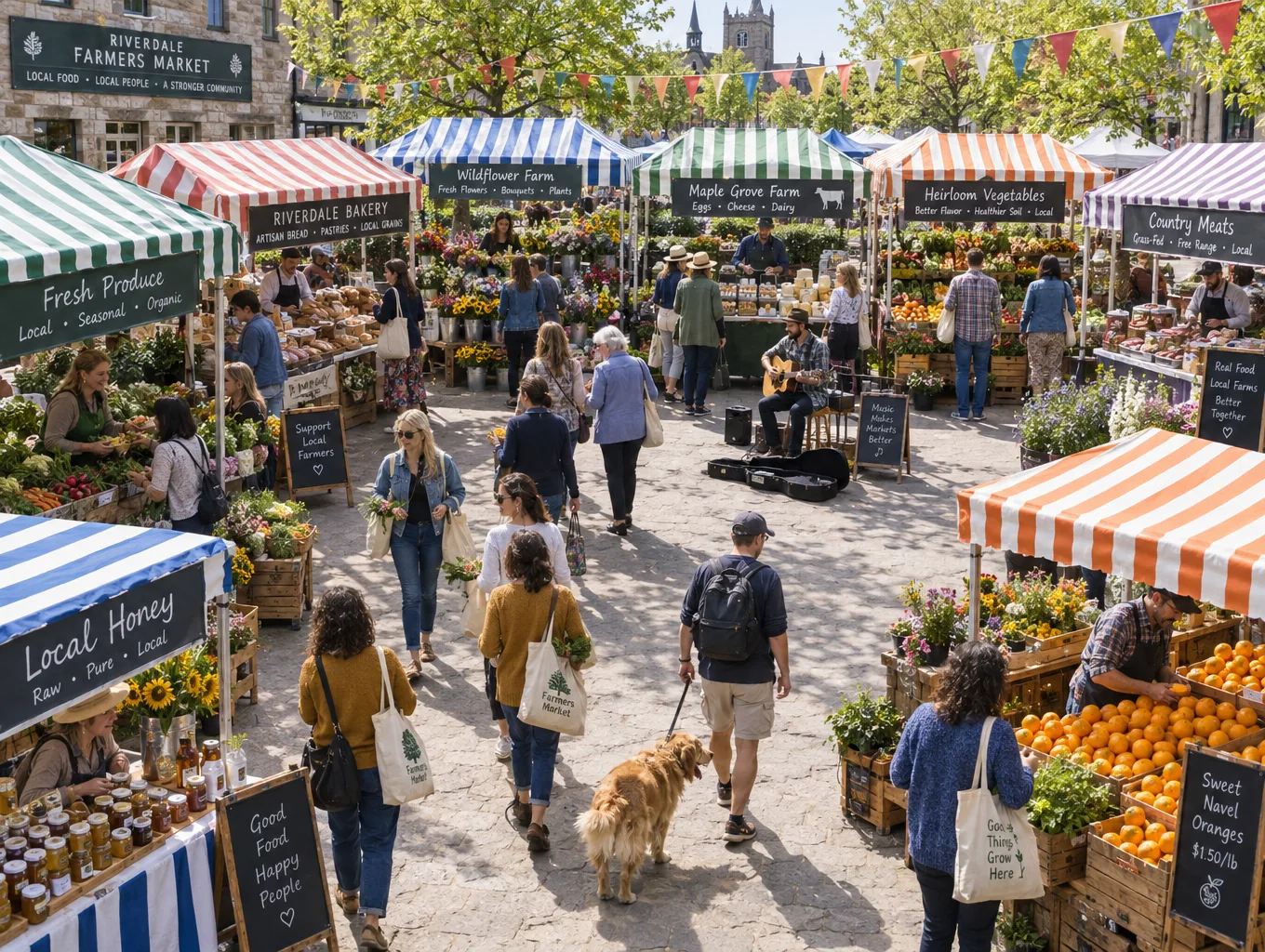
›What we asked for
A crowded Saturday farmers market seen from slightly above: at least twelve stalls with striped awnings, shoppers carrying tote bags, a dog on a leash, crates of oranges, a musician with a guitar, bunting overhead, late morning light.
Specific art style
Every model on this prompt →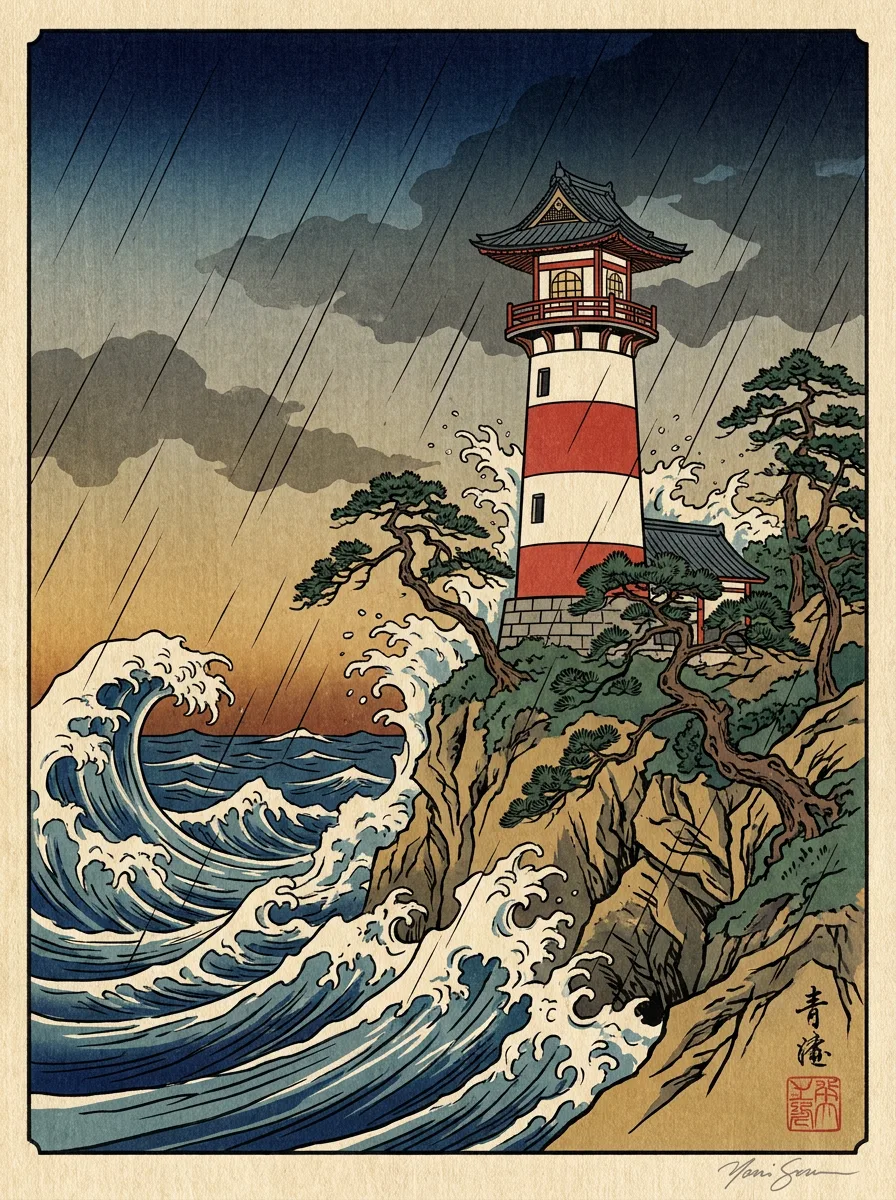
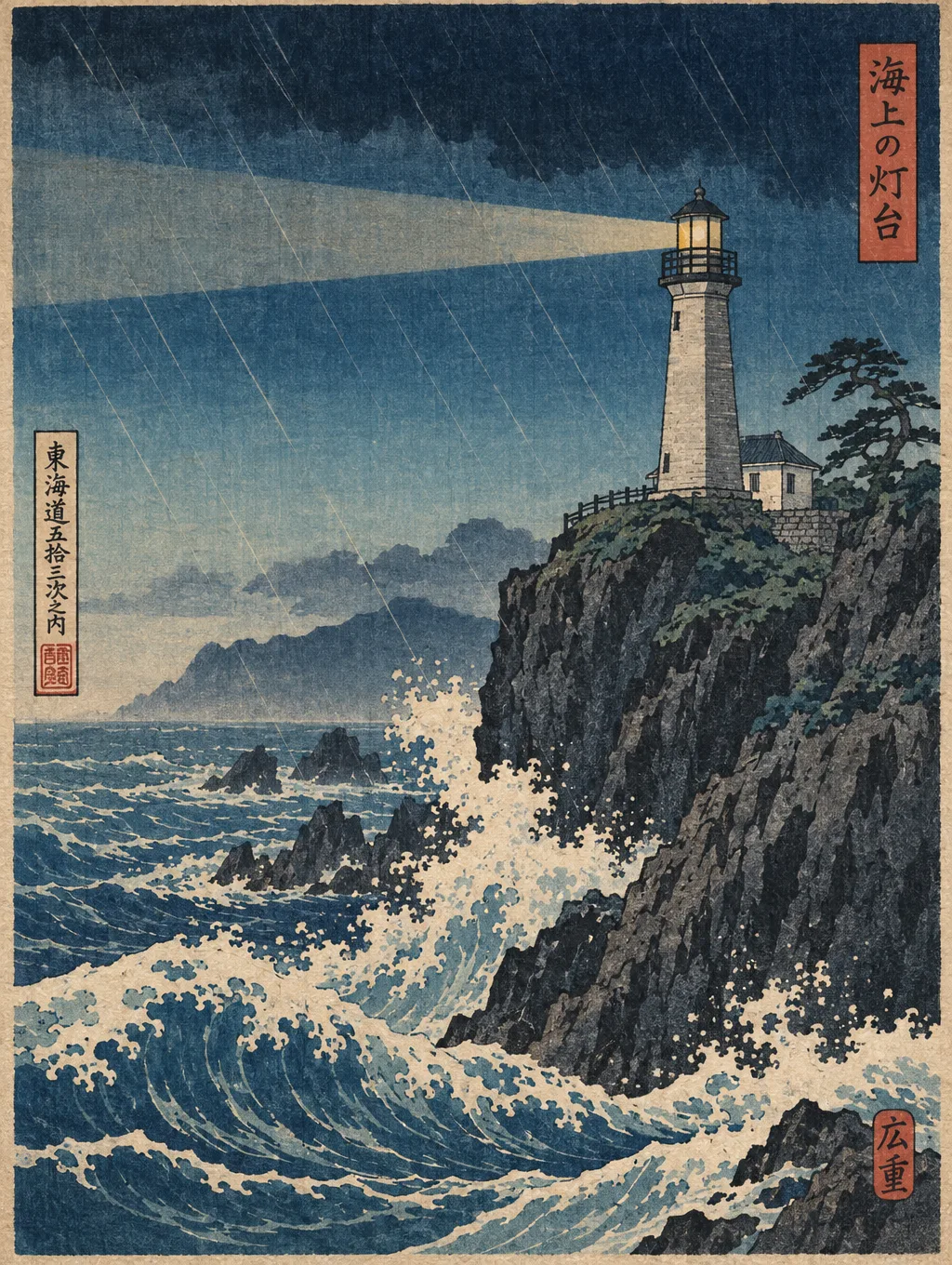
›What we asked for
A lighthouse on a rocky cliff during a storm, in the style of a Japanese ukiyo-e woodblock print, with visible wood grain texture, flat colour areas and a bokashi gradient sky.
Both correct; Nano Banana's is the cleaner chart with an axis title.
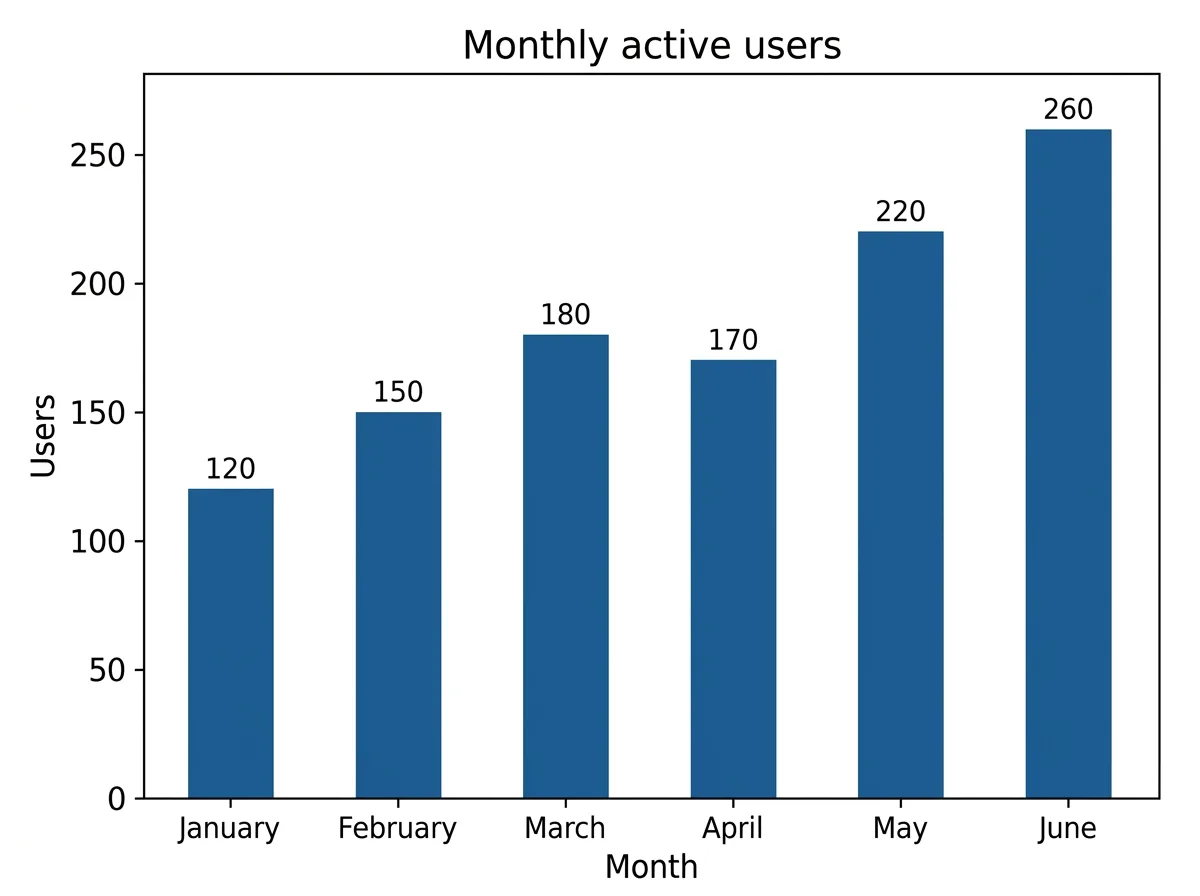
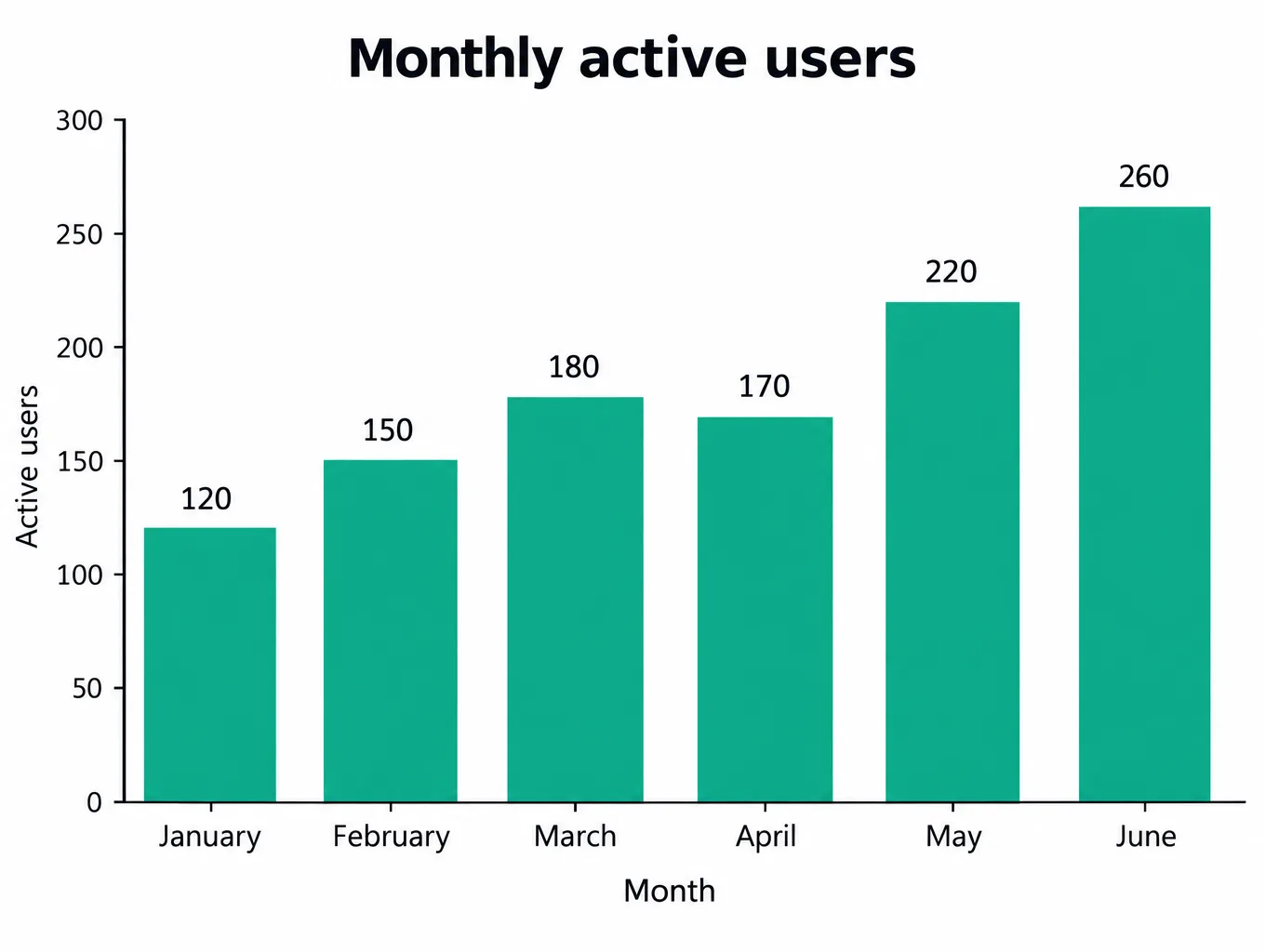
›What we asked for
A clean bar chart titled 'Monthly active users' showing six months, January through June, with the values 120, 150, 180, 170, 220 and 260, labelled axes, white background, one accent colour, no 3D effects.
Wide aspect ratio
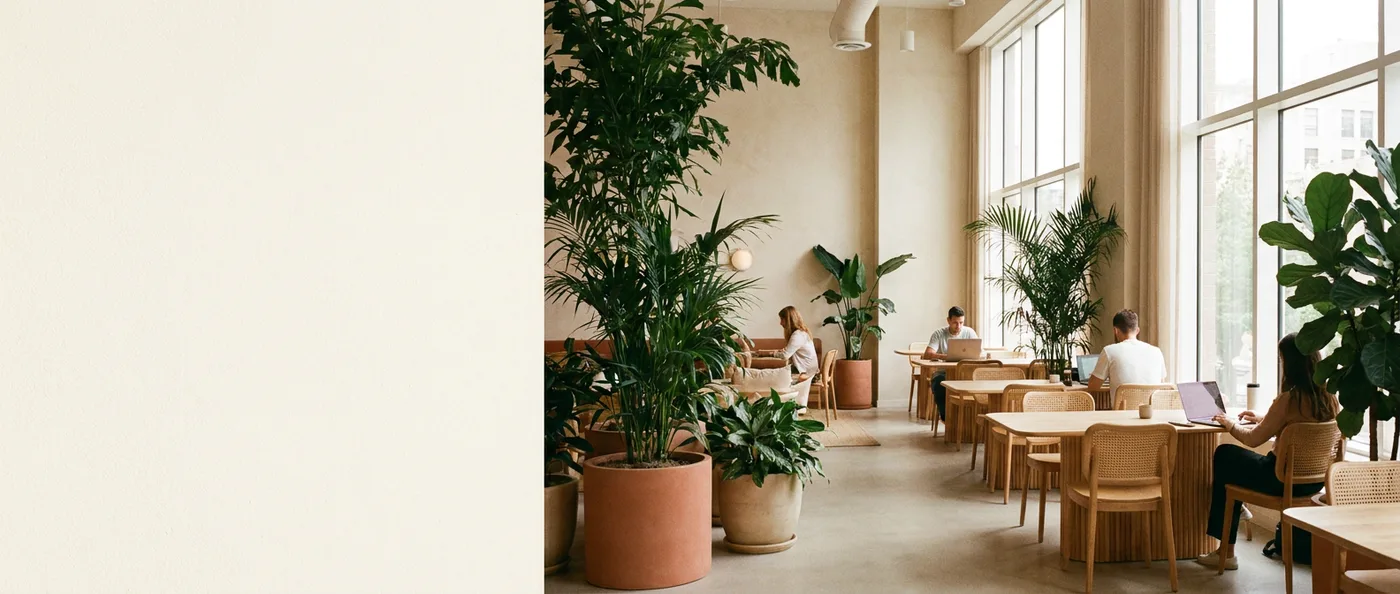
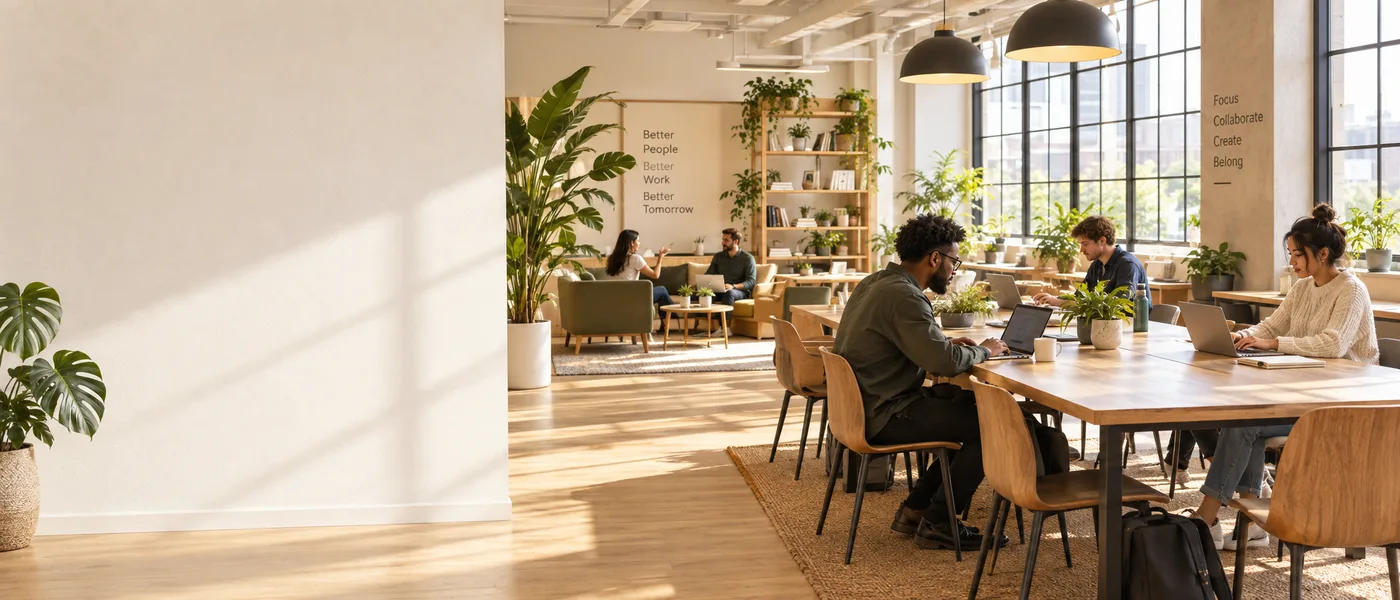
Every model on this prompt →Nano Banana Pro left the third clean at 21:9; GPT Image 2.5 Flare filled more of the frame.
›What we asked for
Website hero banner: a wide panorama of a sunlit modern co-working space with plants, the left third of the frame kept as clear wall space for text, warm neutral palette.
Infographic with steps
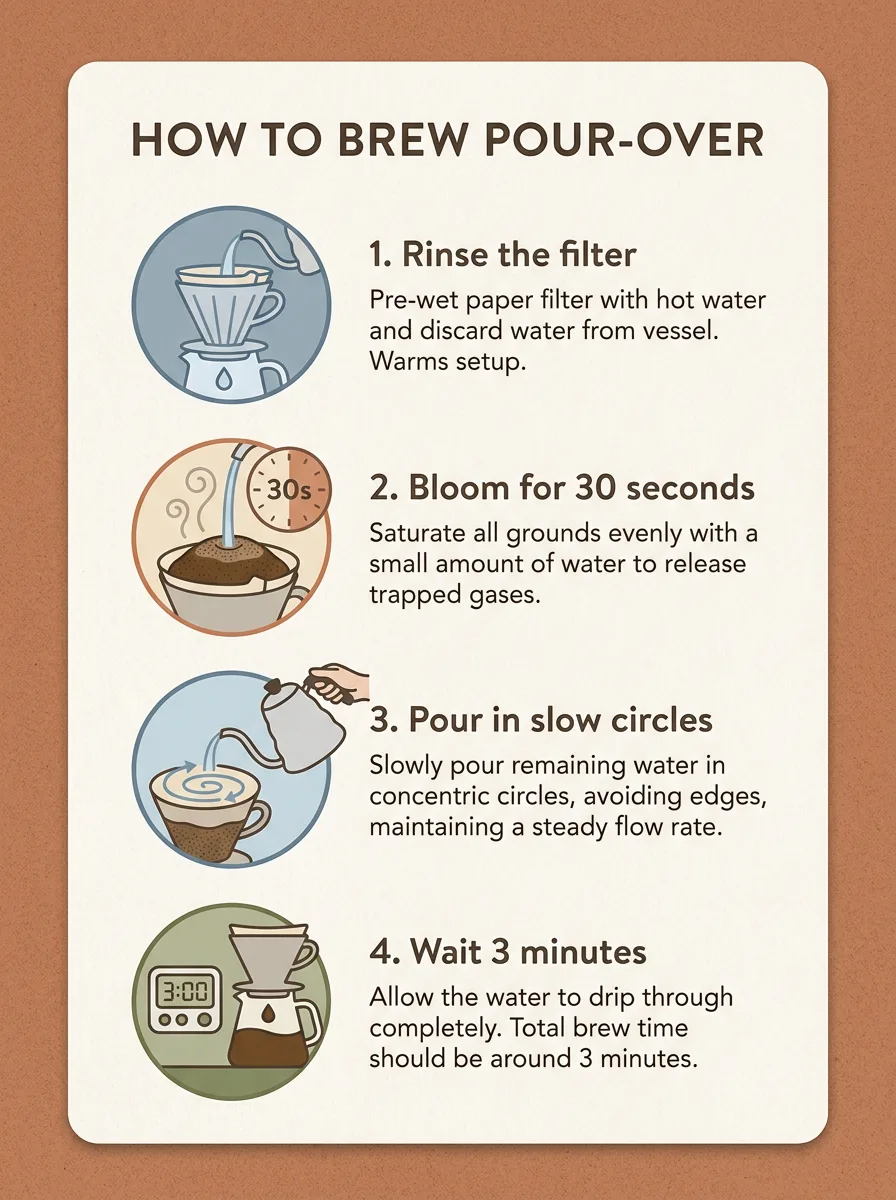
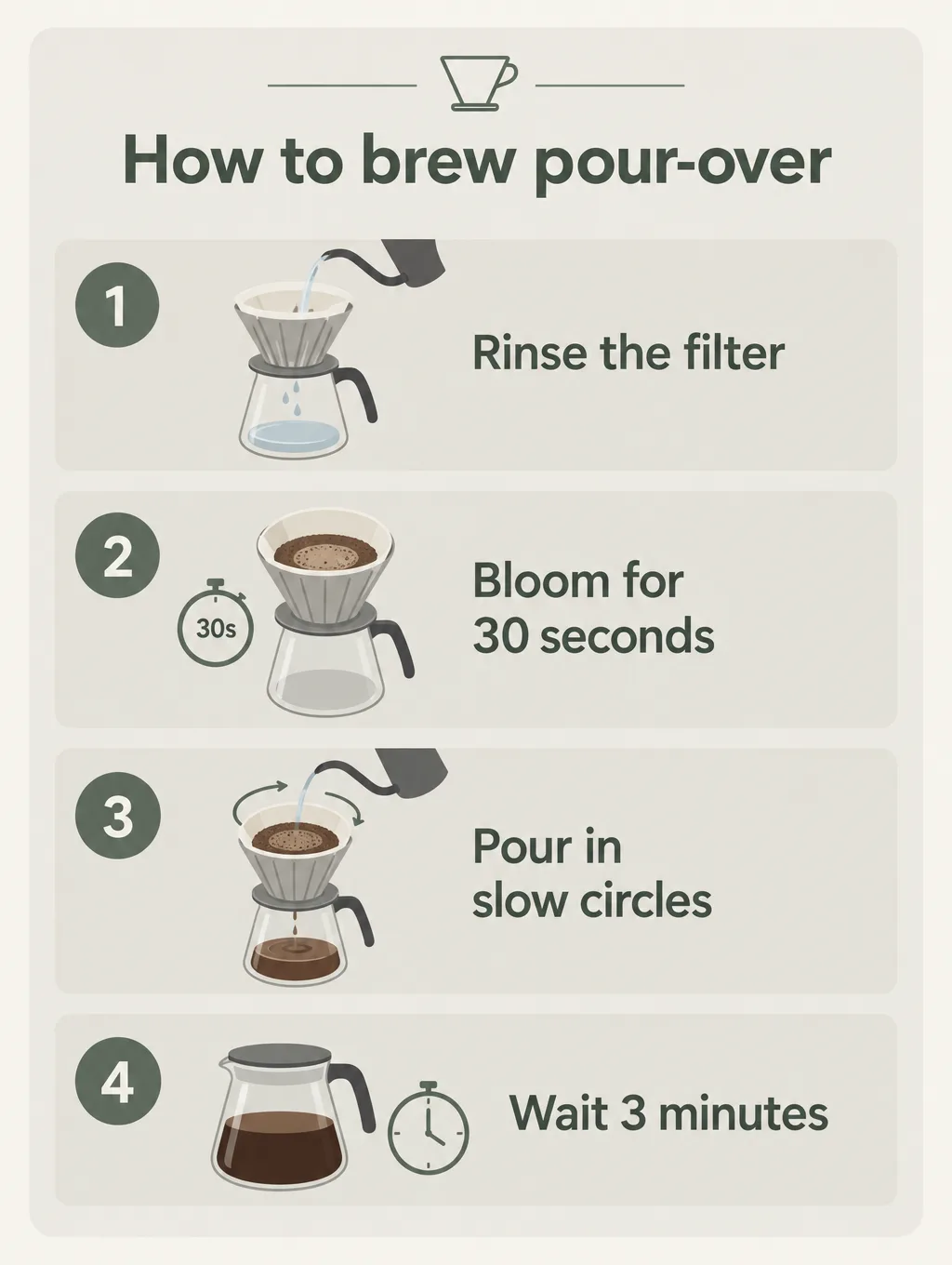
Every model on this prompt →Nano Banana Pro's card has icons and sub-copy; GPT Image's is clean and simpler.
›What we asked for
An infographic card titled 'How to brew pour-over' with four numbered steps in this order: 1. Rinse the filter, 2. Bloom for 30 seconds, 3. Pour in slow circles, 4. Wait 3 minutes. A simple icon beside each step, muted palette, clean sans-serif type.
Food photography
Every model on this prompt →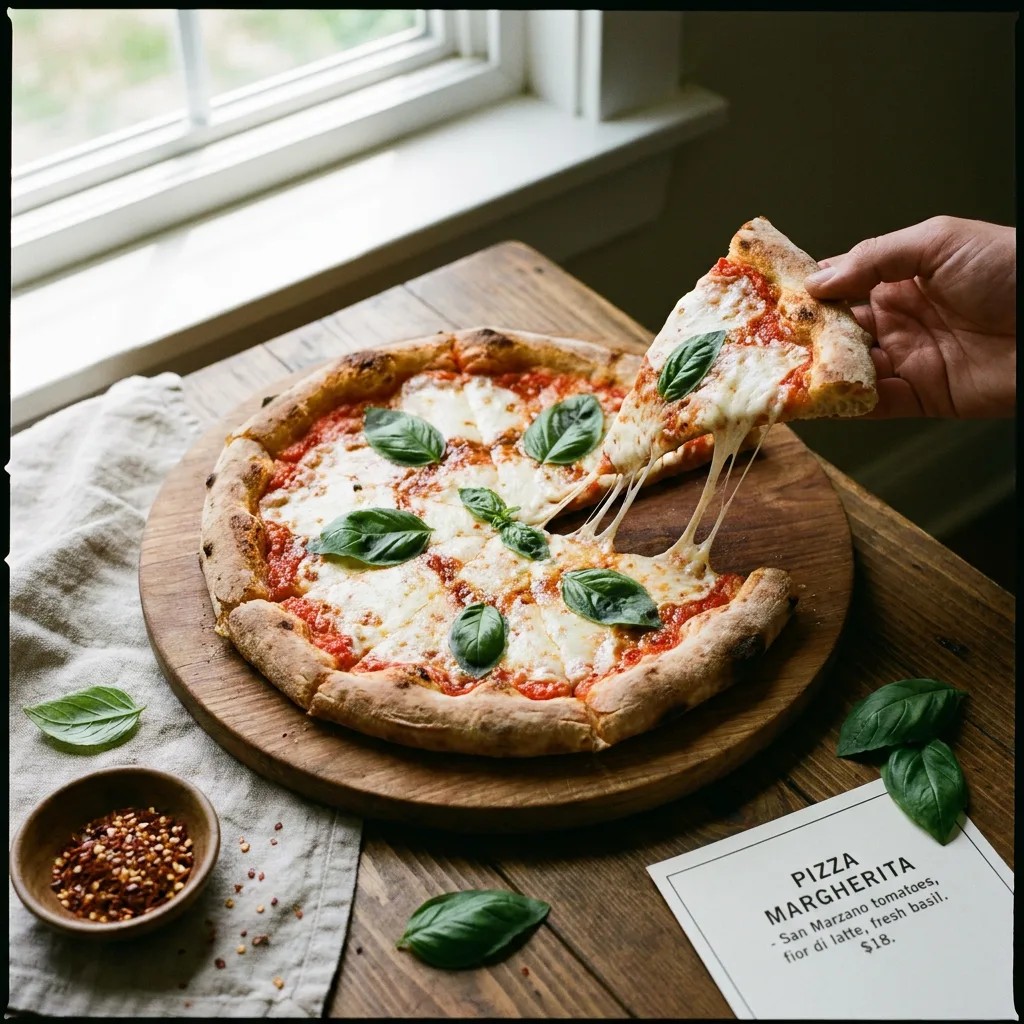
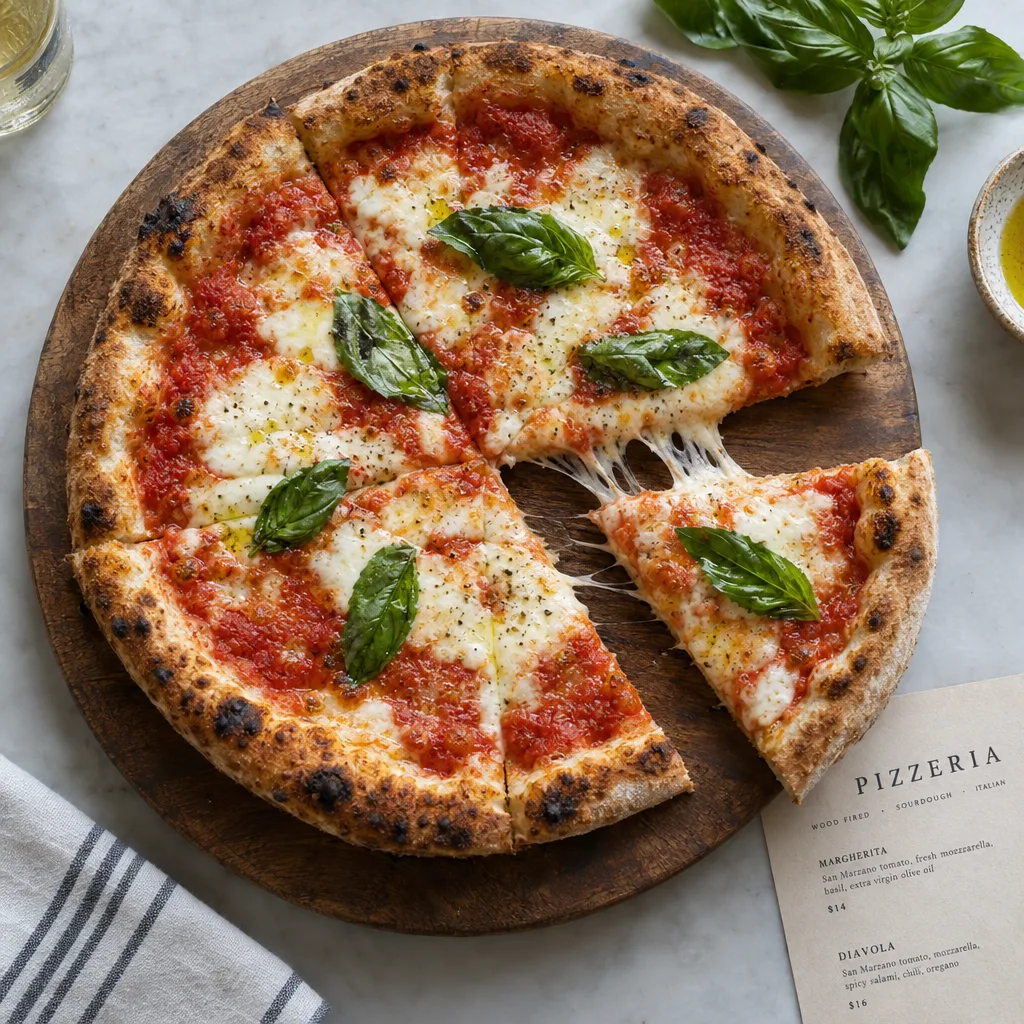
›What we asked for
Overhead photograph of a margherita pizza on a wooden board, fresh basil leaves, one slice pulled out with the cheese stretching, restaurant menu photography, natural light.
Hard composition
Every model on this prompt →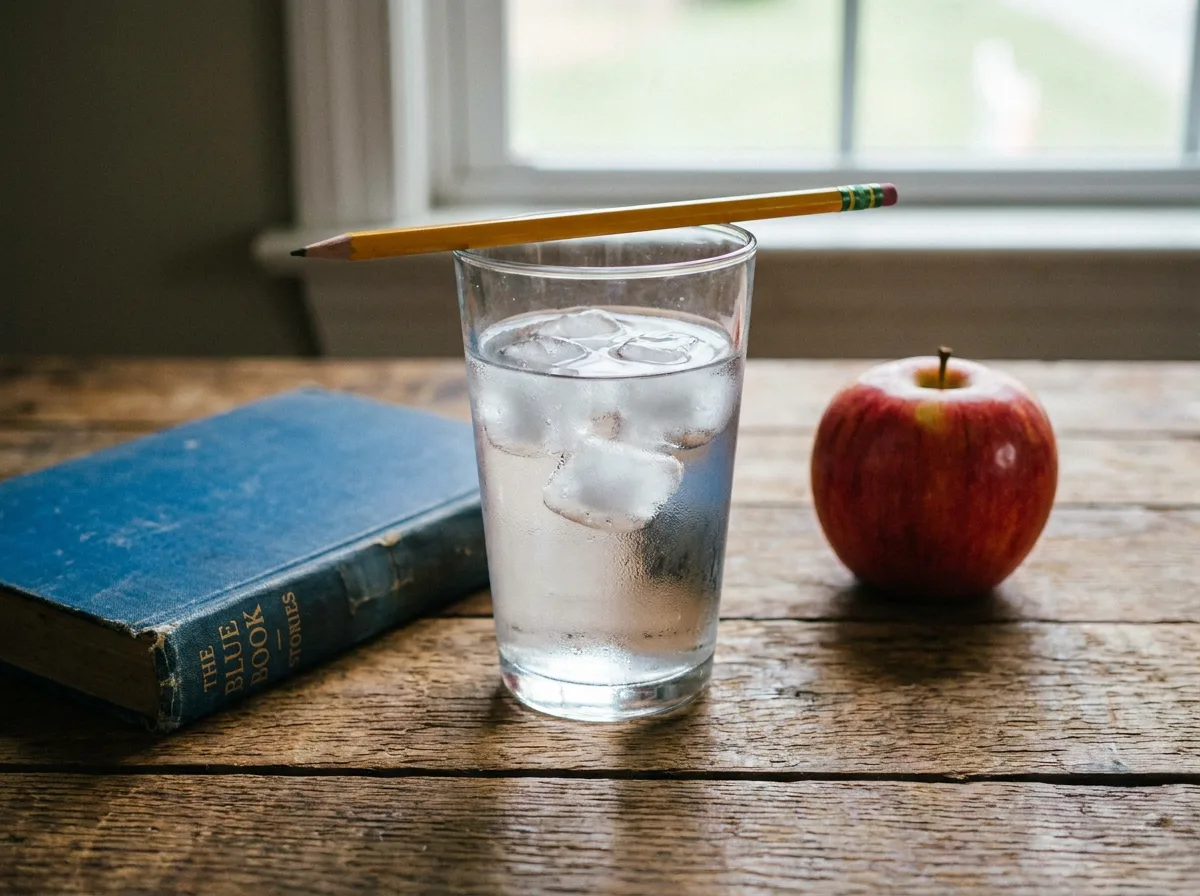
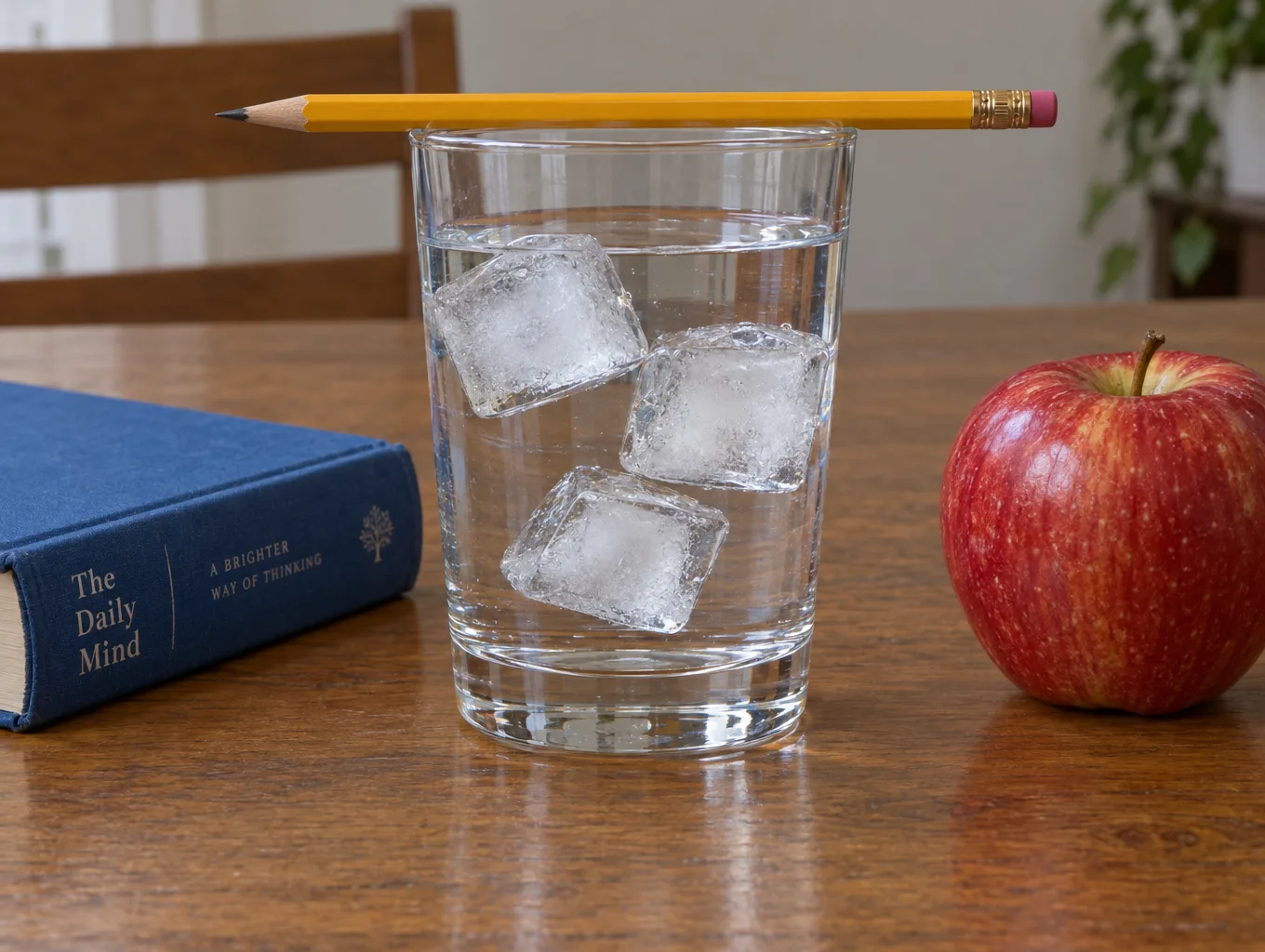
›What we asked for
A glass of water on a wooden table with exactly three ice cubes in it, a yellow pencil resting across the rim of the glass, a blue book to the left of the glass and a red apple to the right, photographed from table height.
Edit an existing image
Every model on this prompt →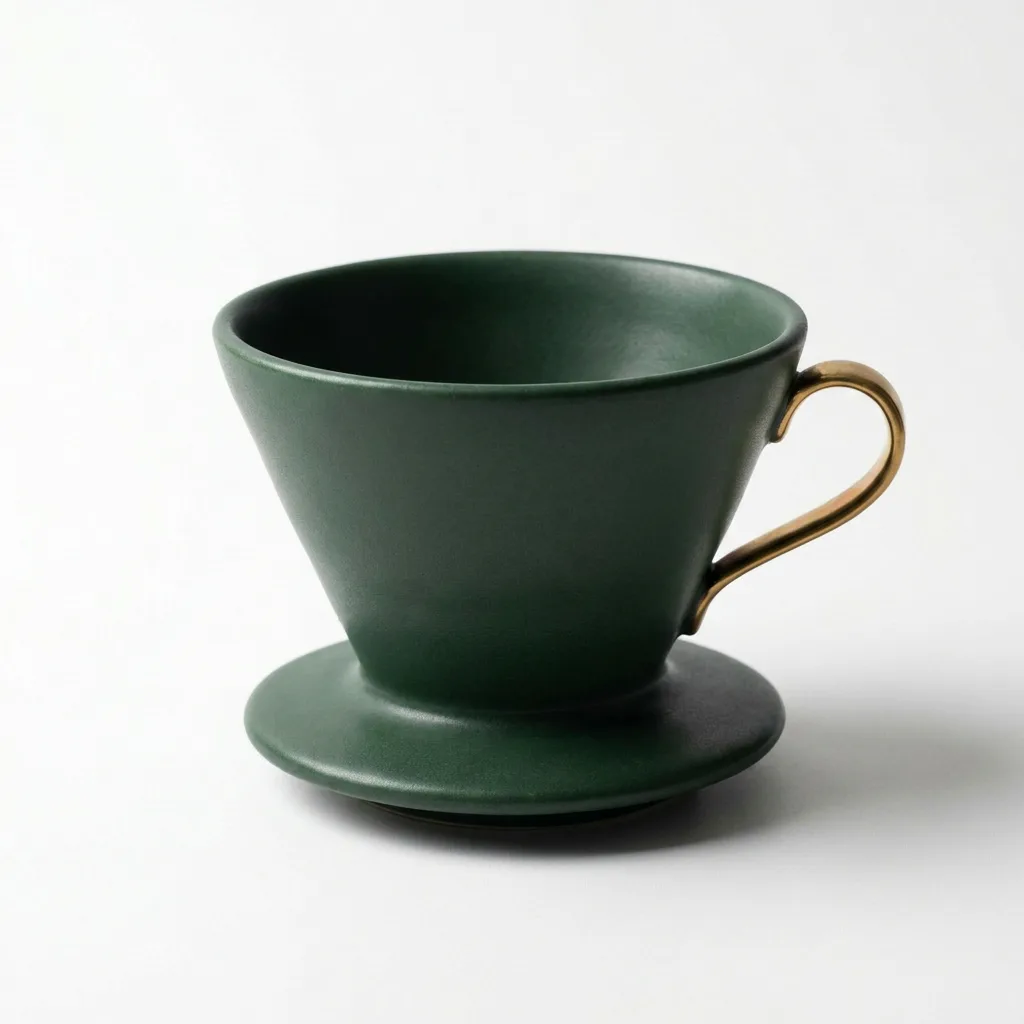
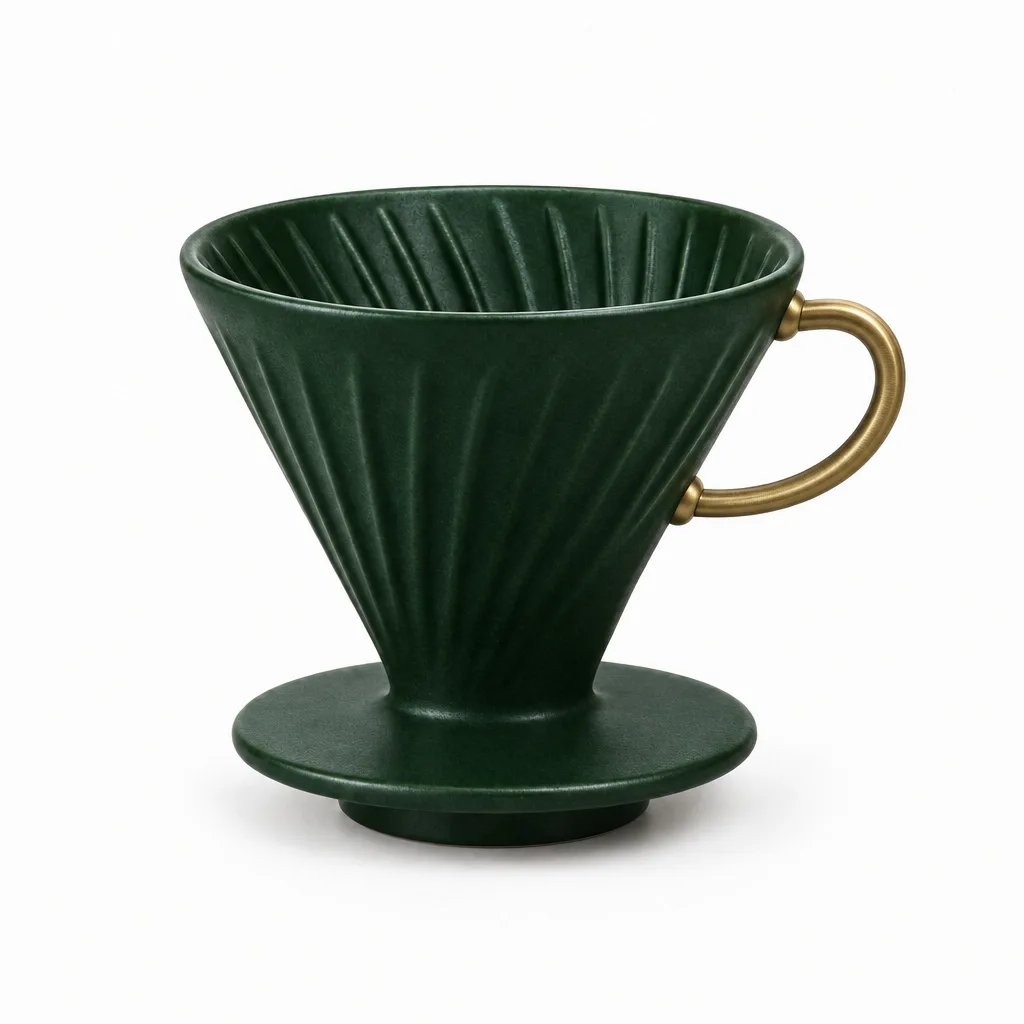
›What we asked for
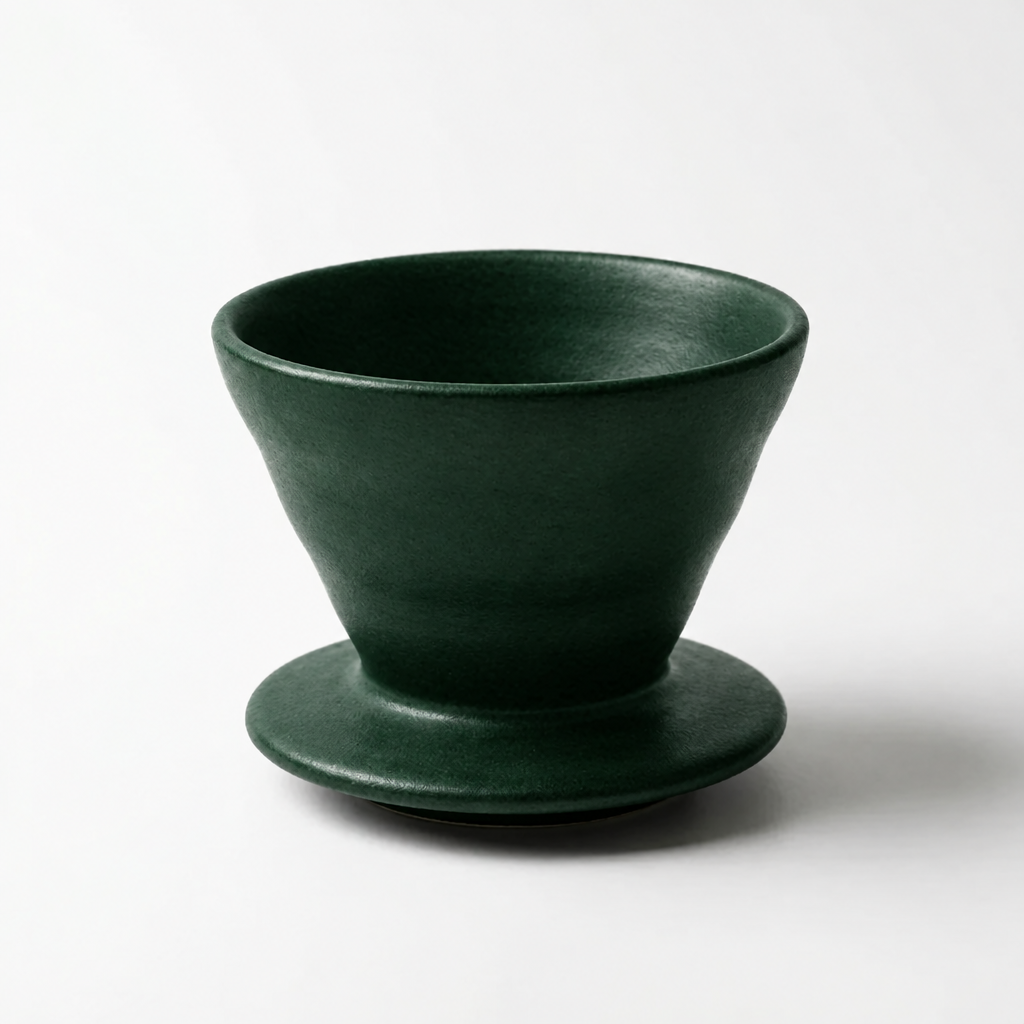
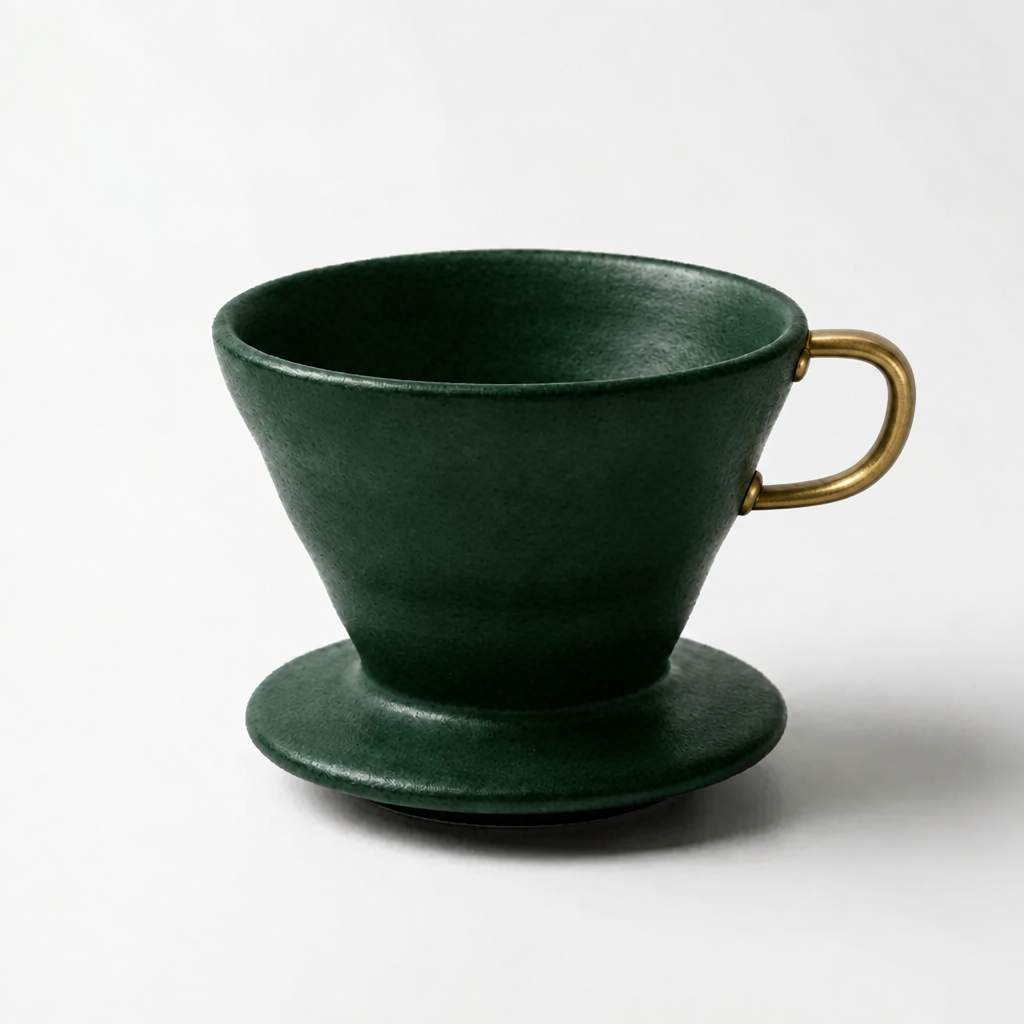
Change the coffee dripper to a deep forest green and add a small brass handle on its right side. Keep the background, lighting and composition exactly as they are.
Additional workflow tests
Separate from the common benchmark above. These tests examine longer shots, successive edits or specialized controls. One attempt per test, including failures. Costs are estimates from published rates.
Edit 1: change only color
View the generated starting image
GPT Image 2.5 Flare
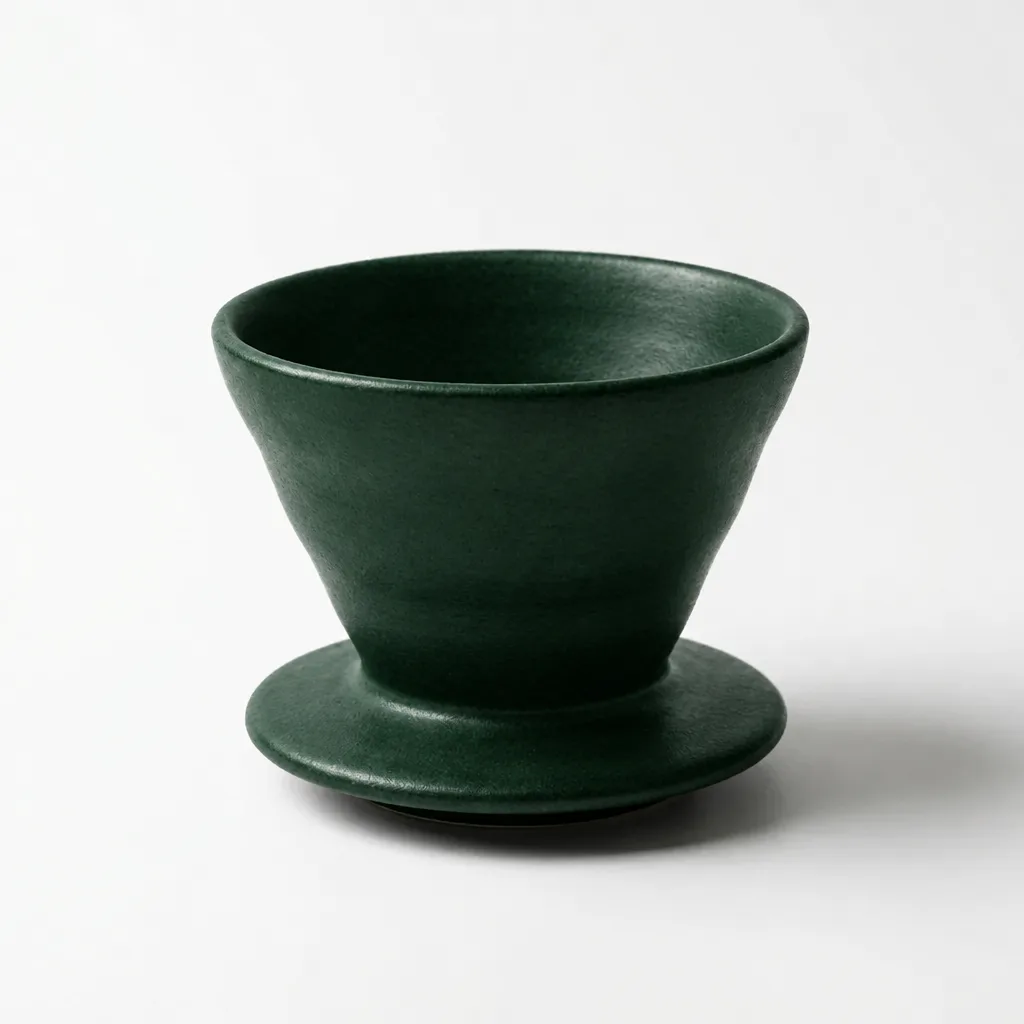
Sequential editing from the same starting image; look for changes outside the requested region.
›What we asked for
Change only the black coffee dripper to deep forest green. Preserve its exact shape, position, lighting, shadow and white background.
openai/gpt-image-2.5/flare/edit
image_size: {"width":1024,"height":1024}, quality: high, output_format: png, num_images: 1
returned 1024 by 1024 pixels
Generated . Cost basis: fal's published per-image figure for this endpoint at high quality, nearest listed size 1024x1024; fal bills it by tokens and does not return the charge. Original output.
The dripper is green while its broad silhouette and studio framing remain recognizable.
Edit 2: add a brass handle
View the generated starting image
GPT Image 2.5 Flare
Edits the previous output above.
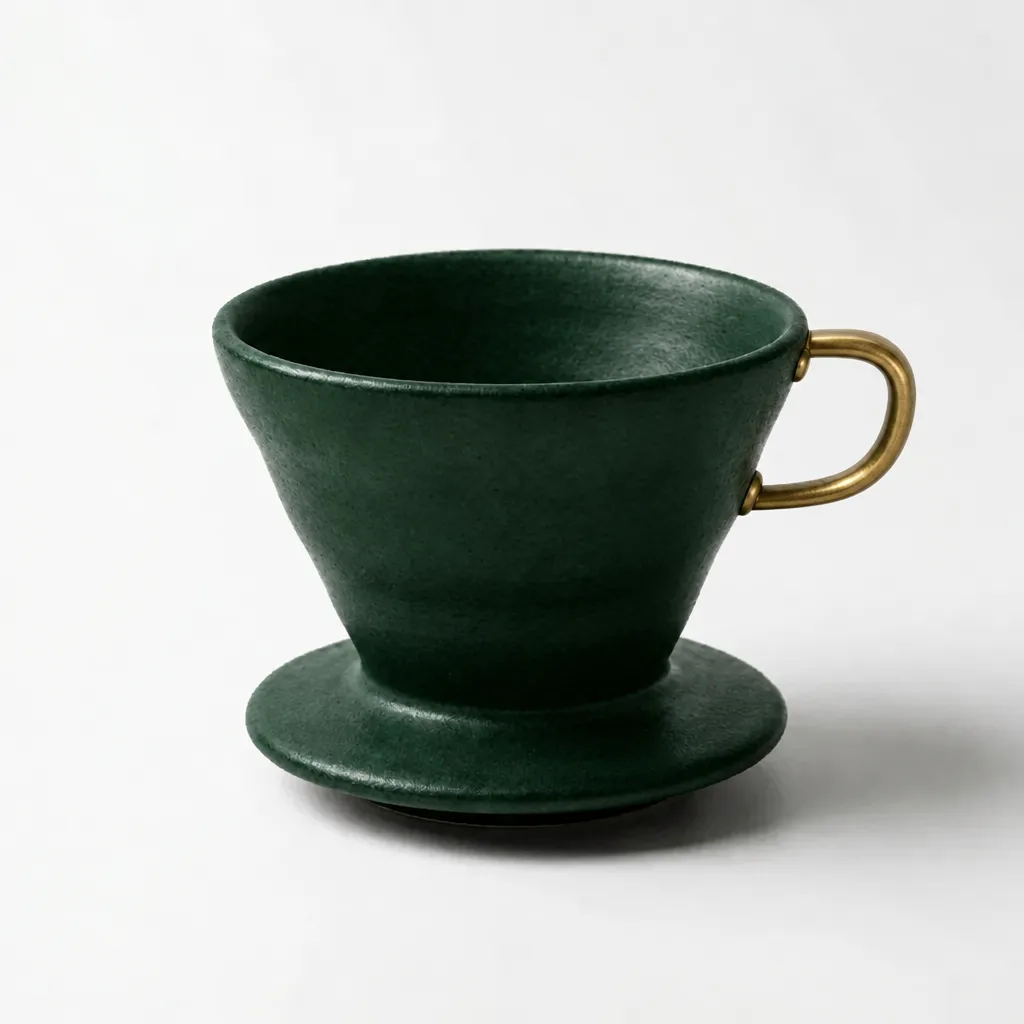
Sequential editing from the same starting image; look for changes outside the requested region.
›What we asked for
Add one small brass handle on the right side of the forest green coffee dripper. Change nothing else.
openai/gpt-image-2.5/flare/edit
image_size: {"width":1024,"height":1024}, quality: high, output_format: png, num_images: 1
returned 1024 by 1024 pixels
Generated . Cost basis: fal's published per-image figure for this endpoint at high quality, nearest listed size 1024x1024; fal bills it by tokens and does not return the charge. Original output.
A brass handle appears on the right; the green ceramic and plain background are retained.
Edit 3: restore black
View the generated starting image
GPT Image 2.5 Flare
Edits the previous output above.
Sequential editing from the same starting image; look for changes outside the requested region.
›What we asked for
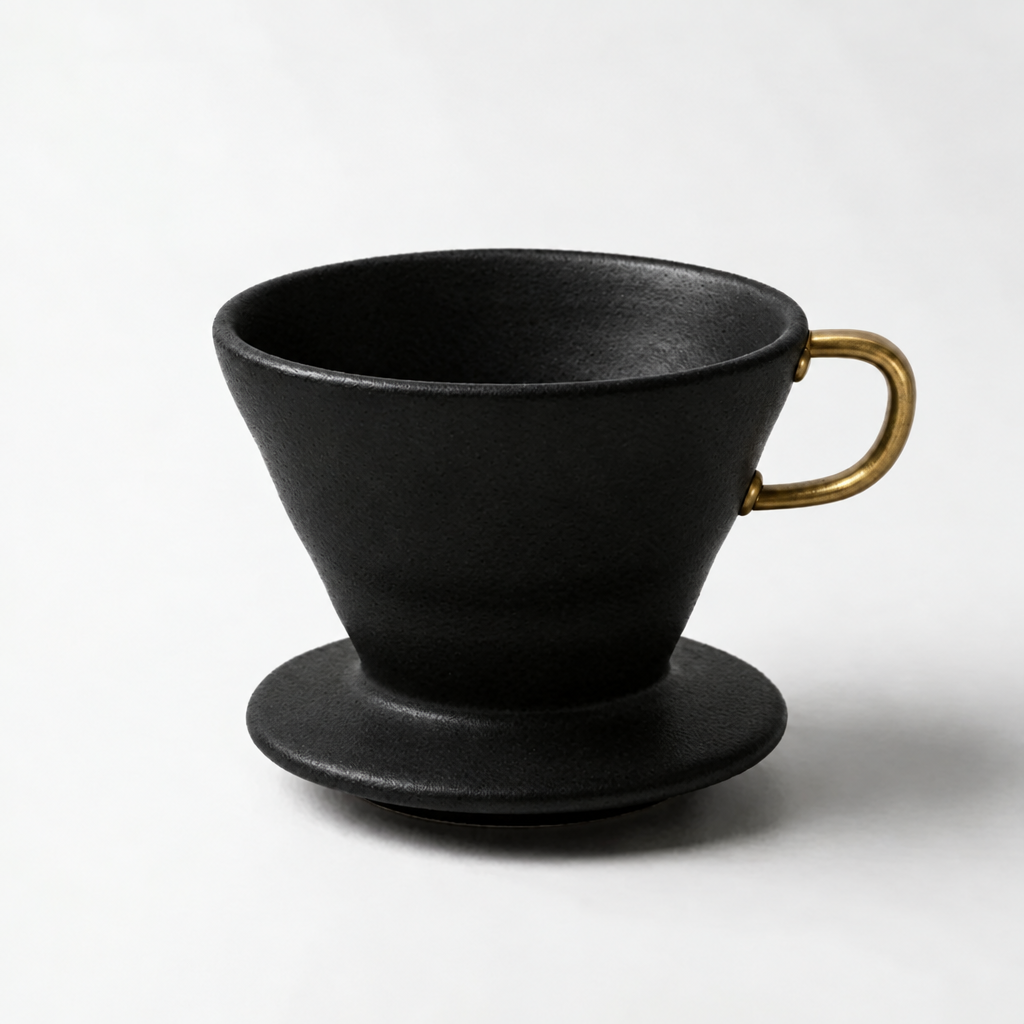
Change only the forest green ceramic to matte black. Keep the brass handle, dripper geometry, background, shadow and framing unchanged.
openai/gpt-image-2.5/flare/edit
image_size: {"width":1024,"height":1024}, quality: high, output_format: png, num_images: 1
returned 1024 by 1024 pixels
Generated . Cost basis: fal's published per-image figure for this endpoint at high quality, nearest listed size 1024x1024; fal bills it by tokens and does not return the charge. Original output.
The final image restores black and keeps the added handle. Fine surface shading differs; this is not a pixel-equality test.
Identity in a new setting
View the generated starting image
GPT Image 2.5 Flare
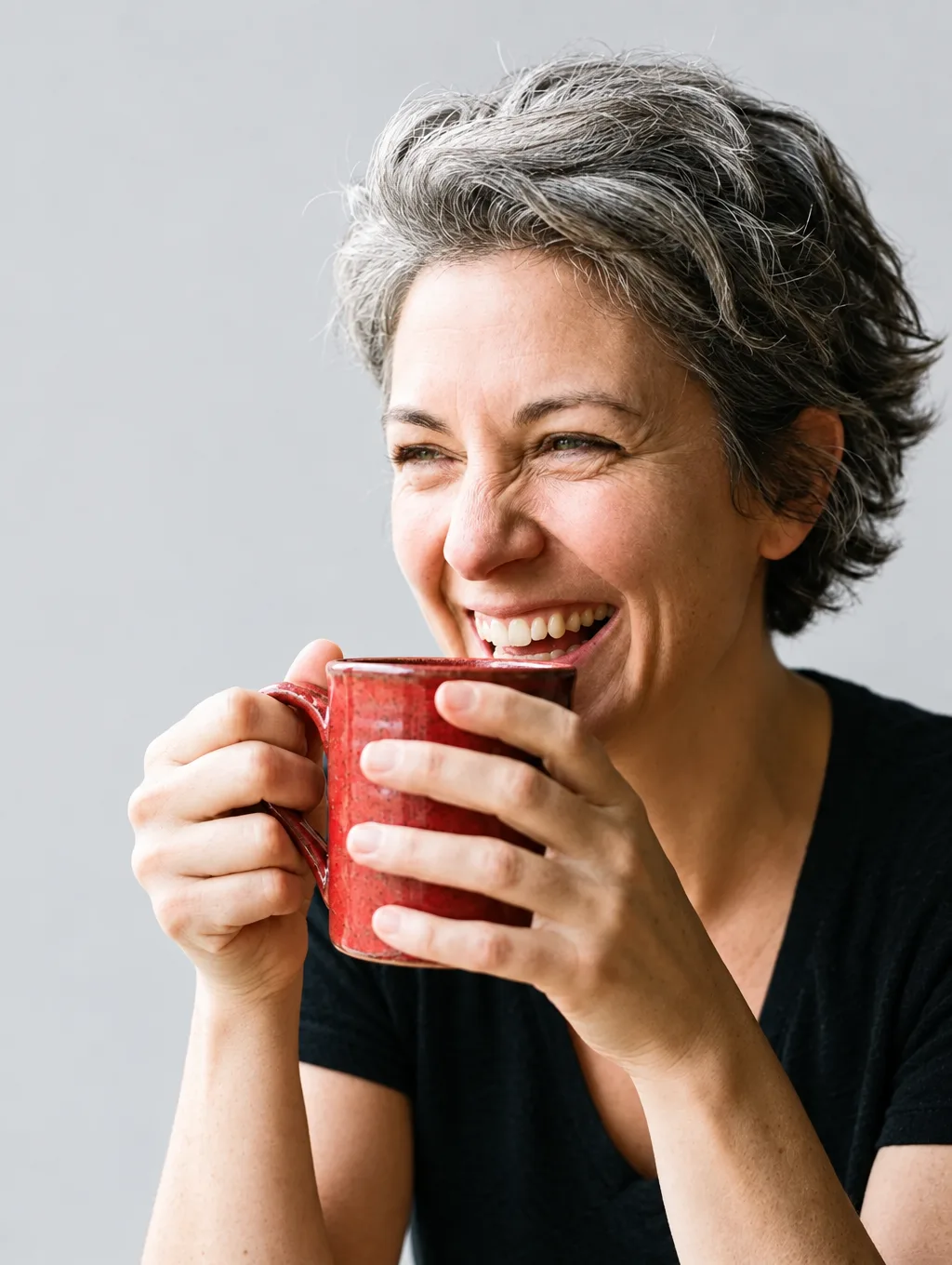
Preserve the same person and clothing while changing the setting.
›What we asked for
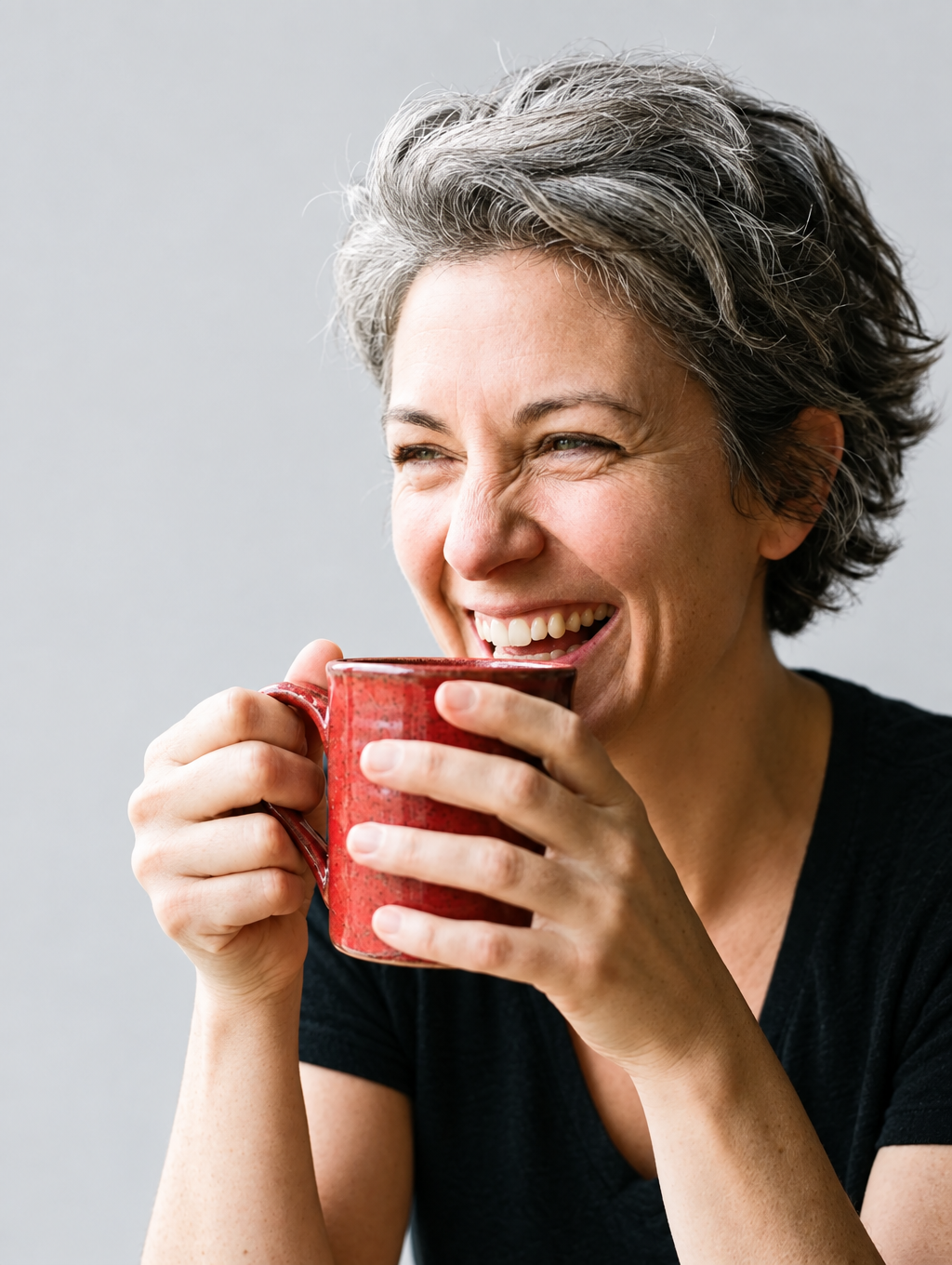
Move this same person into a bright photography studio with a plain light grey background. Preserve their face, age, hairstyle, clothing, pose and the objects in their hands. Only change the background.
openai/gpt-image-2.5/flare/edit
image_size: {"width":1024,"height":1360}, quality: high, output_format: png, num_images: 1
returned 1024 by 1360 pixels
Generated . Cost basis: fal's published per-image figure for this endpoint at high quality, nearest listed size 1024x1536; fal bills it by tokens and does not return the charge. Original output.
The grey hair, red mug, hands and smiling pose remain recognizable against the plain background.
Identity after a second edit
GPT Image 2.5 Flare
Edits the previous output above.
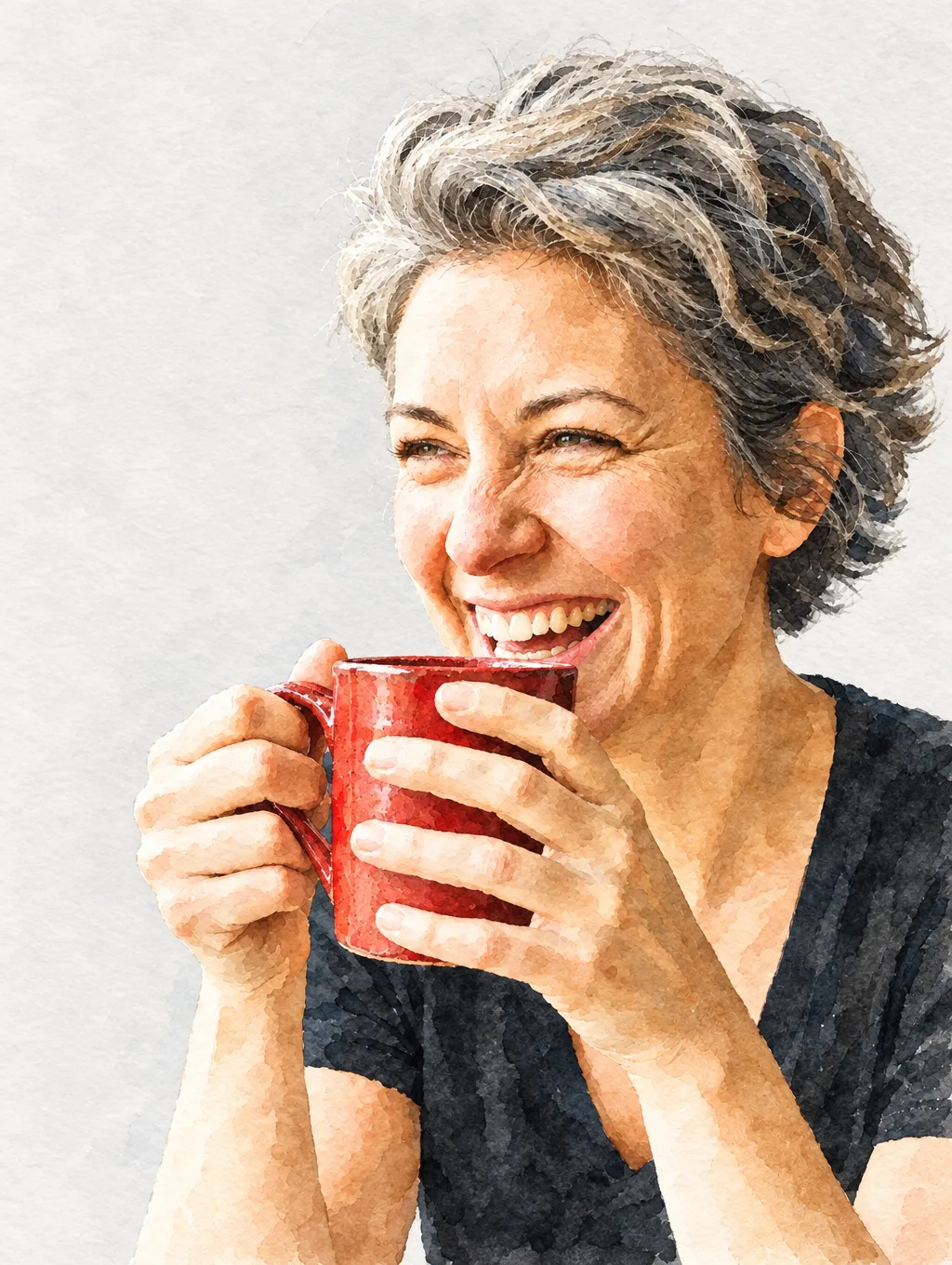
Keep recognizable features through a second style change.
›What we asked for
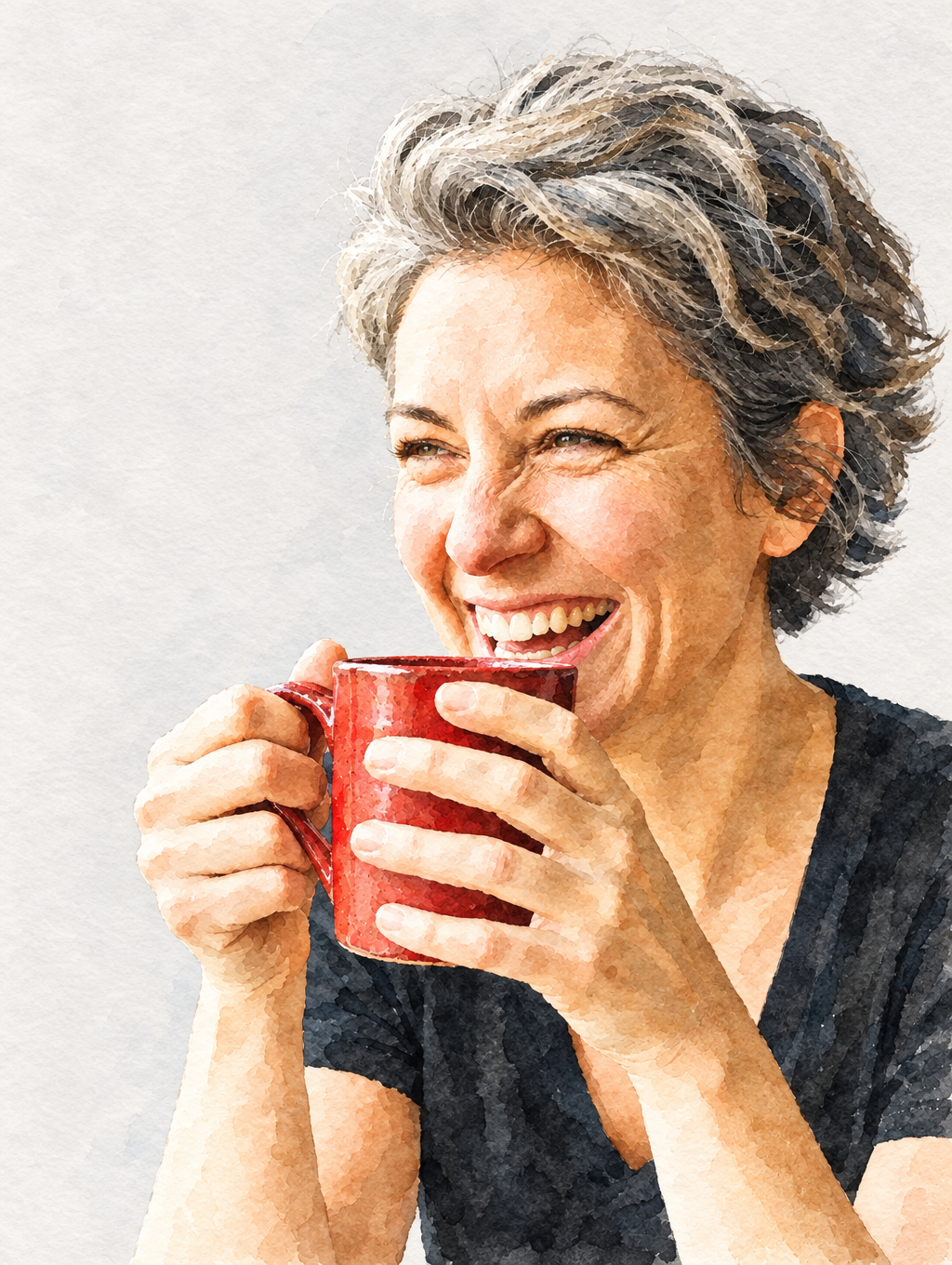
Convert this image into a delicate watercolor illustration. Preserve the same person, facial features, hairstyle, clothing, pose and objects. Keep the studio background plain.
openai/gpt-image-2.5/flare/edit
image_size: {"width":1024,"height":1360}, quality: high, output_format: png, num_images: 1
returned 1024 by 1360 pixels
Generated . Cost basis: fal's published per-image figure for this endpoint at high quality, nearest listed size 1024x1536; fal bills it by tokens and does not return the charge. Original output.
The second edit changes the rendering style while preserving the grey-haired subject, mug and pose.
Frequently asked questions
Is Nano Banana better than ChatGPT for images?
On our twelve prompts they split almost evenly: GPT Image 2.5 on logos, product shots and precise briefs, Nano Banana Pro on charts, infographics and layouts with copy space. Both render text correctly.
What about GPT Image 2 vs Nano Banana Pro?
GPT Image 2 is the previous OpenAI model and is still strong on text and logos on this site; 2.5 Flare replaced it as ChatGPT's default in September 2026. The GPT Image family page compares the three tiers.
Which is cheaper?
GPT Image 2.5 Flare: about $0.05 for a 1024 by 1024 image at high quality on fal, against Nano Banana Pro's flat $0.15 on fal or $0.134 on Google's API, read on 10 September 2026. Both are free with limits inside their chat apps.

Voyager
Run any of these inside Voyager
Voyager is an agent for creative work that runs every model on this page. Brief it, and it picks the model for the job, makes the thing and hands back something you can edit. Create an account to get started.