
 Read Markdown
For U.S. English captions on Apple silicon, start with Final Cut Pro's native Generate Captions. For translation or styled multilingual subtitles, compare Simon Says and mCaptionsAI. For silence removal, evaluate a timeline round trip such as AutoTrim, Descript or Selects. The right choice depends on what the native app leaves unfinished.
Final Cut Pro 12.3 added more built-in analysis and masking tools (Apple release notes), but the Mac and iPad versions have different limits. The comparison below uses Apple and vendor documentation dated 15 September 2026. It is not a hands-on ranking of caption accuracy or mask quality.
Jump to: shortlist · iPad limits · captioning · round-trip test
Four layers, and why the layer matters
Native features live in the menus, the Enhancements pop-up and the Effects browser, see the whole library, and process on-device. Workflow extensions open from the Extensions button in the toolbar, can read events and projects, and drag new clips, markers or captions back; Apple documents the category and names Frame.io, Shutterstock, Simon Says and CatDV as examples (Apple). FxPlug effects sit on a clip and render with the timeline; they alter the pixels of that clip and nothing else, and stay editable in the inspector. Round-trip apps run outside the app: you export FCPXML or media, and what comes back is either a timeline you can keep editing or a rendered file you cannot. What "editable" should mean for AI video is about that last distinction.
One more line worth drawing: the Mac app is the only one with a plug-in architecture. Apple documents FxPlug and workflow extensions for Final Cut Pro on Mac, and the iPad app has no equivalent.
The shortlist
| Tool | Layer | What it does inside Final Cut Pro | Cost | The tradeoff |
|---|---|---|---|---|
| Final Cut Pro 12.3 (Apple) | Native | Captions, Magnetic Mask, Auto Mask, Match Color, Enhance Light and Color, Smooth Slo-Mo, Voice Isolation, transcript and visual search, Beat Detection, Edit Detection | $299.99 once, or Apple Creator Studio at $12.99 a month | Captions are U.S. English only; most features need Apple silicon |
| Final Cut Pro for iPad 3.3 (Apple) | Native | Captions, Montage Maker, Auto Crop, Enhance Light and Color, Voice Isolation, both searches, Beat Detection, Edit Detection | Creator Studio subscription | No Magnetic Mask, Auto Mask or Match Color; no plug-ins |
| Simon Says | Workflow extension | Transcript markers, captions and subtitles in around 100 languages, translation | $0.25 a minute, or Starter at $20 a month for 2 hours | Cloud transcription; extension last updated March 2025 |
| MotionVFX mCaptionsAI, mRotoAI | Extension plus FxPlug | Styled subtitles in 90+ languages; AI mask tracking as an effect | Subscription from $39 a month | Apple acquired MotionVFX in March 2026; store's future not stated |
| FxFactory Face Blur, FxFactory Pro 7 | FxPlug | Face detection and tracking for blur; subject, depth and tracked masks on effects | $49; $199 | Effects only |
| Boris FX Continuum FCP | FxPlug | Face ML, UpRes ML, Motion Blur ML, DeInterlace ML, Matte Refine ML, DeNoise ML | $25 a month; perpetual available | Retimer ML not in the FCP version |
| Topaz Video plugin | FxPlug | Enhancement models as an effect, rendered locally | Topaz Video $299 a year | In the plugin docs, not on the product page; slow at 3x to 4x |
| Descript | Round trip | Transcript editing; FCPXML out with clips, trims, markers and captions | Creator plans and up | No titles, transitions, effects or speed changes |
| AutoTrim | Round trip | Local Whisper transcription, silence and filler removal, FCPXML out | $15 a month or $149 lifetime | Runs before the edit |
| Selects (Cutback) | Round trip | Multicam sync, silence removal, chapters, project file out | From $16 a month annually for 10 hours | Metered by footage hours |
Apple's native features: check these before buying anything
The purchase decision in Final Cut Pro is not "which plugin" but "which Mac and which licence". Every intelligence feature Apple has shipped since 11.0 runs on the machine, and most require Apple silicon.
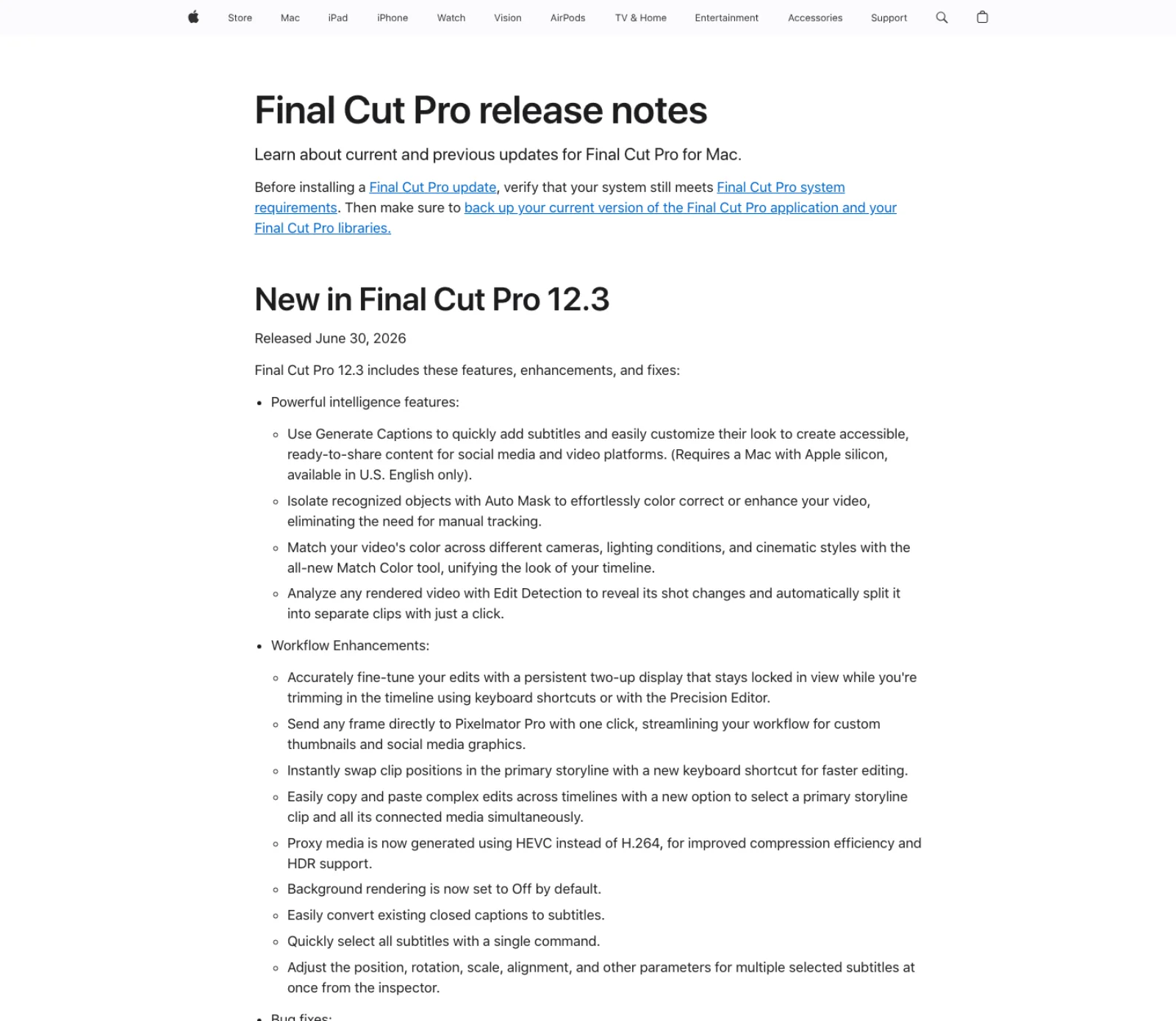
Generate Captions arrived in 12.3 and folds in the Transcribe to Captions feature from 11.0. In its subtitle form it detects speech and creates title clips connected to the audio, with animation by character, word or line and a safe-area option for 9:16 (Apple user guide); the same menu's Closed Captions command produces iTT captions instead (closed captions). The limits are in the release notes: a Mac with Apple silicon, and U.S. English only. Every other language is a third-party job.
Magnetic Mask and Auto Mask are two tools for one problem. Magnetic Mask, from 11.0, isolates people, objects and shapes without a green screen, with click-to-analyse and manual refinement (Magnetic Mask). Auto Mask, new in 12.3, is faster and narrower: it recognises "people, facial features, hair, skin, clothing, skies, foliage, and animals" and needs no tracking pass (Auto Mask). If the subject is on that list, Auto Mask; if not, Magnetic Mask. Both take a colour correction or effect on the masked region, which is the job that used to send editors to a roto plug-in.
Match Color and Enhance Light and Color cover the one-click grade. Enhance Light and Color "uses machine learning to automatically create a more natural appearance in the clip" inside the Color Adjustments effect (color correction effects). Match Color was rebuilt in 12.3 to unify a timeline "across different cameras, lighting conditions, and cinematic styles".
Search, rhythm and shots. Transcript Search and Visual Search, from 12.0, find spoken phrases or described objects and actions across a library from background analysis, on Apple silicon (release notes). Beat Detection lays a beat grid over a song. Edit Detection, from 12.3, splits a rendered video back into its shots. Smooth Slo-Mo, Voice Isolation and Auto Reframe predate version 11 and still own their jobs (Apple).
Image Playground is the only Apple Intelligence feature in the app. Since 11.1, File, Import, Image Playground creates a stylised 1024 by 1024 HEIC still from a description, on macOS 15.2 or later with M1 or later (Image Playground). There is no generative video, generative extend or object removal in Final Cut Pro as of 12.3, and Apple's June announcement mentions none (Apple Newsroom).
The purchase check is the licence. Final Cut Pro is $299.99 once on the Mac App Store, or part of Apple Creator Studio at $12.99 a month or $129 a year with Logic Pro, Motion, Compressor and Pixelmator Pro (Apple). The intelligence features are in both. The real condition is hardware: 12.3 lists macOS 15.6, and captions, search and slow motion all state Apple silicon.
What the iPad version gets
Final Cut Pro for iPad 3.3 shipped the same day as 12.3 and shares Generate Captions (iPadOS 26, U.S. English), Edit Detection, both searches, Beat Detection, Enhance Light and Color and Voice Isolation (iPad release notes). Two things are iPad-only: Montage Maker, which picks visual highlights and cuts them to a song, and Auto Crop for vertical delivery. Apple's June notes list Auto Mask and the rebuilt Match Color as Mac-exclusive, and the iPad release notes through 3.3 do not mention Magnetic Mask. The iPad app is subscription only and has no plug-in architecture, so everything below is Mac.
Simon Says: captions and translation beyond U.S. English
Simon Says is the transcription extension Apple names in its own guidance. Installed from the Mac App Store, it opens from the Extensions button, takes clips, events or whole projects, and hands back ranged transcript markers with speaker labels, caption and subtitle projects, and a text-based rough cut, in around 100 languages with translation (Simon Says).
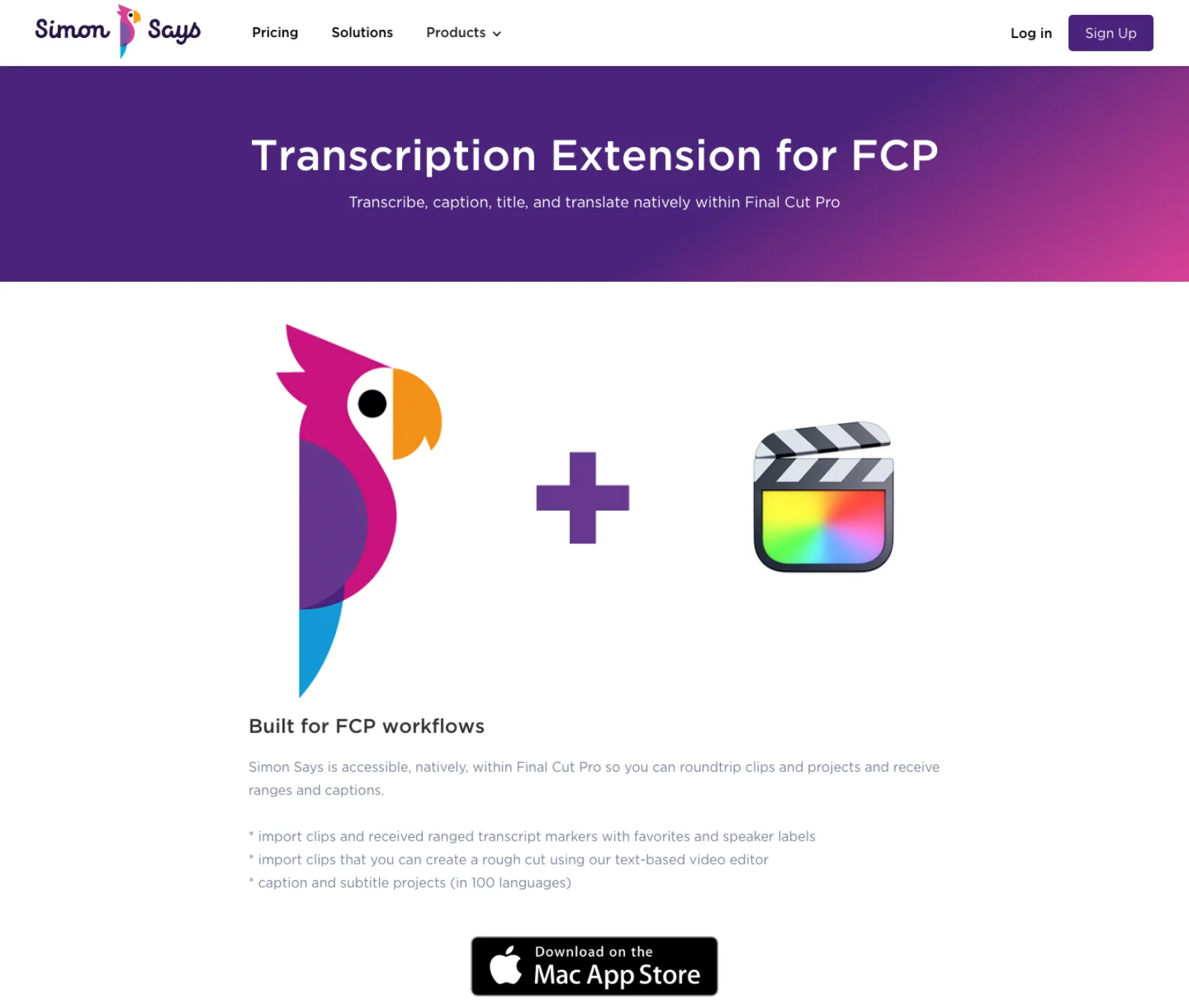
The job it fits is everything Generate Captions refuses: a non-English interview, a second-language subtitle track, or a searchable transcript with speakers. The purchase check is the meter. Transcription is cloud-based and priced by the minute: pay as you go at $0.25 a minute, Starter at $20 a month (or $15 annually) for two hours, Pro at $40 for four, Pro+ at $150 for thirty, with translation at the same rate (Simon Says pricing). Two cautions: the App Store listing shows version 3.9.91 from March 2025 (Mac App Store), so confirm it opens cleanly in 12.3 before a deadline, and footage leaves the Mac, which Apple's captions never require.
MotionVFX: mCaptionsAI and mRotoAI
MotionVFX is the largest Final Cut Pro plug-in vendor and, since 16 March 2026, part of Apple; its site carries the notice and its store is still selling (MotionVFX). mCaptionsAI is an extension that transcribes a clip, compound clip or project and returns styled subtitles in 86 presets across more than 90 languages, and can restyle native captions or an SRT (mCaptionsAI). mRotoAI is an effect that tracks a selected object and animates a mask across the clip (mRotoAI). Both need macOS 13.6.9 and Apple silicon. mUpscalerAI is a separate on-device app reached through mExtension, which puts it on the round-trip layer (mUpscalerAI).
The job for mCaptionsAI is styled social subtitles in a language Apple does not cover, without leaving the app. The job for mRotoAI is narrower than it was: Auto Mask now handles people, hair, skin and sky natively, so mRotoAI earns its place for objects outside that list. Check the plan as well as the feature. Plans start at $39 a month and the AI tools sit in the higher tiers (MotionVFX pricing). Buy against the current plan and supported application versions. Apple's acquisition does not establish when, or whether, a paid tool will become a native feature.
FxFactory: Face Blur and depth masks as effects
FxFactory is the platform most independent Final Cut effects ship through, and its 2026 releases lean on detection models. Face Blur finds and tracks faces automatically and blurs or pixelates them, with an Object Blur companion for manual tracking on noisy footage, for $49 across Final Cut Pro, Motion, Premiere, After Effects and Resolve (FxFactory). FxFactory Pro 7 adds depth-based masks, subject isolation, face detection and object tracking as masks on its own effects, for $199 or $99 as an upgrade (FxFactory Pro). Deep Pan, free, animates a still with an AI depth map (FxFactory news).
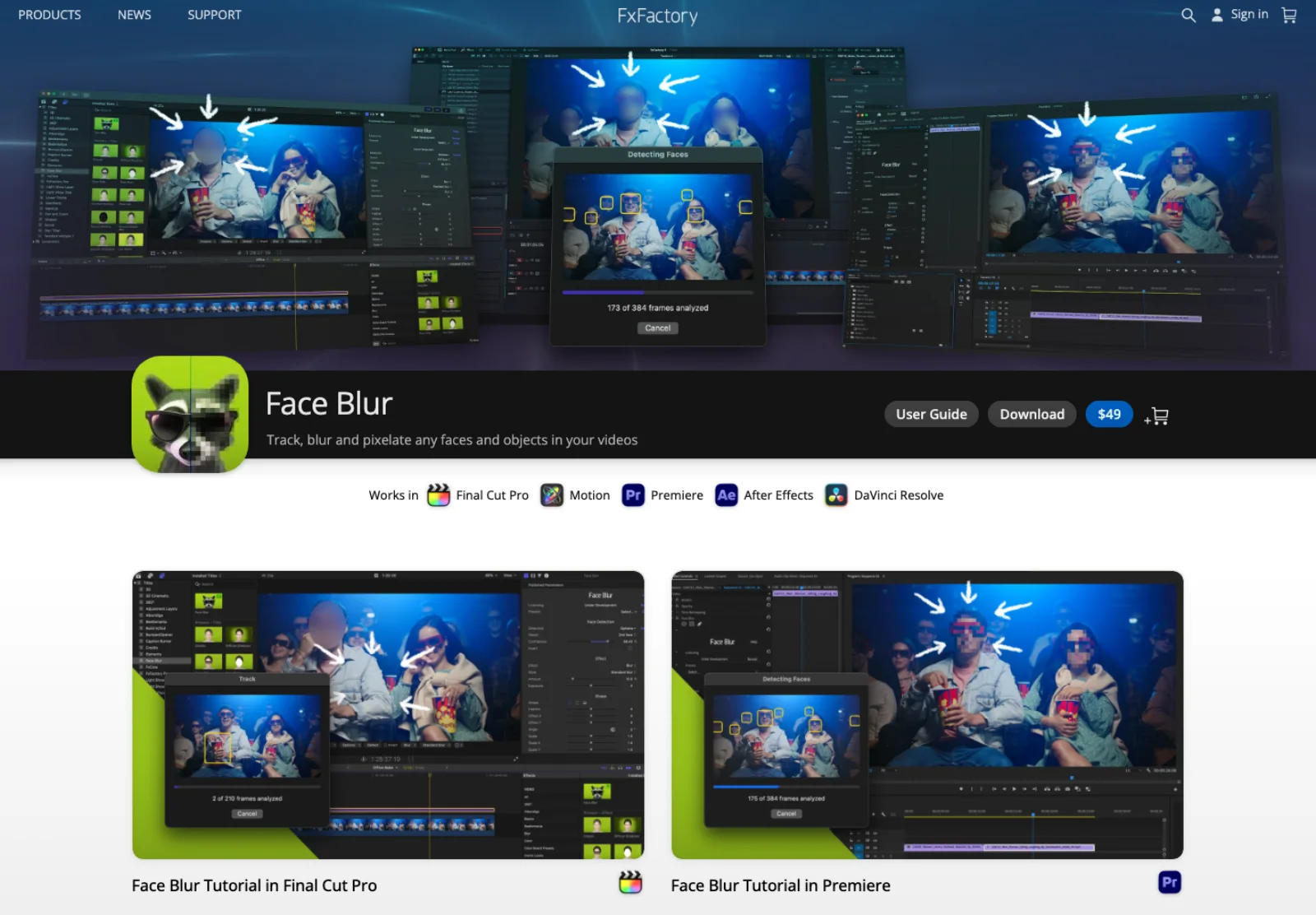
The job is privacy and compliance work, faces in a crowd or a licence plate, plus effect masks that follow a person without a manual shape. The purchase check: these are effects. They alter pixels on the clip they sit on and nothing else, and they need the FxFactory app installed as the licence host.
Continuum and Topaz: enhancement on a clip
Boris FX Continuum's Final Cut version carries the ML tools from its cross-host suite: Face ML for facial feature masks, UpRes ML, Motion Blur ML, DeInterlace ML, Matte Refine ML for hair edges and DeNoise ML (Boris FX). The FCP page prices the suite at $25 a month, with perpetual licences and three smaller unit packs (Continuum FCP). One documented gap: "Retimer ML is not available for FCP", so ML retiming stays with Apple's Smooth Slo-Mo. The job is finishing work where the same plug-in must exist in Premiere or Resolve too; for one ML tool, the maths rarely works.
Topaz's plugin documentation lists a Final Cut Pro plugin: it appears in the Effects browser, exposes the enhancement models with manual-mode parameters, activates through the desktop app, and warns that "performance and UI responsiveness may be reduced when upscaling to 3-4x" (Topaz docs). The product page, however, advertises plugin support only for Premiere Pro and Resolve (Topaz Video). Treat it as real but second-tier in Topaz's attention. The purchase check is a Topaz Video plan at $299 a year with unlimited local rendering (Topaz pricing); the FCP effect renders on your Mac, not on the cloud credits Topaz sells to Premiere users.
The round trips: Descript, AutoTrim and Selects
Final Cut Pro has no native silence removal and no transcript-based cut, so the cutting automation that Premiere and Resolve users buy panels for happens before the edit, through FCPXML.
Descript exports a Final Cut timeline on Creator, Business and Enterprise plans with clips, trims, markers, original timecode, Studio Sound processing and captions (Descript); Final Cut is the one host where captions survive. Titles, transitions, effects, speed changes and images do not come back.
AutoTrim runs Whisper locally, cuts silence and optionally filler words from raw clips, and exports one FCPXML timeline; free to preview, $15 a month, $119 a year or $149 lifetime for export, two machines per licence (AutoTrim). Nothing leaves the machine, which matters under NDA.
Selects goes further up the pre-edit: it syncs multicam angles and audio, removes silence across tracks, groups footage into chapters and exports a non-destructive project file that keeps bins, sequences and sync; Starter is $16 a month annually for 10 hours of analysis, Pro $80 for 40 (Cutback). The price tracks how much you shoot, not how much you publish.
The pairwise rule: Descript if you edit by transcript anyway, AutoTrim for cheap local silence removal on a talking head, Selects when the problem is a multi-camera shoot that needs syncing before anyone can cut.
What did not make the list
Runway, Higgsfield and ElevenLabs have no Final Cut Pro extension. Runway's plugin page lists Premiere Pro and After Effects (Runway); Higgsfield's integrations cover Adobe, Resolve, Figma, Photoshop and Blender (Higgsfield); ElevenLabs is generate, download, import. Picture This... is the one on-device generative extension: it turns red marker text into Stable Diffusion stills placed in a new project for $29.99, but stills only (Intelligent Assistance). ChatFCP, from the same developer, is a $19.99 browser window for ChatGPT, Claude or Gemini inside an extension; it does not touch the timeline (ChatFCP). Colourlab Ai supports Final Cut Pro through its Creator edition at $29 a month (Colourlab), but Match Color in 12.3 now covers the shot-matching job it led with. Neat Video works from sampled noise profiles rather than a learned model. Frame.io is review and delivery, not AI in the timeline (Frame.io). CommandPost is free, open-source automation with no AI of its own (CommandPost). Submagic, CapCut and similar return rendered files with burned-in captions, so changing their words later requires covering, replacing or regenerating picture instead of editing a caption layer.
Check what survives the round trip
For a transcript or silence-removal tool, send a duplicate sequence containing dialogue, one intentional pause, a title and a speed change. Import the returned FCPXML into a separate project. Check clip boundaries, source timecode, audio sync and the items the vendor says do not transfer. Then correct one subtitle and reopen the project.
That is the trial to run before moving a weekly show into the workflow. A correct rough cut can still leave titles or speed changes to rebuild; a rendered caption demo cannot prove the subtitles will be editable in Final Cut. The export limitations in each vendor's section are the starting checklist, not evidence that this test has been run.
How to choose
Start by running 12.3 on Apple silicon; that gives you a native baseline before you buy another tool. Add Simon Says or mCaptionsAI only when the language is not U.S. English or the delivery needs styled subtitles in bulk. Add an FxPlug effect for a specific pixel job: Face Blur for faces and plates, Continuum or Topaz for enhancement on a single clip, mRotoAI for objects Auto Mask does not recognise. Move cutting automation before the edit with AutoTrim, Descript or Selects, and accept that it arrives as FCPXML rather than as a button in the app. Generate video elsewhere and import it.
On iPad, the list is Apple's features plus Montage Maker, and the round trips still work because FCPXML and media import do. The Adobe and Blackmagic ecosystems are covered in AI plugins for Premiere Pro, AI plugins for DaVinci Resolve and AI plugins for After Effects. If you want an agent such as Claude Code driving Final Cut rather than a plugin, the servers and the FCPXML route are compared in Final Cut Pro MCP.
Frequently asked questions
Does Final Cut Pro have AI built in? Yes, more than most editors assume. Version 12.3 includes Generate Captions, Magnetic Mask, Auto Mask, Match Color, Enhance Light and Color, Smooth Slo-Mo, Voice Isolation, Transcript Search, Visual Search, Beat Detection and Edit Detection, all processed on the Mac. Apple's release notes attach an Apple silicon requirement to captions, search and slow motion. What is missing is generative video, translation, silence removal and upscaling.
Can Final Cut Pro generate AI video? Not as of 12.3. The only generative feature is Image Playground, which imports a 1024 by 1024 still made with Apple Intelligence. Runway and Higgsfield do not offer Final Cut extensions, so generated video reaches the timeline by exporting from a browser and importing the file.
Which captioning tool should I use in Final Cut Pro? For U.S. English on Apple silicon, Generate Captions: free, on-device, and it produces editable subtitle titles or iTT closed captions. For other languages or translation, Simon Says (cloud, by the minute, from $0.25) or MotionVFX's mCaptionsAI (subscription from $39 a month, 90+ languages). If captions must remain revisable, require editable captions or an SRT alongside any burned-in delivery.
How do AI features differ on Final Cut Pro for iPad? The iPad app shares Generate Captions, Edit Detection, both searches, Beat Detection, Enhance Light and Color and Voice Isolation, and adds Montage Maker and Auto Crop. It does not have Magnetic Mask, Auto Mask or the rebuilt Match Color, and it has no plug-in or workflow extension support, so none of the third-party tools here run on it. It is subscription only through Apple Creator Studio.
Is there a silence remover for Final Cut Pro? Not natively. AutoTrim (local Whisper, FCPXML out, $149 lifetime), Descript (transcript editing with an FCPXML export on Creator plans) and Selects (multicam sync plus silence removal, from $16 a month) all do it outside the app and hand back a timeline. Cutting by threshold inside Final Cut is still a manual blade job.
Make your next project in Voyager
Create an account, download Voyager, and start making.
