
 Read Markdown
For a multicamera podcast, start with AutoPod or an editing-automation suite. For a missing shot, check Premiere's own Generative Media Tool before paying another vendor. For restyling existing footage, look at Runway; for restoration, compare Topaz with the upscaler you already have. There is no useful overall winner across those jobs.
Premiere 26.5 added timeline generation from Firefly and partner models in September 2026 (Adobe announcement). That makes the purchase decision specific: which task is still slow or impossible with your current tools? The comparisons below use vendor documentation and dated pricing, not a head-to-head output-quality test.
Jump to: comparison · native features · editing suites · a trial worth running
Four layers, not one list
"Premiere plugin" covers four different things, and they replace different parts of the job.
Native features. Built into Premiere and covered by the subscription. Some are included outright (Adobe calls these assistive: Speech to Text, Caption Translation, Enhance Speech); some consume generative credits (Generative Extend, the Generative Media Tool, Generate Music). If a native feature does the job, a plugin is a second bill for the same result.
Generation panels. A vendor's own models in a docked panel, placing results at the playhead: Runway, Higgsfield, Topaz. The panel is free; generation bills to that vendor's plan, not Adobe's credits. You choose one for a specific model, for a capability Adobe has not shipped (video-to-video restyling, generative reframe, 8K upscaling), or because you already pay that vendor.
Editing-automation panels. These do not generate pixels. They cut, switch, caption and clip your own footage: AutoPod, AutoCut, FireCut, PremiereCopilot. They overlap least with Adobe's roadmap and most with each other.
Round-trip apps. Work done outside Premiere that comes back as a file or a timeline. Descript exports a real Premiere XML; a browser captioning tool that returns a rendered mp4 does not. Which of the two you get back is the whole question, and what "editable" should mean for AI video covers it in detail.
The comparison
| Tool | Layer | What it does inside Premiere | Cost, per vendor | The tradeoff |
|---|---|---|---|---|
| Generative Media Tool (Adobe) | Native | Generates video and sound effects into a timeline range from Firefly, Veo, Kling, Runway or Luma, with reference frames sampled from your sequence | Generative credits on your Creative Cloud plan; cost shown in the task bar before you commit | Models vary by region and plan; some partner models not yet enabled for business plans |
| Generative Extend (Adobe) | Native | Adds up to 2 seconds of video or 10 seconds of audio to a clip | Generative credits, varying by resolution and frame rate | Extensions render in 8-bit SDR at up to 30 fps; dialogue muted; music clips ineligible |
| Runway for Premiere Pro | Generation panel | Generates video and stills, restyles timeline clips with Aleph 2, HDR conversion, upscaling, background removal | Panel free; uses credits on an existing paid Runway plan | Separate account and credit pool; results are rendered clips |
| Higgsfield for Premiere Pro | Generation panel | Generates video and images, generative reframe to six ratios, background removal, upscale to 4K or 8K, draw-to-edit | Panel free; Higgsfield plan credits at web rates | Web-only unlimited tiers do not apply in the plugin; Premiere 25.0 or newer |
| Topaz Labs for Premiere | Generation panel (enhancement) | Sends clips to Topaz cloud for upscale, denoise, slow motion and frame interpolation; returns them on a new video track | Panel free; cloud credits, 25 to 600 a month by plan | Cloud only; the entry allowance is small for long clips |
| AutoPod | Editing automation | Multi-camera switching for up to 10 cameras and 10 mics, silence jump cuts, social clips in three ratios | $29 a month per license, 30-day trial | One computer per license; podcast-shaped work only |
| AutoCut | Editing automation | Silence removal, captions, multicam, zooms, B-roll, repeat detection, chapters, profanity filter | $9.90 to $19.90 a month, 14-day trial | Ten tools of varying depth |
| FireCut | Editing automation | Silence removal, captions, zoom cuts, podcast, B-roll, chapters, script-based cutting on the top tier | $19 to $44 a month, less annually; 7-day trial | Transcription hours capped by tier |
| PremiereCopilot | Editing automation plus generation | Captions, multicam, silences, prompt-driven edits and generated B-roll | Free tier with daily limits; Pro+ from $6.39 a month annually | Daily limits on free; two seats max on individual plans |
| Descript | Round trip | Transcript-based editing outside Premiere; exports a Premiere XML with media and timecode | Timeline export on Creator plans and up | Transitions, titles, effects, captions and speed changes do not survive export |
Adobe's native features: check these before buying anything
The native tools are already paid for and already understand your sequence. That is the whole argument for starting here.
The Generative Media Tool is the big change. You draw a range on a video or audio track, optionally sample reference frames from your own footage, pick a model, and the result lands as an editable clip with an AI badge you can reopen to regenerate with the same prompt and references (Generative Media Tool FAQ). Adobe's FAQ says Premiere "sets model options to match your sequence automatically to the model's nearest available option", which is the practical difference from generating in a browser at 16:9 and discovering your sequence is vertical. Sound effects come from Adobe's own model; Generate Music and Generate Soundscape shipped as betas alongside it.
The purchase check is credits. Partner models are premium features: a Creative Cloud Pro plan carries 4,000 credits a month for premium generations, while a Premiere single-app plan started on or after 17 June 2025 carries 25 (generative credits FAQ). There is no published per-clip rate for partner models; the task bar shows the cost before you commit. Available models "may vary depending on your region and subscription plan", and some partner models are individual-plan only while Adobe completes reviews for business use, so on a teams plan confirm the model list in your own copy before planning around Veo or Kling.
Whether to sample a reference frame is its own decision: a frame pins identity and composition and leaves motion to the model, while a bare prompt leaves everything to it. That trade is the subject of text-to-video vs image-to-video, and it applies unchanged inside the task bar.
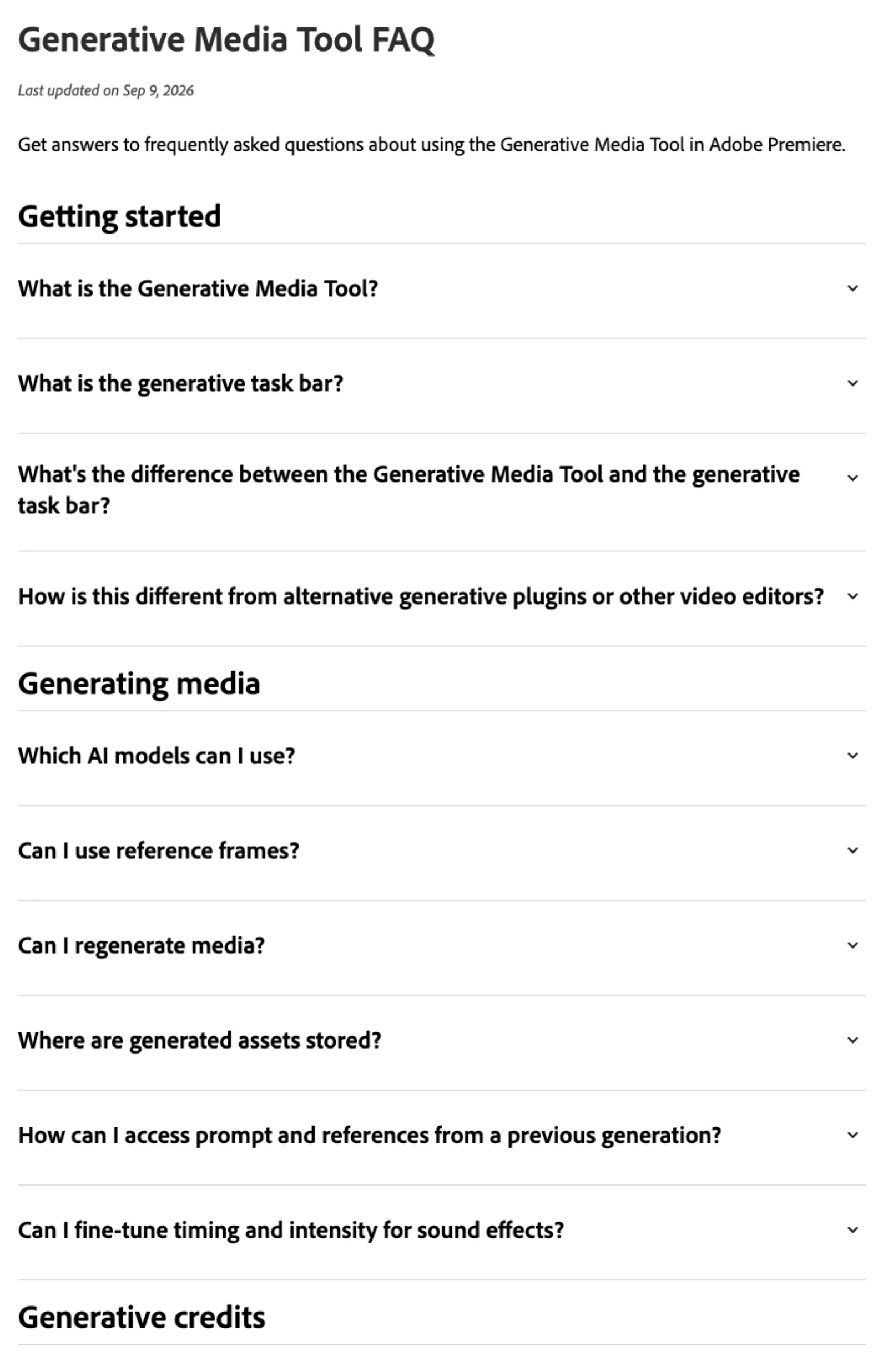
Generative Extend adds up to 2 seconds of video or 10 seconds of audio to a clip. The source can be 360p to 4K and up to 60 fps, but the extension itself is generated in 8-bit, in SDR when the sequence is SDR, and at 30 fps if the source is faster; dialogue is muted in the extended portion and clips containing music are refused (Generative Extend FAQ). A right-click reverts to the original.
The assistive tools cost nothing beyond the subscription; the same FAQ lists Caption Translation, Enhance Speech and Speech to Text as included. Media intelligence search runs on-device, and Adobe states the footage and searches never leave the machine; visual search is English-only and analyzes a downscaled still sequence, so it misses small details and fast motion (media intelligence). Object Mask, in beta, selects and tracks people and objects with one click, and its expanded detection in 26.5 falls back to the older model on Intel Macs and on Windows machines with older AMD drivers (Object Masking). Paper Edit, new in 26.5, builds a sequence from selected transcript lines (what's new).
One thing not to assume: object removal. Adobe has demonstrated it for Premiere since 2024, but masking a logo and prompting it away is not in the documented 2026 feature list, and that is one of the jobs that still sends people to a panel.
Runway for Premiere Pro: restyle what is already on the timeline
Runway released its Adobe plugin on 8 September 2026, the same day as Premiere 26.5. It docks under Window, Extensions, Runway, and one download covers Premiere and After Effects (Runway). The model list is Runway's current lineup: Gen-4.5, Seedance 2.5, Kling 3.0 Pro and Veo 3.1 for video, and Gen-4 Image, Nano Banana and GPT Image 2 for stills. Results land at the playhead.
The job it fits is the one Adobe's tool does not do: taking a clip already on your timeline and re-rendering it. Aleph 2 restyles or edits existing footage to match the source duration, Runway Ruby converts to HDR, and there is one-click upscale and background removal (Runway news). If the need is "change this shot" rather than "make a shot", this is the panel built for it.
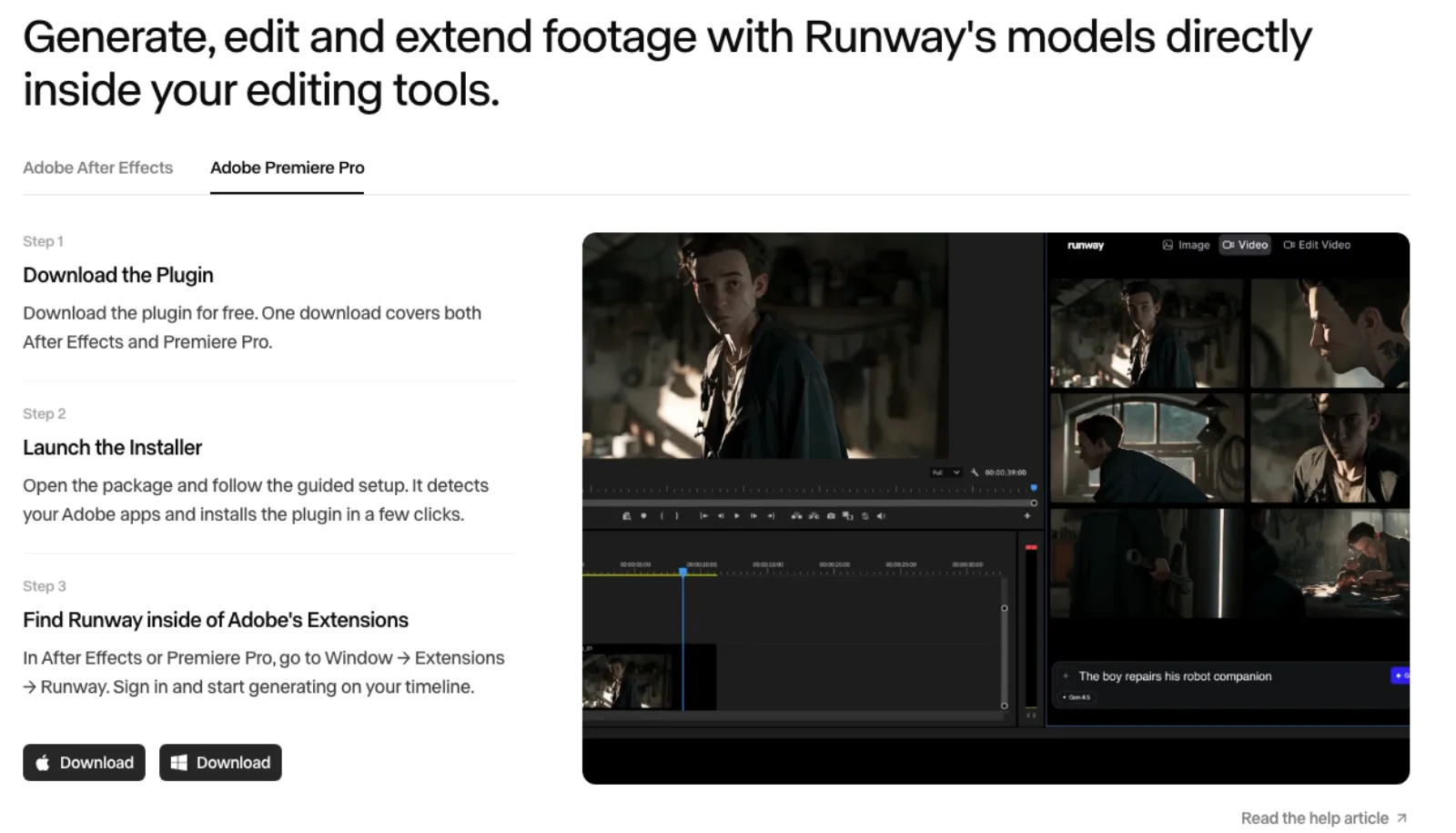
The purchase check: the panel is free but "works with your existing paid plan and credits" (Runway changelog). Plans run from Standard at $12 a month annually with 625 credits to Max at $76 with 9,500 (Runway pricing). That means two credit pools, Adobe's for the toolbar and Runway's for the panel, and Veo, Kling and Runway's own models appear in both places. The panel earns its slot with Aleph 2, Ruby and the Runway-specific models, not the shared ones.
Higgsfield for Premiere Pro: generative reframe and draw-to-edit
Higgsfield's single installer exposes Generate Video, Generate Image, Reframe, Remove Background, Upscale and Draw to Edit under Window, Extensions, Higgsfield (Higgsfield). Its help center lists Nano Banana 2 as the default image model and Seedance 2.0 as the default video model (Higgsfield help).
Two of those tools justify a look. Reframe crops "to 9:16, 16:9, 4:3, 3:4, 21:9, or 1:1 with one click" and, per the help center, switches ratios "without cropping", which means generative outpainting rather than the tracked crop Premiere's Auto Reframe performs. Auto Reframe crops and repositions the existing picture without generating new pixels; a generative reframe invents new picture at the edges and spends credits. Draw to Edit, where you sketch on a frame to indicate the change, is the closest thing on this list to the masked object edit Adobe has not shipped.
The purchase check: "the plugins run on the same Higgsfield credits as the web platform", and "unlimited access and free generations apply only on higgsfield.ai". If a Higgsfield plan appeals because of an unlimited tier, the plugin does not inherit it. It needs Premiere 25.0 or newer, an account, and an internet connection, since inference runs on Higgsfield's servers.
Topaz Labs for Premiere: enhancement, not generation
Topaz announced its Premiere panel in the May 2026 Expansion release (Topaz). It is a UXP panel that sends a clip to Topaz cloud processing; the product page says the enhanced clip is "automatically returned to Premiere and added back into your sequence on a new video track" (Topaz Premiere panel). Models include Starlight Precise 2.5, Astra 2, Proteus, Iris, Nyx, Starlight Fast 2 and Starlight Mini for video, and Wonder 3, Gigapixel and Bloom for stills.
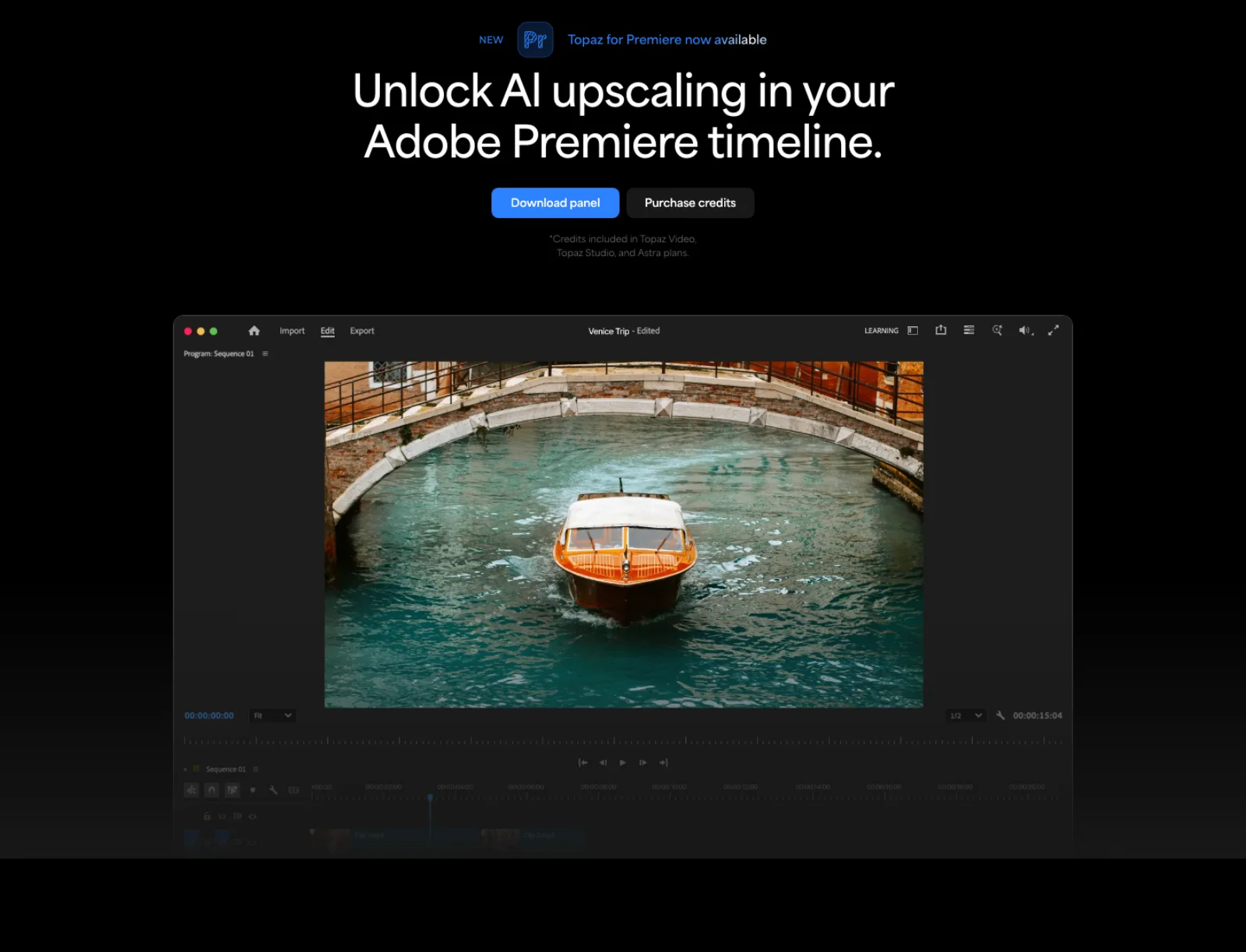
The job is footage that needs rescuing or resizing: archival material, phone footage going to a 4K deliverable, AI clips that came out soft. Adobe's tool is not built for this, although Runway and Higgsfield each include an upscaler.
The purchase check is the credit allowance: the entry Topaz Video plan carries 25 cloud credits a month against 300 for Topaz Studio and 600 for Studio Pro (Topaz pricing). The older desktop plugin route is labelled legacy in the current docs (Topaz docs), and if you already run Topaz Video locally on a strong GPU, the cloud credits are a second meter on work you could do on your own machine.
AutoPod: one job, done in the sequence
AutoPod is three tools for a video podcast or talk-show edit: a Multi-Camera Editor that switches "up to 10 cameras and 10 microphones" by who is speaking, a Jump Cut Editor that removes silence by decibel threshold, and a Social Clip Creator that batch-exports at 1920x1080, 1080x1350 and 1080x1920 (AutoPod). All of it happens as cuts on your existing sequence. If you cut a weekly multi-camera show, the switching alone is the hours you are paying to remove; if you do not, there is nothing here for you.
The purchase check: $29 a month per license with a 30-day trial, Premiere Pro 2023 or newer, and "each license is only allowed to be used with one computer", with a portal to switch machines (AutoPod pricing). A freelancer with a laptop and a desktop needs to plan for that.
AutoCut, FireCut and PremiereCopilot: the suites
These three overlap heavily: all remove silence, generate styled captions, switch multicam, add zooms, cut short clips from long ones and place stock B-roll. How they meter it is the difference.
AutoCut is priced by tool count: Basic at $9.90 a month is silence removal only, and the AI plan at $19.80 unlocks the other nine, including repeat-take detection and a profanity filter (AutoCut pricing). The trial is 14 days with every tool and no card.
FireCut is priced by transcription hours: Pro at $34 monthly (or $20 annually) includes 25 hours a month, and Max at $44 includes 100 hours plus script-based cutting and a 25,000-character AI voiceover allowance (FireCut pricing). For caption-heavy work the hours cap is the number to check before the feature list.
PremiereCopilot is priced by daily usage: the free tier includes the editing tools with per-day limits (two silence cuts, four caption runs and so on), Pro+ at $6.39 a month annually raises those tenfold, and Creator at $15.99 removes the caps (PremiereCopilot pricing). Its distinguishing tool is a prompt box that runs multi-step edits described in plain English, and it states that footage is never uploaded, only metadata and audio waveforms, which matters under NDA (PremiereCopilot).
The pairwise rule: AutoCut for the most tools at a flat fee, FireCut if you transcribe a lot and want the hours stated up front, PremiereCopilot to try the category free and scale by usage. PremiereCopilot also advertises a fal-powered GenAI tool for B-roll and thumbnails (vendor page, checked 17 September 2026). That makes it overlap with generation panels as well as editing suites; check its generation allowance separately from its editing limits.
Descript: the round trip that returns a timeline
Descript is not a Premiere plugin and does not claim to be. It is a transcript-based editor, and it belongs here because of its export. On Creator, Business and Enterprise plans it writes a Premiere XML with "your media, edits, and source timecode intact" and a folder of media copies (Descript). That is a cut you can keep editing, which is more than any browser captioning tool that returns an mp4 gives you.
The purchase check is the same document's exclusion list: no transitions, titles, effects, keyframes, speed changes, shapes, images or captions (Final Cut excepted for captions), and no Sequences or Avatars. So: Descript for the word-level rough cut and filler removal, Premiere for everything visual.
What did not make the list
Frame.io is collaboration, not AI in the timeline: the panel handles browsing, uploads, versions and reviewer comments as markers, while transcription and search live on the web platform (Frame.io panel). ElevenLabs has no official panel; its own Premiere guide is generate, download, import (ElevenLabs), and Premiere's task bar documents Firefly's own model for sound. TwelveLabs' search plugin is documented as deprecated (TwelveLabs). Submagic, Opus Clip and similar return rendered video, and a burned-in caption is not one you can fix.
Try one real sequence before subscribing
Duplicate a short sequence from the kind of job you repeat. For a podcast, include overlapping speakers, a pause you want to keep, and a proper name in the captions. Ask each candidate to do the same three tasks: switch cameras, remove silence and caption the passage. Count the corrections you make before delivery, not the buttons it offers.
For generation or enhancement, use the same source range and delivery settings. Inspect the result at the join, check its resolution and frame rate, and record the credits actually charged. Then change one caption or replace one generated clip and reopen the project. A fast first result is less useful if revision means rebuilding the sequence. This is a suggested trial protocol; the vendor comparison above does not establish which tool wins it.
Choosing
Start with what the plan already includes, with the caveats that partner models depend on region and plan and that premium credits on a single-app plan are thin. Add a generation panel for a capability the toolbar lacks: Runway for restyling and HDR on clips you already have, Higgsfield for generative reframe and sketch-based edits, Topaz for enhancement. Add an automation panel for the cutting work: AutoPod for a multi-camera show, one of the suites for talking-head and social content, chosen on whichever meter matches how you work. For a rough-cut handoff, prefer a round trip that returns a timeline. A rendered clip is sufficient for a finished effect or replacement shot.
If you find yourself paying three vendors for credits, check the toolbar again. The native tool did not exist twelve months ago, and its model list is the part Adobe says will keep changing.
If you want an agent such as Claude Code driving Premiere rather than a plugin, the servers and scripting routes are compared in Premiere Pro MCP.
Frequently asked questions
Does Premiere Pro have AI built in, or do I need a plugin? As of the September 2026 release, Premiere generates video and sound effects into the timeline from Firefly, Google Veo, Kling, Runway and Luma, extends clips by up to two seconds, masks and tracks objects, transcribes, translates captions, cleans up speech, reframes for vertical and searches footage by description, all on a Creative Cloud plan. A plugin is for a capability outside that list or a model you specifically want.
Do the Runway or Higgsfield panels use my Adobe generative credits? No. Both are free to install and bill generation to their own plans: Runway's needs an existing paid Runway plan, and Higgsfield's uses the same credits as its web platform without the web-only unlimited tiers. Runway's and Kling's models are also reachable through Adobe's own tool on Adobe credits, so check which pool you would rather draw from.
Is Generative Extend good enough for a professional delivery? It depends on the delivery. Adobe's FAQ states the extension is generated in 8-bit, in SDR when the sequence is SDR, and at up to 30 fps, while the original clip is untouched. Inspect the join even for web and social delivery. For a graded 10-bit or HDR master, the format limitations deserve particular attention, and Adobe's own guidance is to consider alternatives.
Which plugin is best for captions in Premiere? Speech to Text, caption translation and single-word animated captions are included with the plan. AutoCut, FireCut and PremiereCopilot add styled caption presets written onto the sequence and differ mostly in how they meter it: tools, transcription hours, or daily runs. Avoid any tool that returns captions burned into a rendered file if you expect a revision.
Can I remove an object from a shot inside Premiere? Not as a documented native feature at the time of writing. Adobe has demonstrated generative object removal since 2024, but the shipped 2026 features are generation into a range, extension, object masking and audio tools. Object Mask isolates the subject; replacing what is behind it still needs a generation panel such as Runway's Aleph 2 or Higgsfield's Draw to Edit, on their credits.
Make your next project in Voyager
Create an account, download Voyager, and start making.
