
 Read Markdown
To connect an agent to a local Premiere project, you need both an MCP server and its matching Premiere panel. Installing the server alone is not enough. Start by checking your Premiere version and the bridge the server supports: CEP/ExtendScript, UXP, or a mix of both.
The shortlist below favors documented compatibility, a read-only connection check and recoverable edits. Adobe's stated ExtendScript support window runs through September 2026, so UXP support matters for a workflow you intend to keep. These are documentation-based comparisons and setup instructions, not live tests of all the listed servers.
Jump to: setup · servers · CEP versus UXP · recovery
Setup: Claude Code, Claude Desktop, Codex and Cursor
The steps below are from the leancoderkavy README as of release 1.16.1, the most recently maintained server. Premiere, the server and the client all have to be on the same machine; the README says a remote deployment "cannot pair users to local Premiere".
Claude Code. The project ships as a plugin. Inside Claude Code:
/plugin marketplace add leancoderkavy/premiere-pro-mcp
/plugin install premiere-pro@premiere-pro-mcp
Then, in a terminal, install the CEP connector (the README pins 1.15.1 here while the reviewed release is 1.16.1; confirm the server and connector versions together rather than assuming they are interchangeable):
npx -y premiere-pro-mcp@latest --install-cep
Restart Premiere, open a project, and go to Window, Extensions, MCP for Adobe Premiere Pro until the panel shows a green "Running". Back in Claude Code, ask it to run verify_premiere_connection, a read-only check of the bridge, the project and the active sequence. To skip the plugin and register the server directly, run npm install -g premiere-pro-mcp then claude mcp add premiere-pro -- premiere-pro-mcp, which stores it in ~/.claude.json; add --scope project to write a shareable .mcp.json instead (Claude Code docs).
Claude Desktop. Download the .mcpb bundle from the v1.16.1 release and install it under Settings, Extensions, Advanced settings, Install Extension. Then download the signed .zxp connector from the same release and open it with a ZXP installer, or fall back to the npm --install-cep command above. Restart Premiere and enable the panel as before.
Codex. The repository includes a Codex plugin; from a clone:
codex plugin marketplace add .
codex plugin add premiere-pro@premiere-pro-mcp
npx -y premiere-pro-mcp@latest --install-cep
Or register it as a plain stdio server with codex mcp add premiere-pro -- premiere-pro-mcp, which writes an [mcp_servers.premiere-pro] block to ~/.codex/config.toml (Codex docs).
Cursor. No one-click installer. After npm install -g premiere-pro-mcp and premiere-pro-mcp --install-cep, add to .cursor/mcp.json:
{
  "mcpServers": {
    "premiere-pro": {
      "command": "premiere-pro-mcp"
    }
  }
}
If you choose hetpatel-11 instead. Same shape, different package: npm install -g adobe-premiere-pro-mcp, premiere-pro-mcp --install-cep, premiere-pro-mcp --doctor, then Window, Extensions, MCP Bridge (CEP). Its installer configures Claude Desktop and Claude Code automatically. Anonymous telemetry is on by default; add "env": { "PREMIERE_MCP_TELEMETRY": "0" } to the server entry to turn it off. The default toolset advertises a small core with search_tools and invoke_tool; set PREMIERE_MCP_TOOLSET=full for all 283.
Adobe's position
Adobe and Anthropic launched the "Adobe for creativity" connector in Claude on 28 April 2026. Adobe's announcement describes it as "orchestrating multi-step workflows across Creative Cloud apps, drawing on pro-grade tools from Photoshop, Illustrator, Firefly, Express, Premiere, Lightroom, InDesign and Stock", with more tools and higher limits after signing in with an Adobe account (Adobe, Anthropic). Neither announcement names a Premiere operation, and nothing in them describes reading or changing a sequence in a running copy of Premiere. Treat it as a cloud service that can produce assets, not as a bridge into your timeline.
Adobe does publish official MCP servers, but for Analytics, Target, Experience Manager and Express add-on development (Adobe Developer). None of them touch video editing. The contrast with Blackmagic is stark: Resolve 21.1 shipped a native MCP server for Claude Code and Codex on 8 September, which is covered in AI plugins for DaVinci Resolve. Premiere has nothing equivalent, so every agent route below is either a third-party bridge or a scripting surface Adobe built for humans.
The surfaces underneath every server
Each server on GitHub is a thin MCP wrapper over one of two Adobe extensibility layers, and the layer decides what the server can do, what it needs enabled, and how long it lasts.
ExtendScript through CEP. The legacy route. A CEP panel (an embedded Chromium extension) calls CSInterface.evalScript to run ExtendScript against Premiere's project, sequence, track, clip and export objects. The community-maintained Premiere Pro Scripting Guide calls panels "the recommended approach" and says passing scripts on the command line "is not recommended, as behavior varies across platforms" (scripting guide). The same guide carries Adobe's timeline: "ExtendScript-based integrations are still supported, and the plan is for them to remain so, through September 2026" (scripting guide). Unsigned CEP panels also need Adobe's PlayerDebugMode flag, which every installer below flips for you.
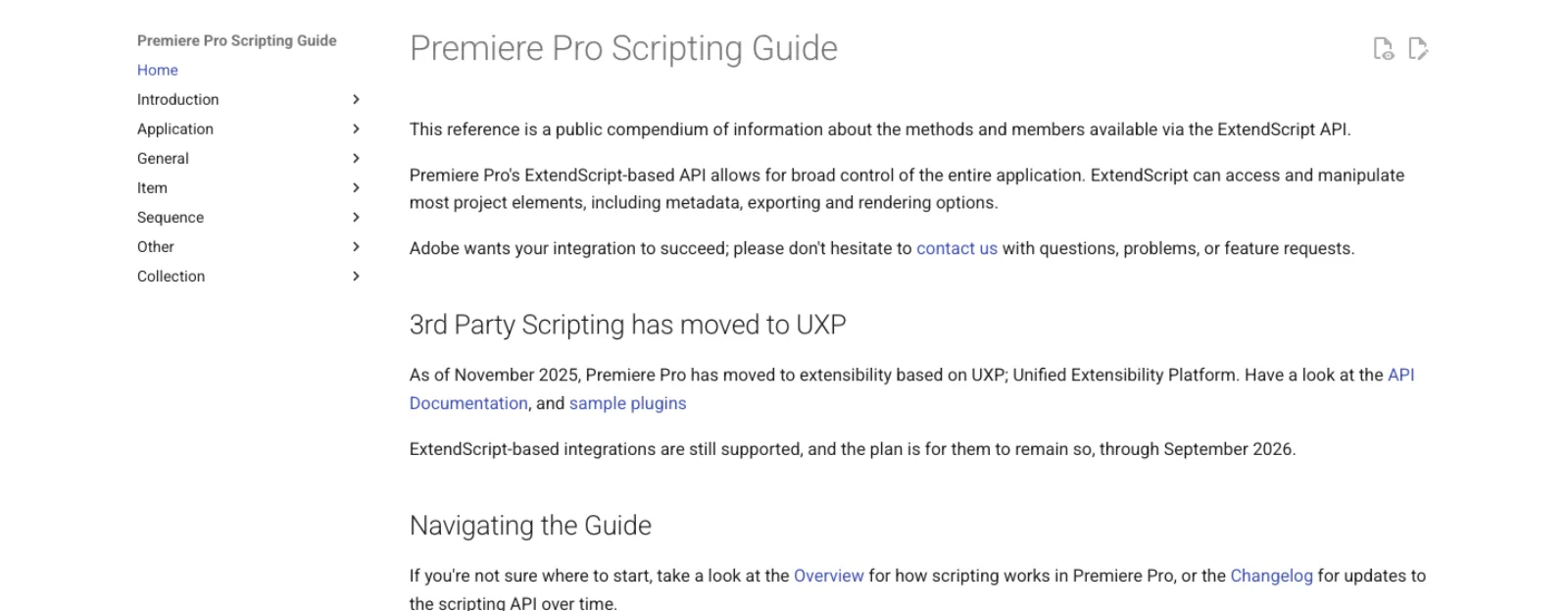
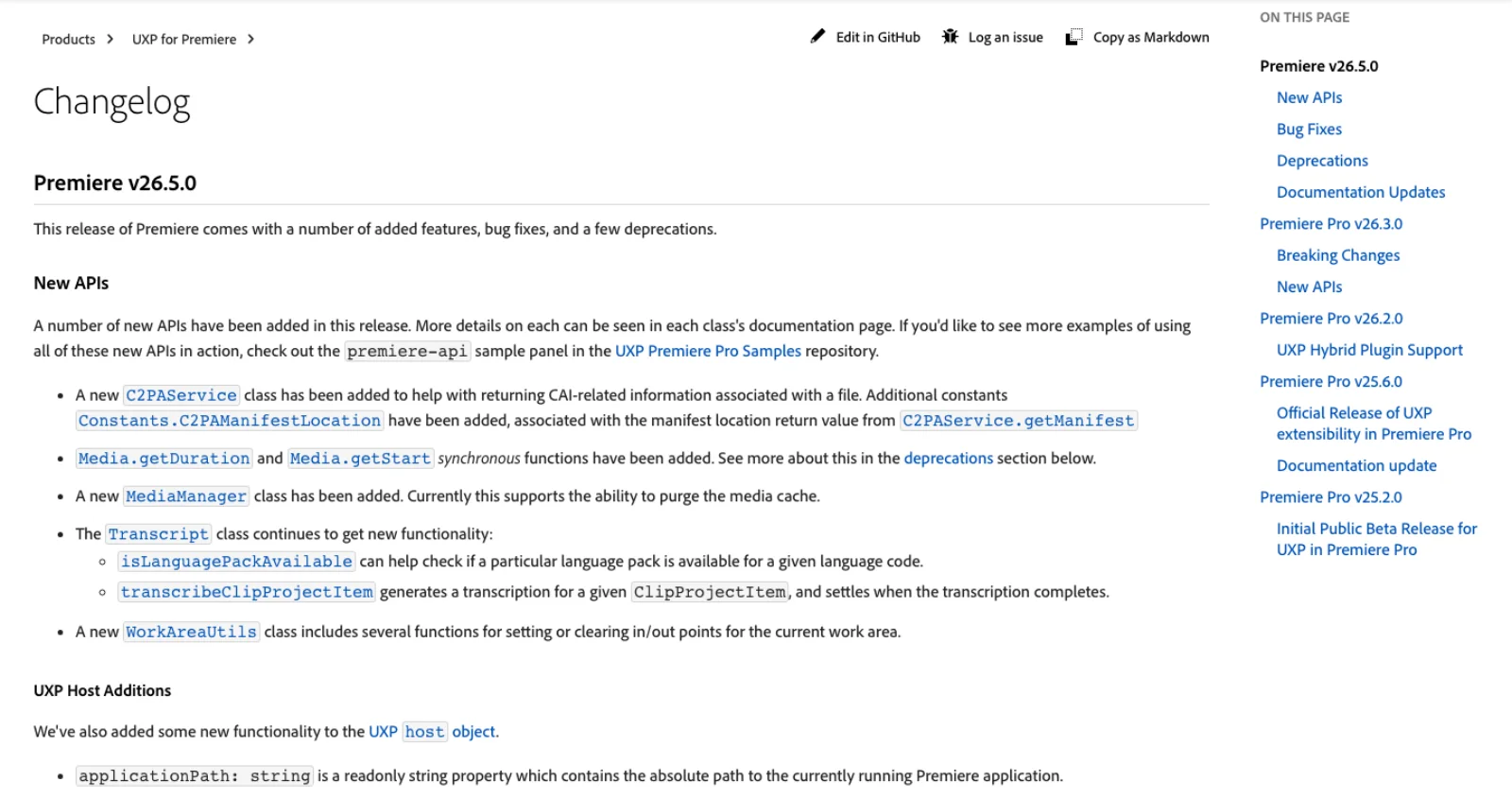
UXP. Adobe's replacement, officially released in Premiere 25.6 with the note that "UXP APIs are approaching parity with what was previously possible, via CEP and ExtendScript" (UXP changelog). The 26.3 and 26.5 releases added an EncoderManager with Media Encoder functions, ObjectMaskUtils, subclip creation, a Transcript class that can transcribe a project item, and WorkAreaUtils. UXP calls are asynchronous and do not block the interface. Adobe's nomenclature page says Premiere uses "plugins as a catch-all term for panels, extensions, and, eventually, scripts as well", so today UXP means a panel loaded through the UXP Developer Tool with developer mode on in Preferences, not a script you drop in a folder (Adobe Developer). Gaps remain: one UXP-first server documents that the API "has no method to add empty tracks" (CaYatur/PremiereProMCP).
Everything else is a perimeter route: the Frame.io API for review and delivery, a command line that does not really exist for Premiere, and screen control when there is no API at all.
Community servers compared
Stars, last push and licence are a snapshot from the GitHub API on 17 September 2026. Tool counts and supported operations are README claims; they are not independent test results.
| Server | Stars | Last push | Bridge | Tools claimed | Platform, Premiere | Notes |
|---|---|---|---|---|---|---|
| leancoderkavy/premiere-pro-mcp | 268 | 17 Sep 2026 | CEP, file IPC; optional UXP panel for 25.6+ | 381 core, 474 with UXP | Win and Mac, 2020 to 2026 | MIT; Claude Code, Codex, Cursor and Claude Desktop installers; preview-then-confirm on risky tools; 2 open issues |
| hetpatel-11/Adobe_Premiere_Pro_MCP | 578 | 3 Sep 2026 | CEP, file IPC; UXP "experimental" | 283 | Win and Mac, 2020+, tested on 26.0 | MIT; .mcpb for Claude Desktop; telemetry on by default; 19 open issues incl. a 26.5 signature failure |
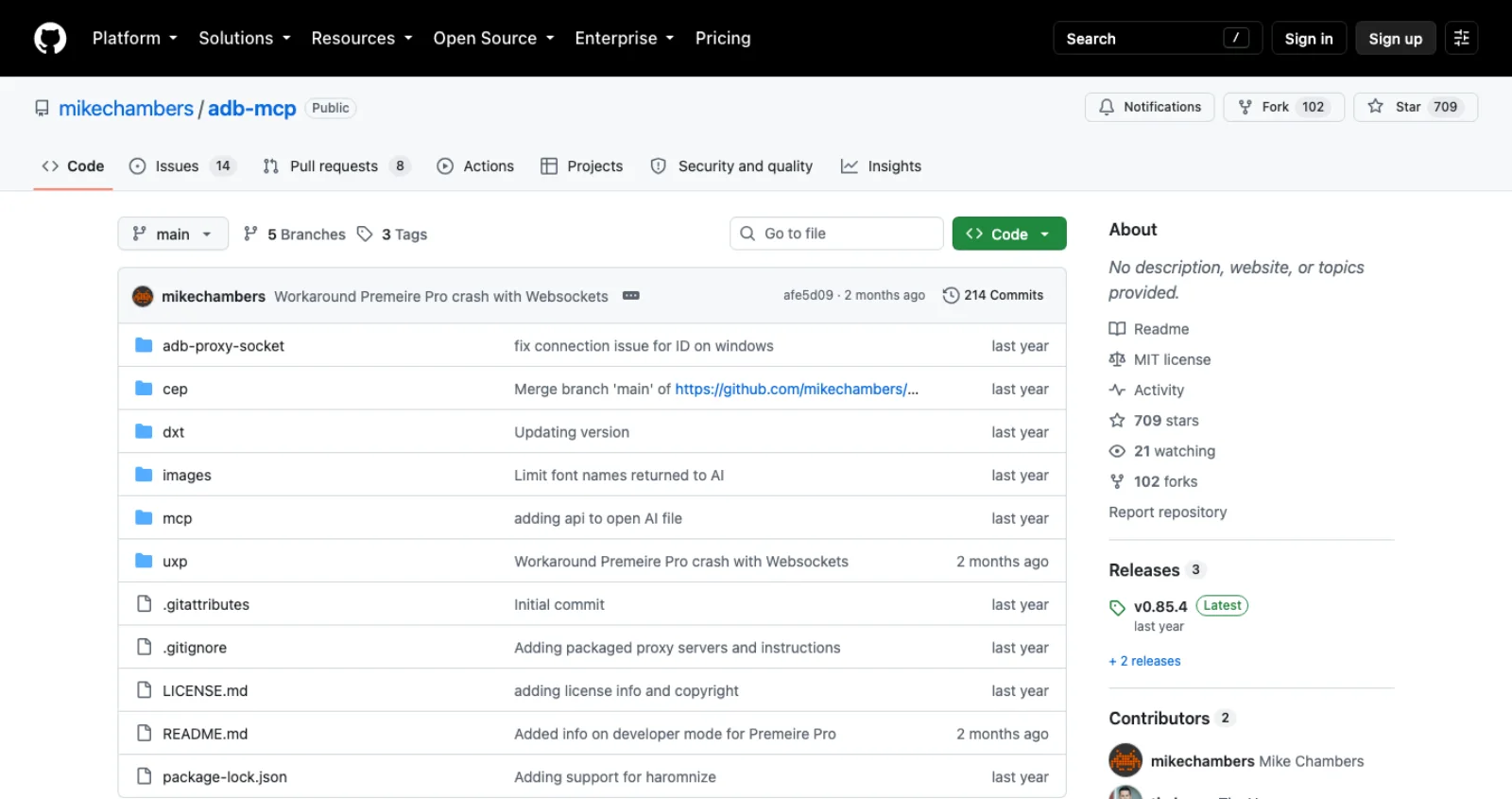
| mikechambers/adb-mcp | 709 | 8 Jul 2026 | UXP panel plus Node proxy plus Python MCP | Not enumerated for Premiere | 25.3 build 46+ | MIT; multi-app proof of concept, "not endorsed by nor supported by Adobe"; Premiere agent "more limited" than Photoshop |
| ayushozha/AdobePremiereProMCP | 104 | 31 Aug 2026 | CEP, loopback WebSocket with token | 1,064 schemas, 72 in the default profile | Win and Mac, 14.0+ | MIT; Go, Rust, Python and TypeScript stack; shell and file tools hidden unless unsafe |
| antipaster/Adobe-Premiere-Pro-MCP | 32 | 25 Aug 2026 | CEP, WebSocket | 170+ | Windows only, 2023+ | MIT; install.bat; raw ExtendScript execution tool; ElevenLabs voiceover |
| Aodaruma/adobe-mcp-rs | 27 | 8 Aug 2026 | Rust servers with host bridges | Not stated | Multi-app | MIT; After Effects, Premiere, Photoshop, Illustrator |
| nepfaff/premiere-pro-mcp | 5 | 10 Feb 2026 | UXP panel that evals JavaScript from a file | 3: execute-script, get-results, get-help | Mac, 25.3+ | No licence file; UXP Developer Tool must stay open |
| CaYatur/PremiereProMCP | 3 | 4 Sep 2026 | UXP-first over WebSocket, CEP only for MOGRT text | 277 (19 core, 109 standard) | Windows, 25+ | MIT; bundled portable Node; UXP Developer Tool required |
| jordanl61/premiere-pro-mcp-server | 14 | 8 Jul 2025 | CEP | Not stated | Not stated | MIT; no commits in 14 months |
Beyond the table there are a dozen single-digit-star repos created since March 2026 (skrfilms, quadlzzz, koptsev63, Rinellasky, IsaiahDupree, MarvelCollin, dcc-mcp and others), several of them forks or vendored copies. None had more than one star when checked. Read the code before installing any of them; a bridge that runs generated scripts inside your editor deserves that.
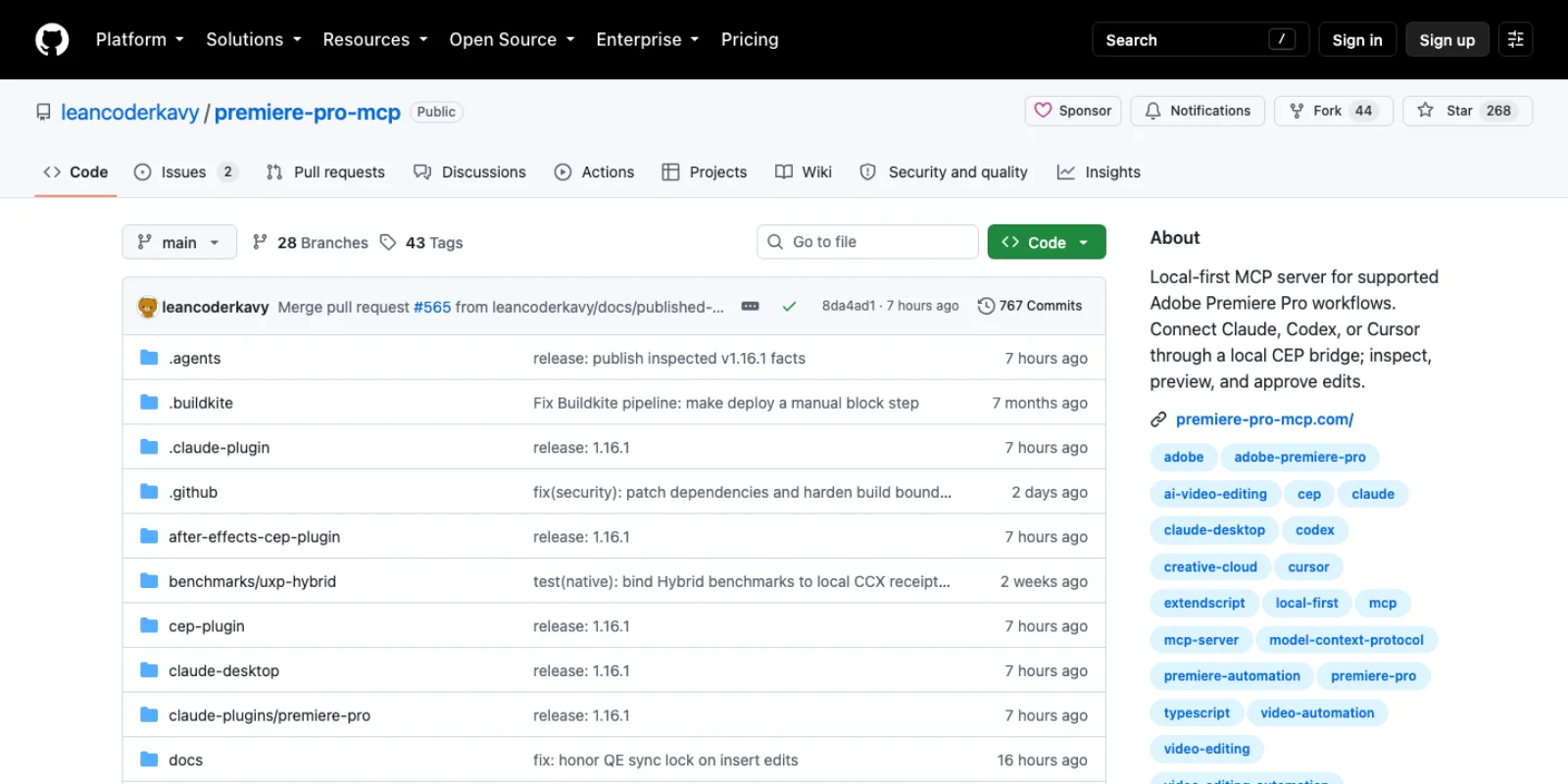
Two things the table hides. First, the two leading projects collide on names: leancoderkavy publishes the npm package premiere-pro-mcp, hetpatel-11 publishes adobe-premiere-pro-mcp, and both install an executable called premiere-pro-mcp; the leancoderkavy README tells you to check which binary is on your path before configuring a client. Second, hetpatel-11's open issues include "CEP bridge: Signature verification failed on Premiere Pro 26.5.0 despite correct debug-mode setup", filed on 13 September 2026, four days after Adobe's 26.5 release. That is what a CEP route looks like when a Premiere update lands.
The non-MCP routes
Ask the model to write the script. No server at all. Claude Code or Codex writes ExtendScript or UXP JavaScript against the documented API, and you run it: through a CEP panel for ExtendScript, or by loading a plugin in the UXP Developer Tool, where Adobe's samples show the pattern (AdobeDocs/uxp-premiere-pro-samples). Slower per task than a tool call, but every line is reviewable before it touches the project, the safest posture for anything destructive. Two of the servers above (nepfaff, antipaster) are this route with the copy-paste removed.
A command line. Premiere Pro has no headless renderer equivalent to After Effects' aerender, and the scripting guide's note on passing scripts to Premiere on the command line is "not recommended". The closest thing is stefanwebb's premiere-cli, a Python CLI that talks over HTTP to a bundled CEP panel and exposes around 230 JSON commands for project state, timeline edits, effects, markers, export and frame capture, calibrated on 26.3 (stefanwebb/premiere-cli). It is CC-BY-SA licensed, has zero stars, and was pushed on 15 September. A CLI is often a better fit than MCP for batch work, because a shell loop can call it without a model in the middle.
Agent skills. A Claude Code skill is a SKILL.md file under ~/.claude/skills/ or .claude/skills/ that Claude loads when its description matches the task, or when you invoke it with /skill-name (Claude Code docs). Skills do not give an agent access to Premiere; they give it the procedure. premiere-ai-skills bundles ten of them on top of premiere-cli, including pause removal that keeps sync, clip synchronisation, ColorChecker-based LUT calibration and loudness matching (stefanwebb/premiere-ai-skills), and hetpatel-11 ships one for installing and verifying its own server via npx skills add. The right mental model is skill for the workflow, server or CLI for the hands.
Frame.io. Adobe announced an experimental Frame.io MCP server on 29 July 2026, in private beta by request, covering workspaces, comments, shares, search and uploads (Frame.io forum). Community servers already wrap the V4 API. This route never touches the timeline; it handles what happens before and after the cut, and the Premiere Frame.io panel brings reviewer comments back as markers (Frame.io help).
Screen control. Anthropic's computer use tool gives a model screenshots, mouse and keyboard (Anthropic docs). It reaches the dialogs no API exposes, and it is the slowest and least reliable route here. Anthropic's guidance is to run it in "a dedicated virtual machine or container with minimal privileges", awkward advice for an editor with 4 TB of footage attached. premiere-cli offers a narrower version on macOS through the Accessibility API for the Essential Sound operations scripting cannot reach. Use screen control for the last 5 percent, never as the main road.
Which route for which job
| Job | Route | Why |
|---|---|---|
| Rough cut from a transcript, remove pauses, assemble selects | MCP server (leancoderkavy or hetpatel-11) | Both expose transcript, marker and ripple tools; leancoderkavy's preview_transcript_edit_uxp returns a plan before touching the timeline |
| Batch export of many sequences or projects | premiere-cli in a shell loop, or a server's EncoderManager tools | Deterministic, repeatable, no model in the loop per item |
| One-off cleanup (rename bins, relink, set labels) | Ask the model for a script, run it yourself | Reviewable before it runs; no bridge to install |
| A recurring house procedure (your caption style, your export ladder) | Skill plus a server or CLI | The skill holds the procedure, the bridge does the work |
| Review round trip with a client | Frame.io API or its MCP beta | Comments come back as markers; nothing in the timeline is at risk |
| Anything in a dialog with no API (some Essential Sound and export panels) | Screen control, sandboxed | Last resort, and Adobe's UXP additions keep shrinking the list |
| A long-lived tool you will still need in 2027 | UXP, not CEP | ExtendScript's stated support window ends this month |
Maturity, breakage, and what you are handing over
What works. Reading project and sequence state, importing, building sequences, placing and trimming clips, markers, captions from .srt and .vtt, effects, transitions, keyframes and export through Media Encoder are covered by both leading servers and marked verified in their READMEs. leancoderkavy's design earns its tool count: each tool declares its backend (CEP, QE or UXP) and a support status, QE-backed tools are labelled "experimental because QE is undocumented and can vary between Premiere builds", and structural edits return a preview and a one-time confirmation token before anything changes.
What breaks. Both READMEs admit gaps that are Adobe's, not theirs: no scripting API to change a timeline clip's speed, none to remove an effect in Premiere 26, no raw-text caption creation, and, on UXP, no way to add an empty track. Keyframe and caption results "prove readback only, not rendered pixels": the agent cannot see the picture. Premiere updates break bridges, as the 26.5 signature failure shows, and leancoderkavy's own issue from today reports a UXP .ccx build that "fails to install". Undo is partial; leancoderkavy does not claim "global redo support". Save a project version before any agent session, which CaYatur's README puts as "Keep project backups / checkpoints".
What you are handing over. Every route here ends in script execution inside Premiere. The CEP servers write generated ExtendScript to a temp directory and a panel evals it; the UXP eval bridges set allowCodeGenerationFromStrings: true and run whatever arrives. That means:
- The bridge's temp directory and loopback port are an attack surface. ayushozha authenticates its WebSocket with a token; the file-IPC designs rely on the directory being yours. Check permissions before running these on a shared workstation.
- Anything the model reads is a prompt injection vector: transcript text, clip names, marker comments, a client's Frame.io note. A server with
execute_extendscriptor a shell tool lets an injected instruction run code. ayushozha hides "arbitrary script, shell, URL, clipboard, external-editor, and file-I/O tools" unless you opt intounsafe; prefer that default and servers with preview-and-confirm gates. - Installers enable Adobe's
PlayerDebugMode, which lets any unsigned CEP panel load, and the uninstallers deliberately leave it on. hetpatel-11's.mcpbis unsigned and its.zxpself-signed; its README says "self-signed does not mean Adobe Marketplace trusted". - Local bridges can edit local media without uploading the source files. Returned metadata, transcripts, screenshots, telemetry and any optional generation or voice services have separate data paths; inspect the chosen server and tools before using client material.
Frequently asked questions
Does Premiere Pro have an MCP server? Not from Adobe. Community servers on GitHub bridge MCP clients into Premiere through a CEP panel running ExtendScript or a UXP panel; the two most maintained are leancoderkavy/premiere-pro-mcp (updated 17 September 2026) and hetpatel-11/Adobe_Premiere_Pro_MCP (3 September 2026).
Is there an official Adobe one? Adobe's "Adobe for creativity" connector in Claude, launched 28 April 2026, lists Premiere among the apps its 50-plus tools draw on, but Adobe's announcement does not describe any operation on a local project or sequence. Adobe's official MCP servers are for Analytics, Target, Experience Manager and Express add-on development. Frame.io has an official server in private beta.
Is it free? The community servers are MIT licensed and free; premiere-cli and its skills are CC-BY-SA. You pay for Premiere, for the model behind your client, and for nothing else. BuzzRolls sells a paid plugin-plus-server product, which is outside this inventory.
What can it actually do? Read and change the open project: import media, build and edit sequences, trim and ripple, add markers, captions, effects, transitions and keyframes, and export through Media Encoder. What it cannot do is anything Adobe's scripting surface lacks (clip speed, effect removal, empty tracks on UXP) or anything that needs eyes on the frame. State readback verifies structure. Visual verification requires a frame or render to be returned and inspected.
Will these servers survive Adobe's move to UXP? Adobe's stated ExtendScript support window runs through September 2026. leancoderkavy already ships a UXP panel with 91 capability-gated tools beside its CEP bridge, hetpatel-11 labels its UXP panel experimental, and CaYatur is UXP-first. If you are choosing a server to build a workflow on, weight the UXP roadmap above the tool count.
Make your next project in Voyager
Create an account, download Voyager, and start making.
