
 Read Markdown
To edit the Photoshop document open on your desktop, choose a local bridge and verify that it can name the correct document and layers. Adobe's cloud connectors work on media supplied to them; they should not be confused with a connection to that open PSD.
For a one-off structural change, a reviewed script may be sufficient. For iterative work, compare server compatibility, document targeting, history and preview access. The inventory is based on documentation and repository state checked on 17 September 2026; the batch walkthrough is a proposed procedure rather than a completed retouching test.
Jump to: setup · Adobe cloud vs desktop · servers · local layer test · first batch
Setup: alisaitteke/photoshop-mcp with Claude Code and Cursor
Chosen because it is the most maintained cross-platform server, installs nothing inside Photoshop by default, and collapses recipes into one history state. Steps are from its README as of v1.7.15.
- Have Photoshop running with a document open, and Node.js 18 or later installed. On macOS, expect a one-time prompt under System Settings > Privacy & Security > Automation allowing your terminal or client to control Photoshop, because the bridge is AppleScript.
- Register the server with Claude Code:
claude mcp add photoshop -- npx -y @alisaitteke/photoshop-mcp
The -- separates Claude's options from the server command; add --scope project before the name to write a shareable .mcp.json instead of your personal config (Claude Code docs).
- Run
claude mcp listor/mcpinside a session and confirmphotoshopis connected. Ask for something read-only first: "list the open documents and the layers in the active one." That exercisesphotoshop_ping,photoshop_list_documentsandphotoshop_get_layerswithout changing anything. - For Cursor, the project ships a plugin under Customize > Plugins, or add the same command to
.cursor/mcp.json:
{
  "mcpServers": {
    "photoshop": {
      "command": "npx",
      "args": ["-y", "@alisaitteke/photoshop-mcp"]
    }
  }
}
The identical block goes under mcpServers in Claude Desktop's config. For Codex, codex mcp add photoshop -- npx -y @alisaitteke/photoshop-mcp writes the equivalent entry to ~/.codex/config.toml (Codex docs).
- Two settings worth changing on day one. Anonymous usage analytics are on by default; add
"env": { "ANALYTICS_DISABLED": "1" }to the server entry to turn them off (docs). And if you want Neural Filters, load the optional plugin from the repository'suxp-pluginfolder through Adobe's UXP Developer Tool with developer mode on; skip it otherwise.
If you would rather be on UXP from the start, adb-mcp is the alternative: enable developer mode in Photoshop's plugin preferences, load its plugin in the UXP Developer Tool, run node proxy.js, and install the Python server with uv (GitHub). It needs Photoshop 26.0 or later, and the README warns "The AI currently has issue sizing and positioning text correctly."
Adobe's four official routes, and what each one reaches
| Route | What it is | Where it runs | Touches your open document? | Available to |
|---|---|---|---|---|
| Adobe for creativity connector | 50+ tools across eight apps inside Claude | Adobe's cloud | No, works on media you hand it in chat | Claude chat, Cowork, Claude Desktop; about 40 tools as a guest |
| Adobe plugin in ChatGPT | 70+ tools across nine apps, from a single @Adobe | Adobe's cloud | No, hands results to Photoshop on web or mobile | ChatGPT, ChatGPT Work, Codex; guest mode, generative features need an Adobe sign-in |
| AI Assistant in Photoshop | Adobe's own agent as a panel | Inside Photoshop (beta on desktop) | Yes | Creative Cloud subscribers on the Photoshop beta |
| Photoshop API (Firefly Services) | REST API that runs actions and UXP scripts on PSDs | Adobe's cloud, no app | Not open documents; files at URLs | Enterprise contract with Firefly Services |
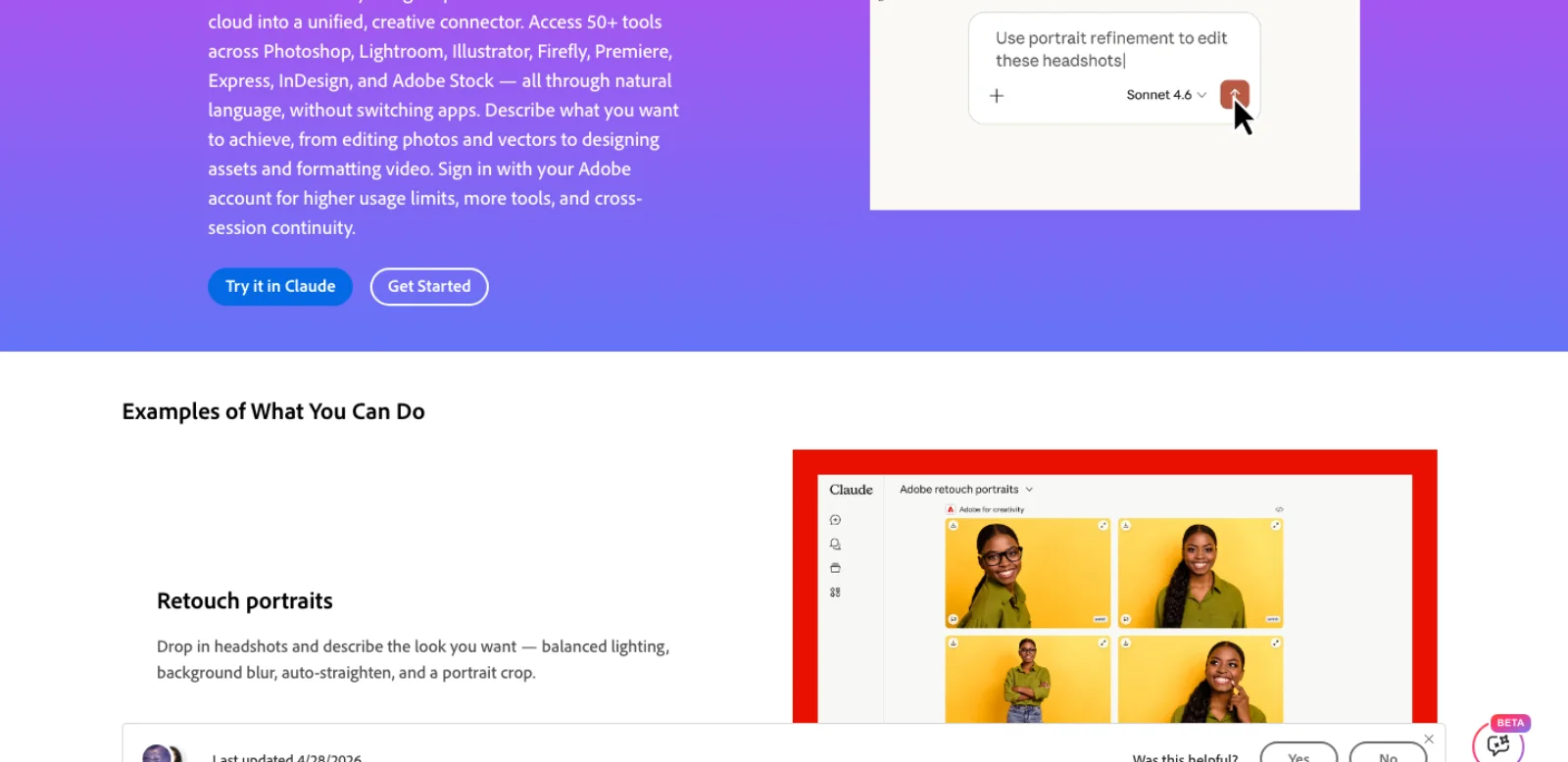
The Claude connector. Adobe for creativity launched on 28 April 2026 with "50+ tools across Photoshop, Lightroom, Illustrator, Firefly, Premiere, Express, InDesign, and Adobe Stock" and "about ~40 standard tools" usable without an Adobe account (Adobe Developer). The one Photoshop example on the page is retouching: "Drop in headshots and describe the look you want: balanced lighting, background blur, auto-straighten, and a portrait crop." It is listed for Claude chat, Cowork and Claude Desktop, not Claude Code, and it works on images you attach, not on a PSD open on your machine.
The ChatGPT plugin. Photoshop arrived in ChatGPT on 10 December 2025, free (Adobe). Generative edits followed on 19 March 2026, "adding, removing, or replacing elements, generating entirely new backgrounds", with "complimentary daily AI edits" for free users, and the escape hatch is to "take it into Photoshop on web or mobile to keep refining" (Adobe Community). On 6 August 2026 Adobe folded its separate ChatGPT apps into one plugin "drawing on more than 70 tools" that "works across ChatGPT Work and Codex" (Adobe). Codex support matters here: a coding agent can call Adobe's cloud tools, but the plugin has no view of your desktop Photoshop.
The AI Assistant. Adobe's own agent reached the Photoshop web and mobile beta in March 2026 (TechCrunch) and the desktop beta on 19 June 2026, where Adobe's examples include "Clean up your layer stack: delete empty layers and give the rest clear names" (Adobe Community). Adobe's 18 June release says the Assistant is "available today in public beta across Premiere, Photoshop, Illustrator, Frame.io and InDesign" and says nothing about MCP, APIs or third-party agents (Adobe). It is the only official route inside your open document, and it is not a socket for your agent. Generative steps spend generative credits as elsewhere in Photoshop.
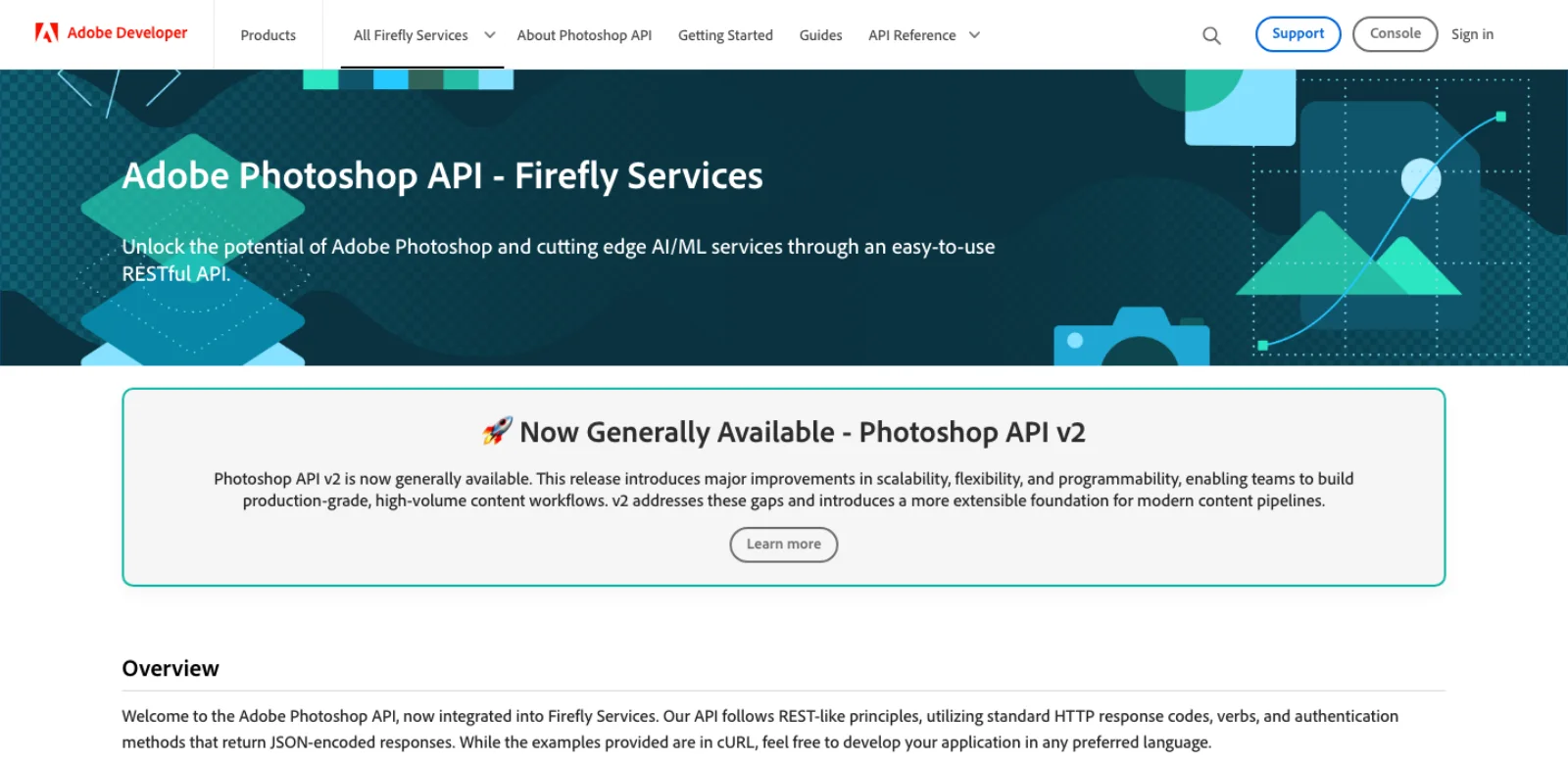
The Photoshop API. The route most Photoshop MCP write-ups miss. Adobe's Photoshop API, now part of Firefly Services, is "a cloud-based RESTful service" that manipulates PSDs with no copy of Photoshop involved: remove background, smart object replacement, product crop, text edits, a document manifest of the layer tree, and, on the v2 /execute-actions endpoint, "both traditional Actions (recorded operations) and modern UXP Scripts (JavaScript automation)", up to ten actions plus one script per request, inputs at URLs, outputs at signed URLs (Adobe Developer). v2 is generally available, v1 reaches "end of life on July 31, 2026", and files can be 5 GB (Adobe Developer). The catch is in the prerequisites: "An active Enterprise contract with Firefly Services included" (Adobe Developer). No self-serve tier, no public price. If you have the contract, one community wrapper exposes six of its endpoints as MCP tools with OAuth server-to-server credentials in environment variables (Focus-GTS/firefly-services-mcp); one star, last pushed 11 August 2026.
Adobe's actual MCP servers are for Analytics, Target, Marketo and Express add-on development, and Frame.io has one in private beta; none of them touches a Photoshop document (Adobe Developer).
The two surfaces every community server sits on
Photoshop can be driven from outside in two ways, and which one a server uses decides its platform support, its version range and how it ages.
ExtendScript. Adobe's scripting dialect "uses a very old version of JavaScript (ES3), from the era when JavaScript was coded on punched cards", in the words of Adobe's own migration guide (Adobe Developer). It still runs in current Photoshop from File > Scripts, and, unlike Premiere, where Adobe published a support window ending this month, the Photoshop UXP pages set no end date for it. What makes it useful for agents is that the operating system can hand it to Photoshop, through AppleScript's do javascript on macOS and COM automation on Windows, with no plugin installed. That is why the most maintained server below supports "Photoshop 2012–2026+" and why the Windows-only servers exist at all.
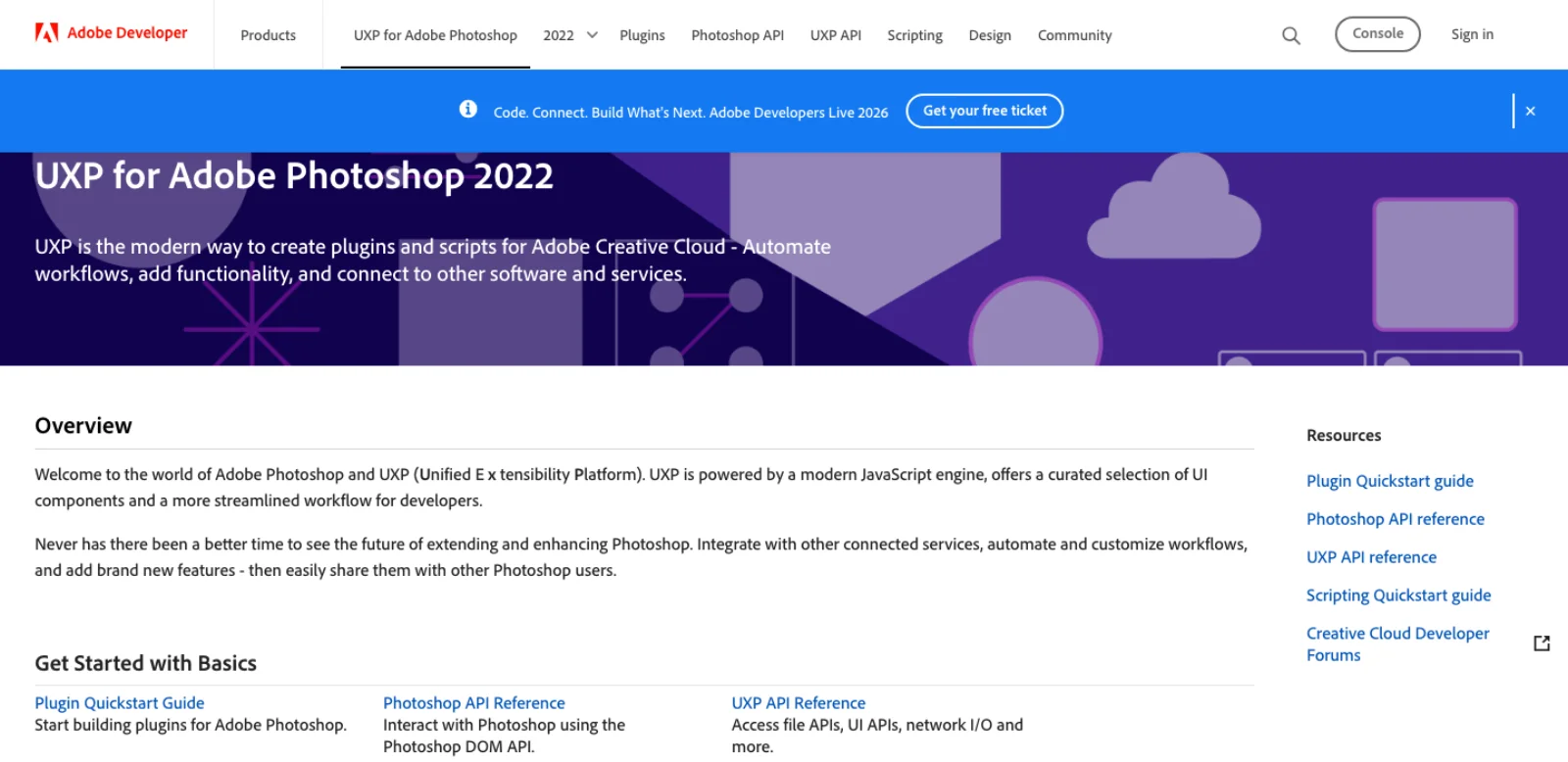
UXP. Adobe calls it "the modern way to create plugins and scripts for Adobe Creative Cloud" (Adobe Developer). It runs modern JavaScript on V8, exposes a DOM API for documents and layers, and underneath that batchPlay, "a method that executes one or more Photoshop action commands and return their results", which Adobe labels "an advanced API" to reach for after the DOM (Adobe Developer). Since apiVersion 2 any document change has to happen inside executeAsModal, and suspendHistory will "coalesce all document changes into a single history state with a custom name", which is how a server makes a multi-step edit one Undo (Adobe Developer). Three constraints shape every UXP-based server: a plugin cannot listen on a socket, so each needs a proxy process; an unsigned plugin needs developer mode on in Photoshop's plugin preferences; and standalone .psjs scripts, supported since Photoshop 23.5, "cannot have a panel UI" and get "only a limited number of modules" (Adobe Developer, Adobe Developer). Neural Filters are reachable only through batchPlay inside a plugin, which is why an ExtendScript server ships an optional UXP bridge for them.
Community servers compared
Stars, last push and licence are from the GitHub API on the day of writing. Tool counts are the projects' own claims.
| Server | Stars | Last push | Bridge | Tools claimed | Platform, Photoshop | Notes |
|---|---|---|---|---|---|---|
| alisaitteke/photoshop-mcp | 475 | 17 Sep 2026 | ExtendScript via AppleScript (macOS) or COM (Windows); optional UXP bridge polled on 127.0.0.1:38452 for Neural Filters | 116 (100 atomic, 16 recipes) | Windows and macOS, "any version 2012+", Node 18+ | MIT; v1.7.15, 207 commits; recipes are one history state; anonymous analytics on by default; bundled chat UI |
| mikechambers/adb-mcp | 709 | 8 Jul 2026 | UXP plugin plus Node proxy plus Python MCP | "a subset of Photoshop functionality": layers, text, selections, filters, adjustments, generation, masks | Photoshop 26.0+, developer mode | MIT; "not endorsed by nor supported by Adobe"; Photoshop is its primary target |
| loonghao/photoshop-python-api-mcp-server | 303 | 15 Sep 2026 | COM through photoshop-python-api | Documents, layers, session info | Windows only, tested CC2017 to 2024, Python 3.10+ | MIT; 24 open issues; uvx photoshop-mcp-server |
| kiki348/photoshop-beta-control | 60 | 18 May 2026 | COM plus ExtendScript through a PowerShell bridge | 12, incl. custom JSX, editable paths, batch export | Windows, Photoshop 2025, 2026 and Beta | MIT; built for Codex; README in Chinese |
| Aodaruma/adobe-mcp-rs | 27 | 8 Aug 2026 | Rust daemon running headless scripts | run-script, frame export | Windows and macOS | MIT; After Effects first, Photoshop experimental |
| dcc-mcp/dcc-mcp-photoshop | 13 | 12 Sep 2026 | UXP WebSocket through a Rust broker on port 47391; Streamable HTTP gateway | 40+ across eight skill packages | Photoshop 2022+ (23.0); Windows, macOS, Linux binaries | MIT; v0.2.0, "v1.0.0 targeting production readiness" |
| StarBoze/Photoshop-MCP-Server | 13 | 4 May 2025 | FastAPI bridge | Not enumerated | macOS and Windows | MIT; no commits in 16 months |
| Chandrahas455/PsMCP-MCP-Server-for-Photoshop | 10 | 30 Jul 2025 | win32com | "several", plus a Gradio client with Gemini | Windows | MIT; no commits in 13 months |
| airtaxi/PhotoshopMcpServer | 3 | 25 Apr 2026 | Windows COM, .NET 10 and C# | Not enumerated | Windows | MIT |
Beyond the table sits a long tail of one-to-three-star repos created this year: a "Conduit" claiming 986 tools across 71 namespaces, a capability-gated UXP bridge for Photoshop 2026, an AppleScript server for macOS, a Windows-first server with a bundled Codex skill, and several multi-app "adobe-mcp" projects. Read the source before installing anything that runs generated scripts inside your editor.
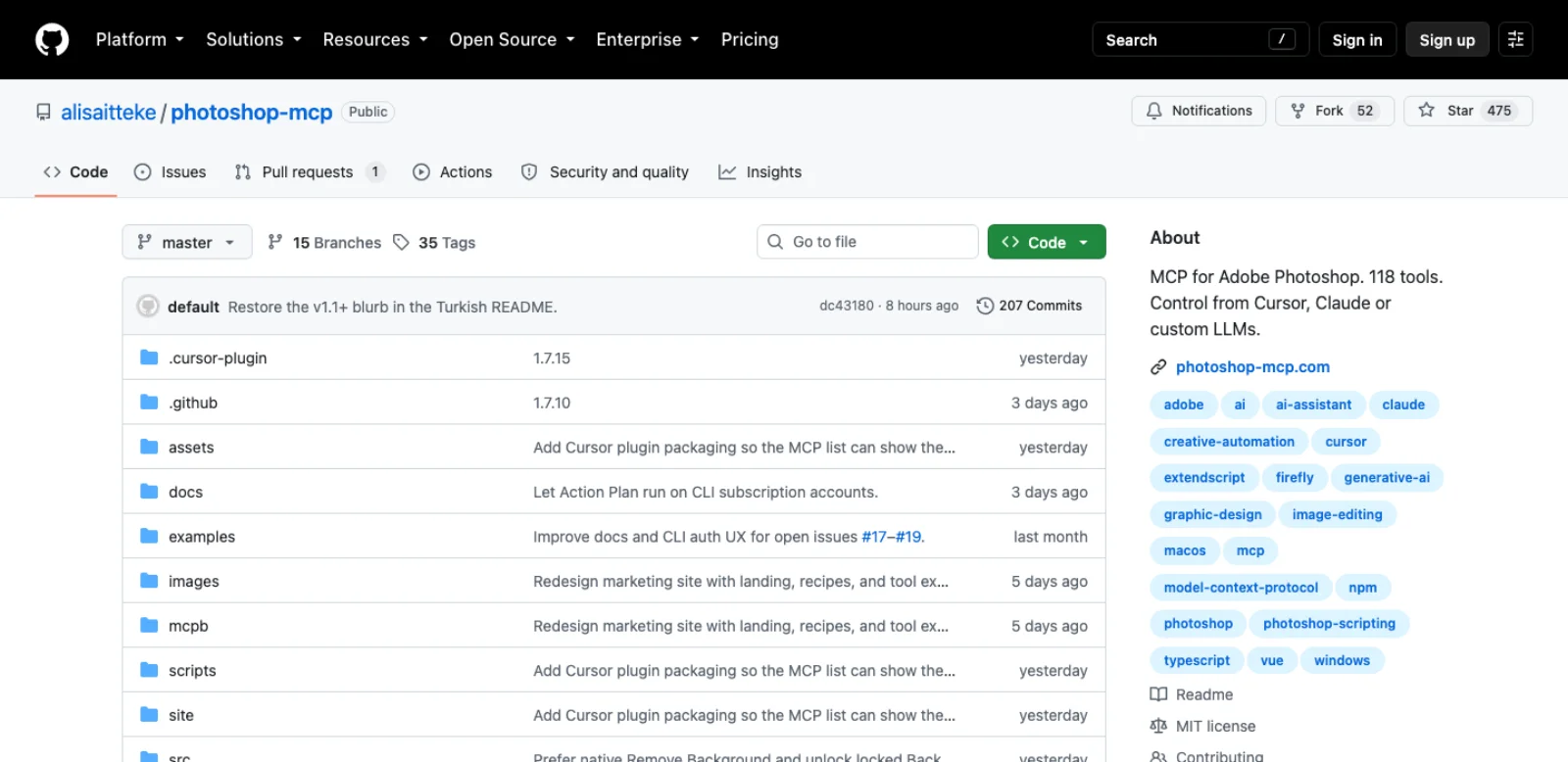
Three readings of the table. Star count and maintenance diverge: adb-mcp has the most stars and the oldest push; alisaitteke's has 207 commits, 35 releases and a push on the day of writing. The COM lineage (loonghao, kiki348, Chandrahas455, airtaxi) is four of nine servers and none runs on a Mac, which directories rarely say. And only two actively maintained servers support both platforms, alisaitteke's on ExtendScript and dcc-mcp's on UXP, opposite bets on the surface question above.
The routes that are not servers
Actions, Batch and droplets. Photoshop's oldest automation needs no agent. Record an action, run it over a folder with File > Automate > Batch, or save it as a droplet you drag files onto (Adobe Help). Two things make this the right route more often than it sounds. Actions are the input format of the cloud Photoshop API, so an action recorded on a laptop becomes a pipeline step. And in developer mode the Actions panel offers "Copy As JavaScript", which turns a recording into batchPlay code an agent can read, edit and run (Adobe Developer). Have the agent write the action; let Batch do the loop.
Ask the model for a script and run it yourself. Claude or ChatGPT will write ExtendScript or a .psjs file for File > Scripts. The model cannot see your document, so you describe it, and every line is reviewable before it runs. Ask for the syntax and history-grouping API of the chosen runtime; ExtendScript and UXP are not interchangeable.
The PSD file, without Photoshop. Adobe's file format specification, last revised November 2019, splits a PSD into five parts and notes that PSB supports "documents up to 300,000 pixels in any dimension" and that the cloud document format PSDC "is private" (Adobe). Parsers built on it let an agent read layer trees, text and metadata with no app installed: psd-tools for Python (1,461 stars, pushed this week), ag-psd for JavaScript, which also writes (721 stars, 2 July 2026), and the older psd.js and webtoon/psd, untouched since February 2024. For the audit half of a job this is faster than any bridge, and it is the only route on Linux.
Agent skills. A skill gives an agent the procedure, not the hands. MastroMimmo's claude-photoshop-skill wraps adb-mcp's 90 tools for Claude Code (9 stars, 17 June 2026) (GitHub). Flue drives Photoshop, Premiere, Blender and others from the shell "with one pip install, and no MCP servers", installed as a skill for Claude Code, Codex and Copilot (84 stars, 1 September 2026) (GitHub). For batch work a CLI in a shell loop often beats MCP, because no model sits in the middle of each file.
Screen control. Anthropic's computer use tool gives a model screenshots, mouse and keyboard, with guidance to run it in "a dedicated virtual machine or container with minimal privileges" (Anthropic). In Photoshop that means a plugin's own dialog or a panel no script reaches. Use it for controls the scripting route cannot reach, and verify the resulting document state. No timing comparison was run for this guide.
A local check: the text is still editable after reopening
On 17 September 2026, we ran a native ExtendScript test in Photoshop 27.10.0 on macOS. A new 1280 × 720 document contained a background and two text layers. We saved the original PSD, changed only the CTA text from "EARLY ACCESS" to "JOIN THE WAITLIST", saved a second layered PSD and exported a PNG.
After closing and reopening the revised PSD, the layer readback still showed CTA and Headline as text layers, with the requested copy and the unchanged headline. We also inspected the exported PNG and the reopened document. This checks direct scripting and layered persistence; it does not test any community MCP server, generative fill or retouch quality.
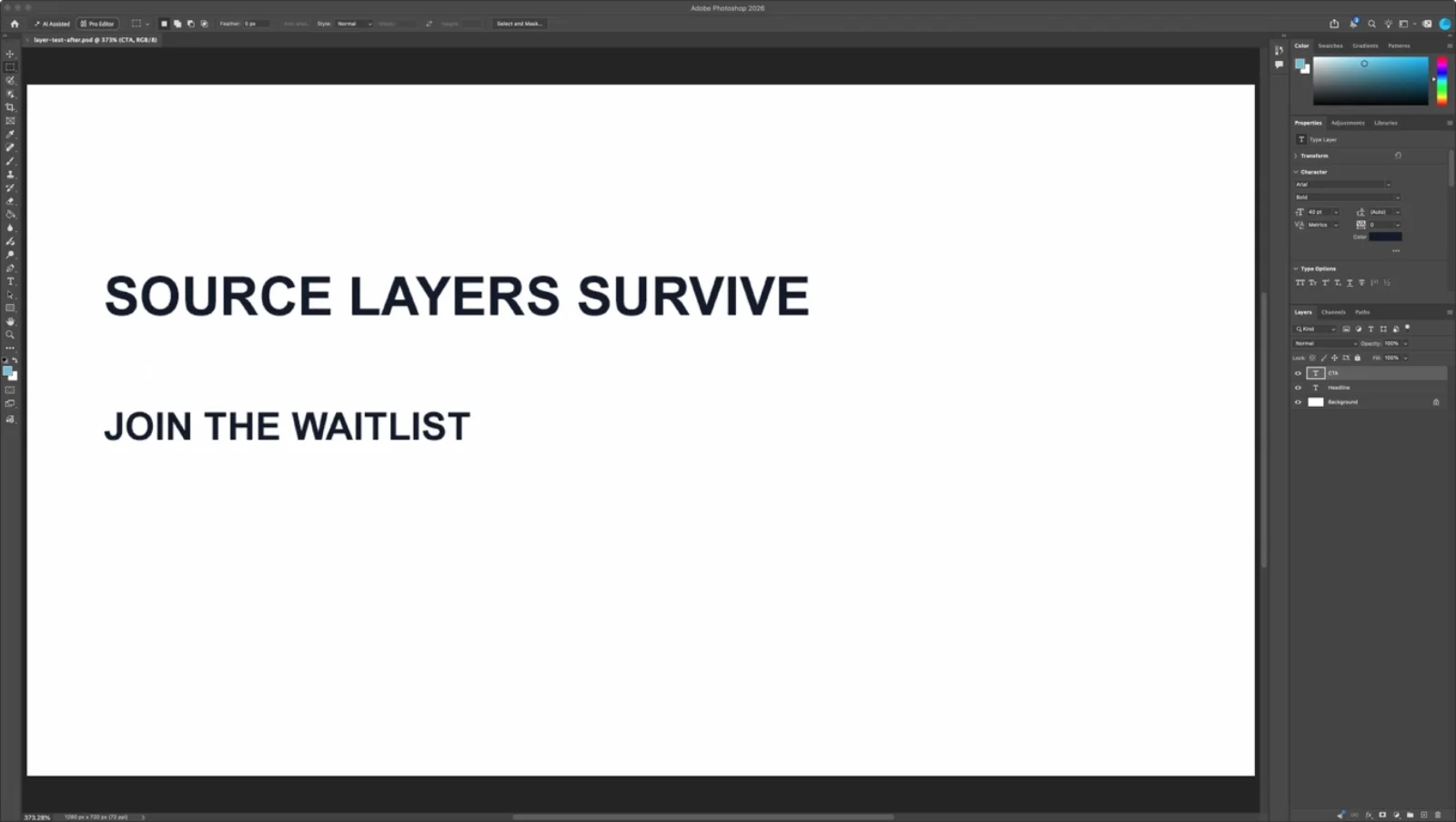
Use that shape for a first write through your chosen server: target one named layer in a duplicate document, change one value, save a new PSD, reopen and check both structure and pixels. A returned layer count cannot show whether text is clipped.
A batch workflow to try
Take a retoucher's Friday: forty layered PSDs from a shoot, each with a mess of "Layer 12 copy" names, all needing the same tonal lift, then exported at three web sizes. Nothing below was run against a live document for this article; the tool names are from alisaitteke's published tool list (docs).
- Audit before touching anything. For each file,
photoshop_open_image, thenphotoshop_get_layers, or psd-tools with Photoshop closed, opening only files that need work. - Rename and organise.
photoshop_rename_layerfor each anonymous layer, using what the listing shows (kind, bounds, opacity, blend mode),photoshop_delete_layerfor empty ones,photoshop_move_layer_to_positionto put retouch layers above the base plate. Adobe's Assistant advertises exactly this task, so on a single file it is the simpler route. - Apply the look.
photoshop_adjust_curvesandphotoshop_adjust_vibranceas adjustment layers, orphotoshop_apply_lutif the grade exists as a.cube. For forty files, have the agent write the adjustments once as an action, then eitherphotoshop_play_actionper file or hand the folder to File > Automate > Batch and take the model out of the loop. - Export. The
prepare_for_webrecipe converts to sRGB, downsizes, sharpens and writes an optimised JPEG as one undo step;photoshop_export_ashandles the other sizes. Every call returns document state afterwards, so the agent can confirm layer count and dimensions without a screenshot.
What the example never asks the agent to do is judge a mask edge or decide how much skin smoothing is too much. Those calls exist (photoshop_select_subject, photoshop_generative_remove, the enhance_portrait recipe), but a document-state response does not show their visual quality. Inspect an exported preview or the canvas before accepting them, and verify structural changes too.
Which route for which job
| Job | Route | Why |
|---|---|---|
| Rename, group and tidy layers in one file | Adobe's AI Assistant in the beta, or a server's layer tools | The Assistant advertises this exact task and works inside your document; a server does it on versions it supports |
| The same edit across a folder | Record an action, then File > Automate > Batch or a droplet | Deterministic, no model per file; the agent's job is writing the action, not running it |
| Read layer trees, text and metadata from many PSDs | psd-tools or ag-psd in a script | No Photoshop needed; the only route on Linux or a server |
| Build a document from a brief (banner, carousel, mockup with placed images) | MCP server: alisaitteke recipes or adb-mcp | The agent needs document state between steps |
| Retouch headshots or remove backgrounds without opening Photoshop | Adobe connector in Claude, or the Adobe plugin in ChatGPT and Codex | Adobe's models, no install, free tier; results are files, not documents |
| Server-side PSD pipeline (templates, product shots, localisation) | Photoshop API on Firefly Services | Actions and UXP scripts at 5 GB scale; needs an enterprise contract |
| Generative fill, sky replacement, neural filters under agent control | A server's generative tools, then review every result | Review the canvas or an exported preview; state readback is insufficient |
| Photoshop on Windows only, with Python | loonghao's COM server | The mature COM route; check the CC2017 to 2024 test range |
| A dialog with no API | Computer use, sandboxed | Last resort |
Maturity and security, honestly
What works. Document and layer management, text layers, adjustment layers, filters, masks, smart objects, actions, history and export are covered by the two leading servers, and alisaitteke's design earns its tool count: each call returns context so the agent stays oriented, errors come back with a suggested next tool, and recipes are one Undo. Batch work is best when the agent writes the action and Photoshop's own Batch runs it. Layer-tree audits work without Photoshop at all.
What still needs review. Layer names and dimensions do not establish mask or retouch quality. Check whether the chosen bridge can return a preview, or provide a screenshot or exported image through another tool. A model can inspect that evidence, but it still needs an acceptance criterion. Text sizing is a known weak spot in adb-mcp. Version drift runs both ways: the COM servers are tested to Photoshop 2024, the UXP servers need 2022 or 2026 and later, and a Photoshop update can break a plugin manifest. Timeouts on long generative calls can leave a change applied after the client reports failure; inspect before retrying.
What you are handing over. Every server ends in script execution with your user's permissions. On the ExtendScript route the script arrives through AppleScript or COM, which is why macOS asks you to grant Automation access to your terminal; grant it to a client you trust. On the UXP route, developer mode lets any unsigned plugin load, and the proxy or broker on localhost is reachable by whatever else runs on the machine. Several servers expose photoshop_execute_script or a custom JSX tool; anything the model reads (layer names, text layers, a client's file names) is a prompt injection path into that tool, so prefer servers where raw execution is off or gated. Cloud routes move the risk: the Photoshop API takes OAuth server-to-server credentials, and Adobe's advice to "never expose them in client-side or public code" applies doubly when they sit in an MCP config an agent can read. Save before every session and work on copies of anything under NDA.
Frequently asked questions
Does Photoshop have an MCP server? Not from Adobe. Nine community servers on GitHub bridge MCP clients into Photoshop, through ExtendScript sent over AppleScript or COM, or through a UXP plugin behind a proxy. The most maintained is alisaitteke/photoshop-mcp (475 stars, pushed 17 September 2026); the most starred is mikechambers/adb-mcp (709, last pushed 8 July 2026). Four of the nine are Windows only.
Is there an official Adobe one? No. Adobe's official routes are the Adobe for creativity connector in Claude, the Adobe plugin in ChatGPT and Codex, the AI Assistant inside the Photoshop beta, and the Photoshop API on Firefly Services. The first two run in Adobe's cloud on files you upload, the third is Adobe's own agent, and the fourth edits PSDs at URLs under an enterprise contract.
Can Claude use Photoshop? Three ways. In Claude chat, Cowork or Claude Desktop, the Adobe connector edits images you attach with Adobe's cloud tools. In Claude Code or Claude Desktop, a community MCP server drives the Photoshop open on your machine. An agent can also draft scripts for Photoshop's supported ExtendScript or UXP execution routes; use the route appropriate to the script type.
Can ChatGPT edit in Photoshop? In the sense Adobe means, yes: the Adobe plugin in ChatGPT performs Photoshop edits, including generative ones, on images in the chat, free for a daily allowance, and hands the result to Photoshop on web or mobile. It does not touch a document open in desktop Photoshop. For that, Codex with a community server is the OpenAI-side route.
Is it free? The community servers are MIT licensed. You pay for Photoshop, for the model behind your client, and for generative credits when a tool calls Firefly. The Adobe connector and the ChatGPT plugin have free guest tiers. The Photoshop API has no public price and requires an enterprise Firefly Services contract.
Make your next project in Voyager
Create an account, download Voyager, and start making.
