
 Read Markdown
For a new Remotion project, start with the official Agent Skills and the render CLI. Remotion's own MCP was a documentation server, and its docs now direct users to skills instead (deprecation notice). You do not need a replacement MCP server just to let an agent edit a React video project.
A community server can still be useful when it packages a particular workflow or exposes rendering to a client without shell access. The comparison below separates those wrappers from Remotion itself. Setup and rendering examples use documentation checked on 17 September 2026; they are not a benchmark of the listed servers.
Jump to: setup · official skills · MCP alternatives · rendering · licensing
Setup for Claude Code and Codex
The five steps from Remotion's coding-agents page, which lists Claude Code, Codex, Kimi Code and OpenCode and notes that "Most coding agents require a paid subscription" (Remotion):
npx create-video --yes --blank my-video
cd my-video && npm install
npx remotion skills add
npm run dev          # Studio on localhost
claude               # or: codex, kimi, opencode, in a second terminal
Then prompt. With Claude Code, /remotion-best-practices Make a promo video for a record store invokes the router directly; with Codex, $remotion-best-practices does the same. Both read the dev server's output, so compile errors come back without pasting.
create-video ships more than a blank project. Its template flags include --tiktok (Whisper.cpp captions), --prompt-to-video (OpenAI writes a script, ElevenLabs voices it), --prompt-to-motion-graphics (a Next.js starter where a model writes Remotion code, the browser compiles it, and compile errors trigger a retry), --recorder, --audiogram and --three (Remotion templates). The right template saves the agent from inventing a caption pipeline.
The routes at a glance
| Route | What it is | Needs | Best for |
|---|---|---|---|
| Skills plus a coding agent | Twelve official skills in .agents/skills, agent edits the project directly | Node, a Remotion project, Claude Code, Codex, Cursor, Kimi Code or OpenCode | Almost everything: new videos, edits, captions, data-driven output |
| Agent plugins | The same skills packaged per client | Claude Code, Codex in the ChatGPT app, Cursor, Copilot CLI, Kimi Code | One-line install, skills auto-load |
| Remotion Studio with WebMCP | The preview app exposes tools an agent can call from the browser | Remotion 4.0.518 or newer; only Codex supports WebMCP today | Letting the agent see selection, errors and playhead |
| MCP app in chat | mcp-use's server compiles agent-written Remotion and plays it inline in ChatGPT or Claude | A hosted or local mcp-use server | Sketching a composition in chat without a repo |
| Media generation MCP | Servers that generate images, voice, music and subtitles as assets for a Remotion project | Third-party API keys | Feeding a project, not building it |
| Lambda and Cloud Run | Distributed rendering in your AWS or GCP account | Cloud credentials, a deployed site | Batch and on-demand renders at scale |
| Player | @remotion/player in your own React app | A web app | Previewing and parameterising without rendering |
Why Remotion needs no bridge
Every other post in this series is about getting a script into a running application. After Effects needs a panel polling a folder; Blender needs an add-on on a socket. Remotion has none of that because the project is the timeline. A composition is a React component registered with an id, dimensions, fps and durationInFrames, and every frame is a pure function of useCurrentFrame(). The whole plan lives in the repository as code and JSON props, the most durable form of editable video there is, the point made in what editable should mean for AI video.
That shape suits coding agents. Claude Code and Codex already know how to read a repo, edit TypeScript, run a dev server and read its errors. The gap is Remotion convention: how to sequence scenes, why Math.random() breaks renders, how captions are timed. Skills close that gap. Remotion also made its documentation agent-readable: add .md to any docs URL for raw markdown, or send Accept: text/markdown and the same URL returns it, which is how a link pasted into Claude Code fetches the right version (Remotion). There is an llms.txt at the site root and a system prompt page for wiring a general model into your own product (Remotion).
The official skills
The repository is remotion-dev/skills: 4,607 stars, 521 forks, 80 commits, one contributor (Jonny Burger, Remotion's founder), created 19 January 2026 and pushed on 17 September. The skills are authored in the monorepo under packages/skills and versioned with Remotion; the router skill's frontmatter reads 4.0.526, the release published to npm on 17 September.
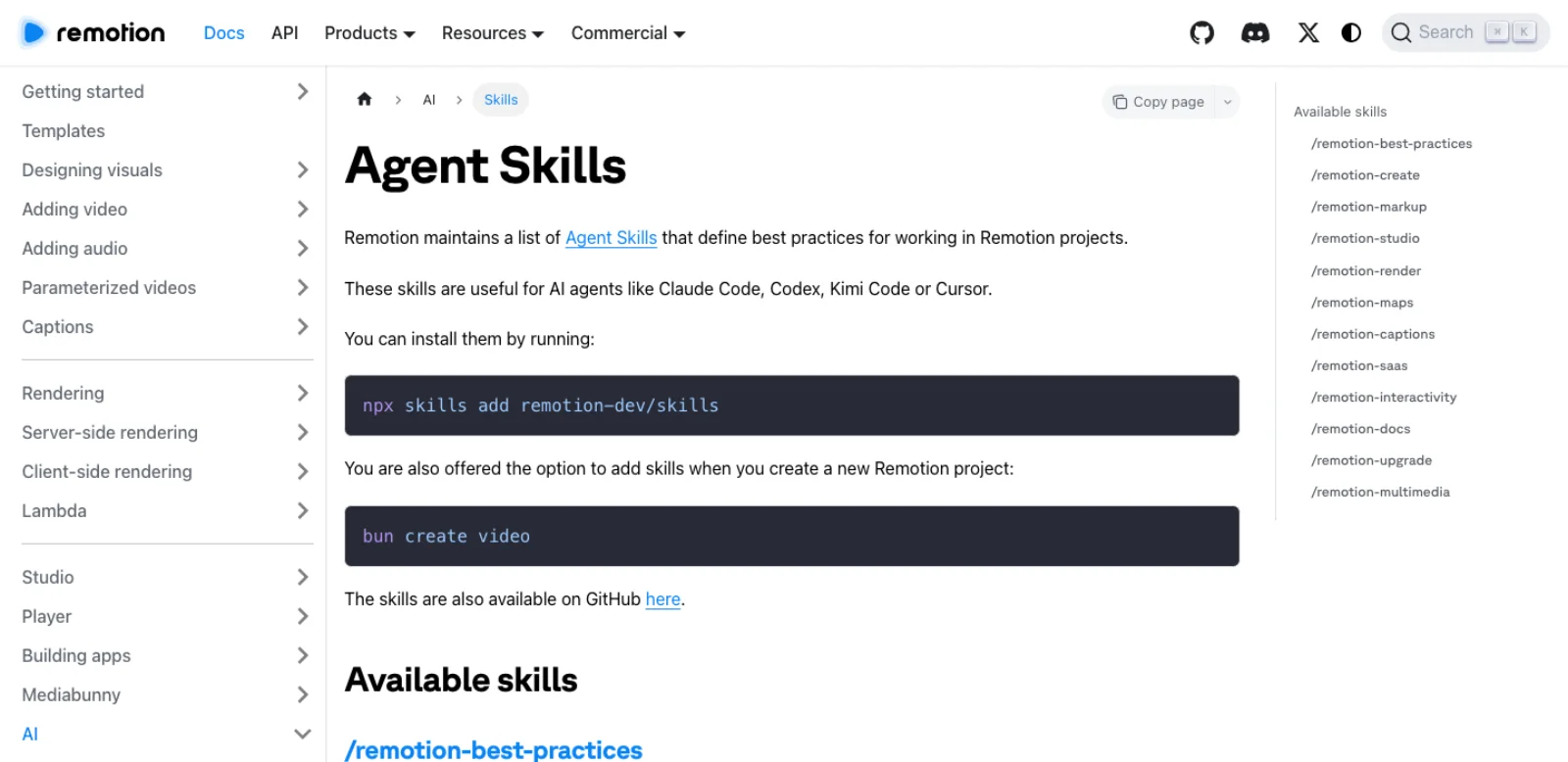
What each one does, from the docs page (Remotion):
| Skill | Purpose | Example prompt from the docs |
|---|---|---|
/remotion-best-practices | Router that "encompasses all other skills" | Use when unsure |
/remotion-create | New project or composition | "Make a promo video for a record store" |
/remotion-markup | Compositions, animations, layout, typography, media, audio, fonts, timing | "Create an animated title card using Inter." |
/remotion-studio | Launch the preview | /remotion-studio |
/remotion-render | Render a video or a still | /remotion-render |
/remotion-maps | Mapbox, MapLibre, MapTiler, GeoJSON, CesiumJS flyovers | "Animate a route from Los Angeles to New York" |
/remotion-captions | Captions and subtitles | |
/remotion-saas | Architecture for Remotion-powered products | "Turn my video into a SaaS." |
/remotion-interactivity | Making code editable in the Studio | |
/remotion-docs | Search the docs and fetch any page as Markdown | "How to set up Remotion Lambda?" |
/remotion-upgrade | Upgrade Remotion, Mediabunny packages and the skills | /remotion-upgrade |
/remotion-multimedia | Media metadata through Mediabunny |
/remotion-docs is the one that replaced the MCP server: the same documentation lookup, with no process to install and no bill for Remotion to pay.
Installing them
Two commands do the same thing. From anywhere, npx skills add remotion-dev/skills uses Vercel Labs' skills CLI (31,886 stars), which installs to whichever of 75-plus agents you pick (GitHub). Inside a Remotion project, npx remotion skills add installs "to the .agents/skills directory in your project" and symlinks them into .claude/skills; npx remotion skills update refreshes them (Remotion CLI docs).
.agents/skills is the directory of the open Agent Skills standard, which Codex scans at $CWD/.agents/skills, $REPO_ROOT/.agents/skills and $HOME/.agents/skills, invoked with $skill-name (OpenAI). Claude Code reads .claude/skills/<name>/SKILL.md and ~/.claude/skills/, invoked with /skill-name (Claude Code docs). One install serves both, which is the design.
The plugins
Each plugin "includes Remotion Agent Skills and can help you create and edit Remotion projects" (Remotion); the difference from a bare install is that the client loads them when you mention Remotion.
- Claude Code:
claude plugin marketplace add remotion-dev/claude-code-plugin,claude plugin install remotion@remotion, restart (Remotion). The plugin repo has 21 stars, pushed 17 September. - Codex: Plugins tab in the ChatGPT desktop app, search Remotion, then
$remotionin a prompt (Remotion). - Cursor: the Cursor Marketplace, or clone
remotion-dev/cursor-plugininto~/.cursor/plugins/local/remotion(Remotion). - GitHub Copilot CLI:
copilot plugin install remotion@awesome-copilot(Remotion). - Kimi Code:
/plugins install https://github.com/remotion-dev/kimi-code-plugin(Remotion).
The MCP servers that exist
Remotion's own, deprecated
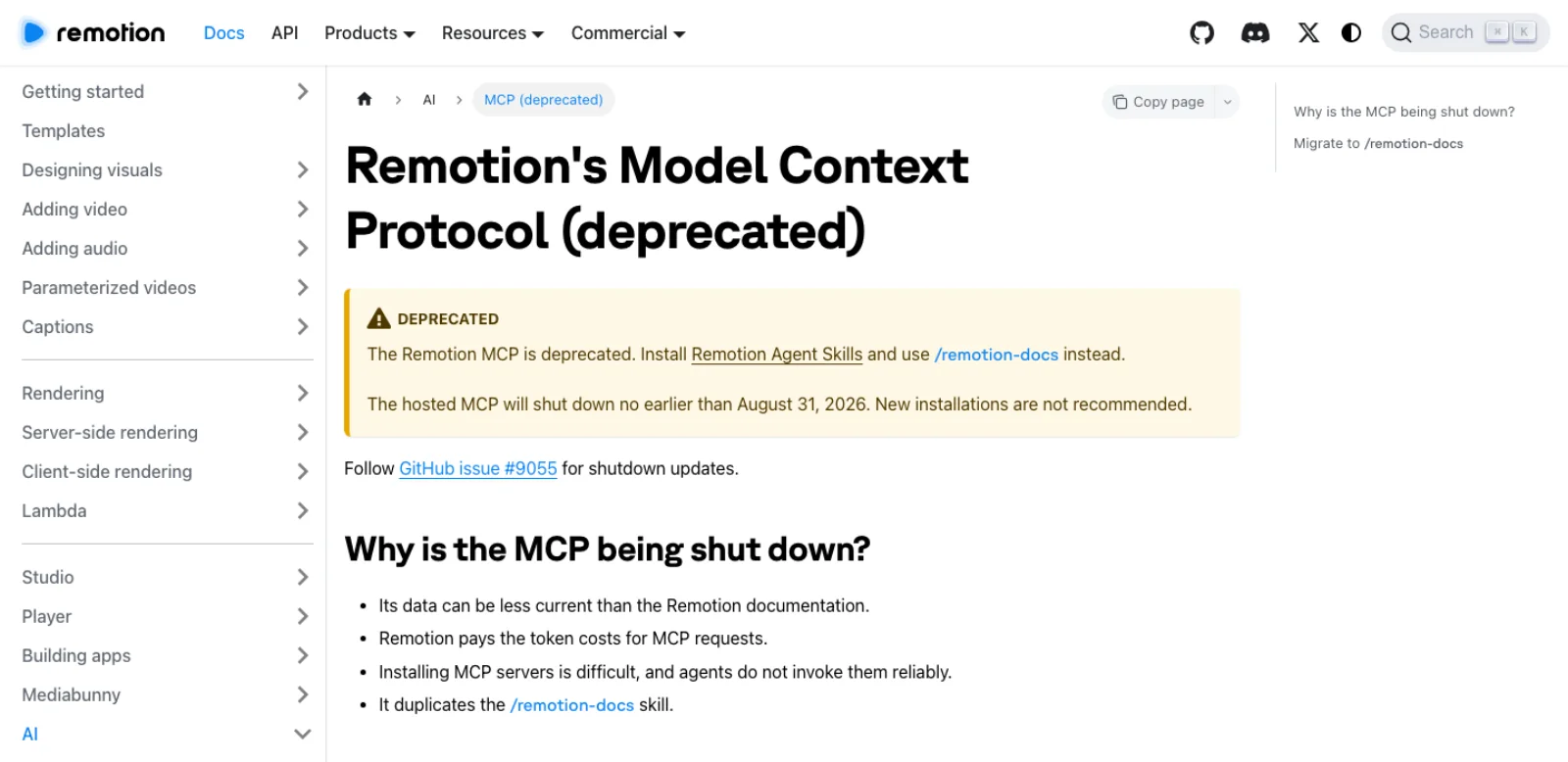
@remotion/mcp is still on npm at 4.0.526 because it lives in the monorepo and ships with every release, but its README points to the deprecation page (npm). It was a documentation server, not a video-making server: the tracking issue, opened 15 July 2026, says it ran "significantly behind" the documentation index and "does not scale efficiently because Remotion pays the token costs for users" (GitHub issue #9055). Migration is three steps: remove remotion-documentation from your client's MCP config, run npx remotion skills add, and tell the agent to use /remotion-docs. The issue carried no shutdown notice on 17 September, so the hosted endpoint may still answer; the docs say "New installations are not recommended."
Community servers, checked on 17 September 2026
A GitHub name search for "remotion mcp" returns about twenty repositories, most at zero stars. These have a distinct design or some traction.
| Repository | Stars | Last push | What it does | Licence |
|---|---|---|---|---|
| gyoridavid/short-video-maker | 1,355 | 21 Jun 2025 | Text in, finished short out: Kokoro TTS, whisper.cpp captions, Pexels footage, Remotion render; create-short-video tool; Docker images | MIT |
| mcp-use/remotion-mcp-app | 50 | 6 Aug 2026 | Agent writes Remotion source, server compiles with esbuild, a Player renders inline in ChatGPT or Claude; create_video, update_video, seven rule_* teaching tools | MIT |
| stephengpope/remotion-media-mcp | 33 | 25 Feb 2026 | Generates assets for a project through Kie.ai: Nano Banana Pro images, Veo 3.1 video, Suno music, ElevenLabs speech and effects, Whisper subtitles | MIT |
| IBM/chuk-motion | 22 | 16 Feb 2026 | Python server with 51 components, seven themes and design tokens; 50-plus tools for project, components and render | Apache-2.0 |
| smilish67/rodumani | 7 | 5 Jun 2025 | Remotion editor with an MCP server | none |
| PratyushChauhan/remotion-mcp-server | 0 | 9 Jun 2026 | Three JSON-parameterised templates, render queue, asset upload, remotion_preview | MIT |
Three readings. The most starred is a finished-video generator that uses Remotion inside, last pushed fifteen months ago. The rest split into servers where the agent writes Remotion code (mcp-use, chuk-motion), which give you a project, and servers where the agent fills a template or calls a pipeline (short-video-maker, PratyushChauhan), which give you an mp4 with a fixed look. And remotion-media-mcp does not touch Remotion at all; it produces images, voice, music and subtitle files for a project to consume, and needs a Kie.ai key.
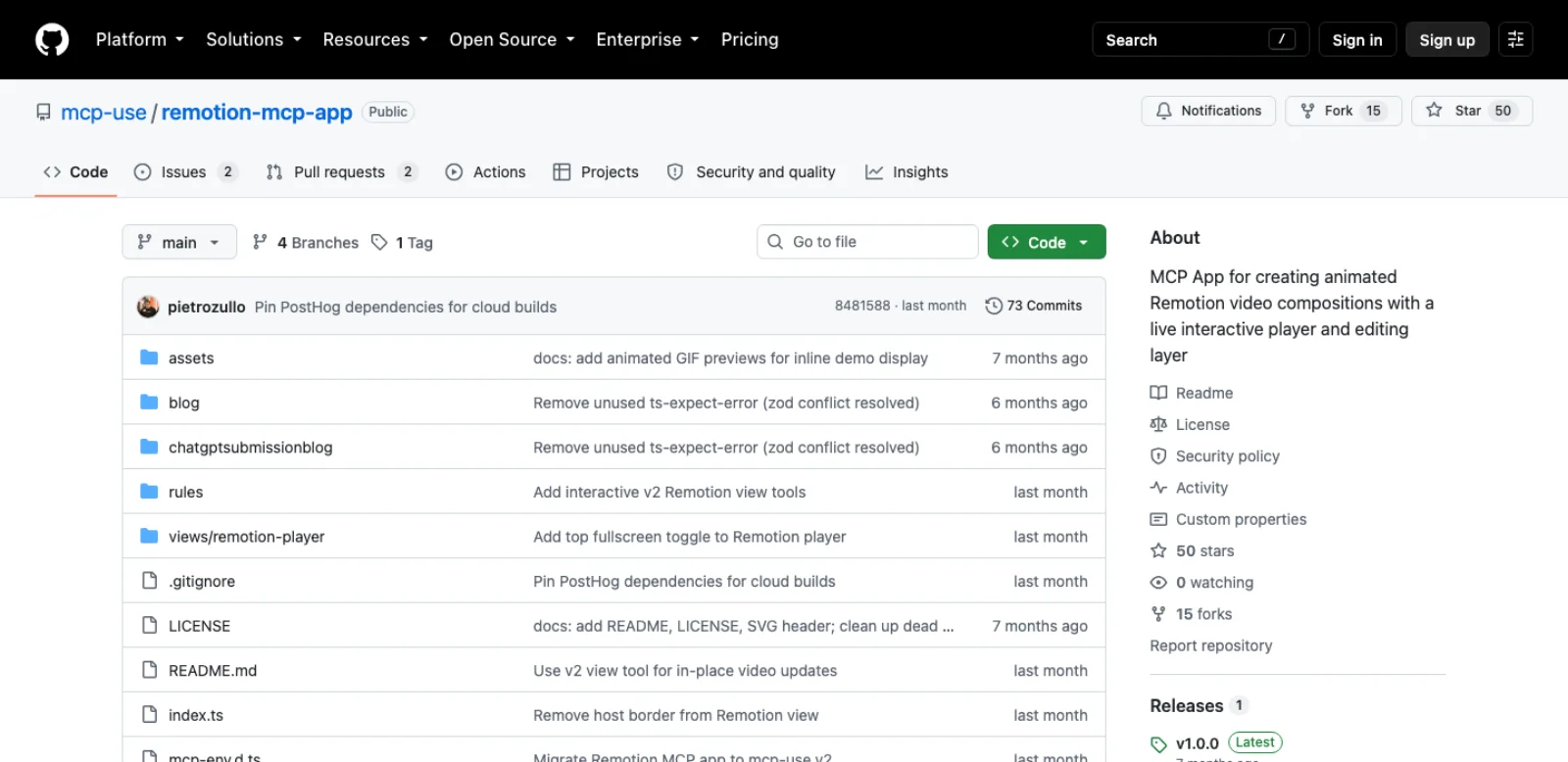
The mcp-use server answers a real need, seeing the video without leaving the chat. If you already have a repo, the skills route gives the same loop with the Studio as preview and the code kept.
WebMCP in the Studio
Remotion's current answer to "let the agent see the preview" is not an MCP server but WebMCP, a draft browser API. From 4.0.518, "Remotion Studio exposes WebMCP tools that allow an AI agent to inspect and steer it": read the selection and the error overlay, get the composition's HTML and element outlines, play, pause and seek, install packages, transcribe an asset, and separate a video into foreground and background layers. The catch is stated plainly: "Out of the major harnesses, only ChatGPT Codex supports WebMCP", and "The shape of inputs and outputs is not currently stable" (Remotion). With Codex, open the Studio in a browser the agent controls; other clients need another supported browser or screenshot workflow to inspect the result.
A worked example: a captioned social clip from a script and a voiceover
The task: a 30-second vertical clip with a recorded voiceover, word-timed captions, and title cards from a short script. Steps are from the documentation; nothing here was rendered for this article.
- Scaffold with the TikTok template, which already wires Whisper.cpp:
npx create-video --yes --tiktok clip && cd clip && npm install && npx remotion skills add. - Put
voiceover.mp3inpublic/andscript.mdin the project root. The template'snode sub.mjstranscribes everything inpublic/and by default downloads the 1.5 GBmedium.enmodel;whisper-config.mjschanges model or language (GitHub). - Ask the agent, in one message: "Using
/remotion-captions, run the transcription forpublic/voiceover.mp3, then build a 1080 by 1920, 30 fps composition calledClipthat plays the voiceover, renders the captions TikTok-style withcreateTikTokStyleCaptions, and shows each heading fromscript.mdas a title card timed to the first caption containing its words. Use spring animations, not linear." The skill knows theCaptiontype andcreateTikTokStyleCaptionsfrom@remotion/captions, andtoCaptionsfrom@remotion/install-whisper-cpp(Remotion). - Check it in the Studio. Timing is the thing to watch by eye: whether cards land on the beat of the voice. The props editor lets you nudge values visually, and an undo button "will appear which you can use to revert to your changes in the code" (Remotion).
- Render:
npx remotion render Clip out/clip.mp4. H.264 is the default;--codectakes h265, vp9, prores and others, and--framesrenders an image sequence (Remotion). A second language needs translated copy, matching audio, fresh caption timing and a layout check; a model-language setting alone does not translate the deliverable.
The output remains code and media you can hand on. A text or layout revision can reuse existing assets; replacing generated footage or narration still requires producing those assets again.
Headless rendering: Lambda, Cloud Run and the rest
Local rendering is Chrome headless shell screenshotting frames and FFmpeg encoding them. The other routes are the Node API (renderMedia()), Lambda, Cloud Run, a GitHub Action, and the Studio's render button (Remotion). For a pipeline, Lambda is the one Remotion invests in; Cloud Run "is in Alpha status and not actively being developed" (Remotion).
Lambda works by fan-out: "A lot of Lambda functions are created in parallel which each render a small part of the video", then one function stitches and uploads to S3 (Remotion). The limits are AWS's: a 15-minute timeout, 10 GB of storage, roughly 5 GB of output, videos under 80 minutes at Full HD, 1,000 concurrent functions per region, no AV1.
Cost is the AWS bill plus, for companies, the Remotion licence. Remotion's own measurements on 2048 MB functions in us-east-1 (Remotion):
| Render | Warm cost | Warm time |
|---|---|---|
| Hello World composition | $0.001 | 7.6 s |
| One-minute video from the same S3 bucket | $0.017 | 18.9 s |
| Ten-minute HD video from a remote URL | $0.103 | 56.1 s |
| Ten-second 4K video from a remote URL | $0.013 | 45.3 s |
Two things slow renders beyond length: GPU effects, because WebGL, canvas and heavy CSS filters run on machines without a GPU, and the VP8 and VP9 codecs, which "are very slow at encoding due to stronger compression". On local concurrency, "too high and a concurrency too low can both be counterproductive"; npx remotion benchmark finds the number (Remotion).
Licensing, for companies
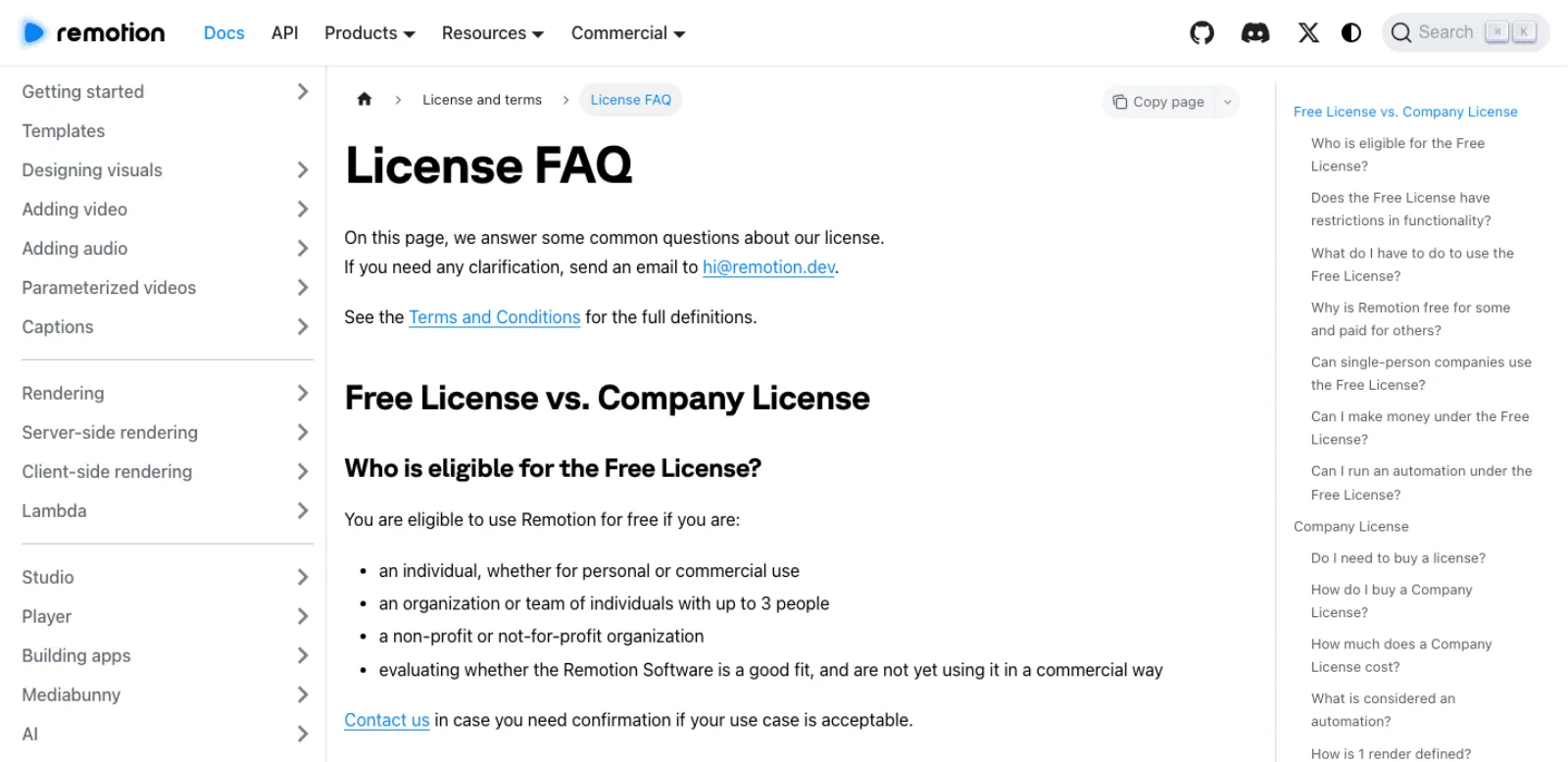
Remotion's source is on GitHub and free for most people, but it is not under an open-source licence. The Free License covers "an individual, whether for personal or commercial use", "an organization or team of individuals with up to 3 people", non-profits, and anyone evaluating. Above that a Company License is required, and the threshold counts everyone: a licence becomes mandatory "when the total number of personnel across all involved parties that operate the Remotion Software reaches the threshold of four or more", including part-time staff and independent contractors (Remotion terms). There is "no difference in functionality between the Free License and Company License" (Remotion license FAQ).
The Company License has two plans, and agent use lands squarely in the definitions. Remotion for Creators is "$25/month per person who writes Remotion code themselves or using agentic coding tools", for teams producing videos without an automation. Remotion for Automators is $0.01 per render with a $100 per month minimum; an automation is owning code that programmatically calls any render API or command, from renderMedia() and npx remotion render to renderMediaOnLambda(), and also embedding <Player>. One render is "the successful generation of a video, audio, GIF, still image or PDF"; Studio and Player previews do not count. A team of five using Claude Code by hand needs Creators seats; the moment a script or server calls the render for them, it is Automators. Enterprise starts at $500 per month (remotion.pro). The one restriction on everyone is not copying or modifying Remotion's code to sell a derivative of Remotion itself (Remotion license).
What works and what does not
Remotion's own example prompts are telling: a promo for a record store, an animated title card, a route from Los Angeles to New York. The biggest community skill, Vincentwei1021's video-shotcraft (8,875 stars, Apache-2.0, pushed 9 September), is "152 shot recipe cards" and 209 motion previews, installed with npx skills add Vincentwei1021/video-shotcraft (GitHub); the same author's anything2explainer (1,580 stars, created 8 September) and video-talkcraft (1,110) turn a topic or a voiceover into a narrated explainer. AgriciDaniel's claude-shorts (215 stars, MIT) cuts long recordings into captioned vertical clips (GitHub); haidrrrry's claude-remotion-skill (165 stars, MIT) enforces a render, inspect and fix loop (GitHub).
Together they draw the shape of what works: layouts, typography, captions, charts and counters, map routes, promos from recipe cards, and data-driven variants in batch. These are jobs where a wrong frame is visible and the fix is a number in a file.
What is hard is taste. The skill packs exist because a general model's first motion draft tends to be linear, evenly spaced and flat; recipe cards are an admission that motion quality comes from curated patterns, not the model. Timing by ear, whether a title lands with the voice or a beat late, is judged in the Studio by a person; the agent reads the frame number, not the feel. And Remotion generates nothing: every image, clip and voice comes from elsewhere, which is why remotion-media-mcp and the prompt-to-video template exist.
Security notes
The skills route means a coding agent running arbitrary Node in your project: installing packages, editing files, starting a dev server, rendering. That is the trust you already extend to Claude Code or Codex on any repo, with one addition: a render executes your composition in a headless browser, and a component can fetch from the network while it runs. Review what the agent adds to package.json.
If a model writes Remotion code that your users preview, Remotion's dynamic compilation guide is explicit: the transpiled code "runs in the global scope of the browser", and production should run it "in a sandboxed <iframe>, and setting a content security policy" (Remotion).
Render credentials are the other exposure. Lambda uses two policies: a user policy for whoever deploys, scoped so that "Only buckets that start with remotionlambda- can be accessed" and functions matching remotion-render-*, and a narrower role policy for the function itself (Remotion). Keep those keys out of the agent's environment unless deploying is its job; a pipeline should call Lambda from your server, not a developer's shell. The same goes for the Kie.ai, OpenAI and ElevenLabs keys the media servers and templates want: -e KEY=... on a claude mcp add line puts the key in a config file the agent reads.
Which route for which job
| Job | Route | Why |
|---|---|---|
| Make a new video from a brief | Skills plus Claude Code or Codex, --blank template | The primary route; /remotion-create and /remotion-markup carry the conventions |
| Captioned social clip from audio | Skills plus the --tiktok template | Whisper.cpp already wired; /remotion-captions for styling |
| Cinematic product promo | video-shotcraft skill on top of the official skills | Recipe cards supply the motion design the model lacks |
| Narrated explainer from a topic | anything2explainer or video-talkcraft | Script, voice and motion in one skill |
| Let the agent see the preview | Codex with WebMCP in the Studio | The only harness with WebMCP support; unstable tool shapes |
| Sketch a composition in chat, no repo | mcp-use's remotion-mcp-app | Inline player; copy the code out if you want to keep it |
| Generate images, voice, music for a project | remotion-media-mcp, or the --prompt-to-video template | Remotion renders; it does not generate |
| Hundreds of variants from data | Node API or Lambda with per-render props | Fan-out rendering, pennies per minute of video, Automators licence above three people |
| Users preview their own video in your app | @remotion/player, plus the prompt-to-motion-graphics template if a model writes the code | Preview without rendering; sandbox generated code |
| Look up current Remotion API | /remotion-docs skill, or paste a .md docs URL | What the deprecated MCP did, without the server |
Frequently asked questions
Does Remotion have an MCP server? It did, and it is deprecated. @remotion/mcp was a documentation server; Remotion replaced it with the /remotion-docs skill and says the hosted service shuts down no earlier than 31 August 2026. Community servers are listed above; the most starred is short-video-maker (1,355 stars, last pushed June 2025), the most current is mcp-use's remotion-mcp-app (50 stars, August 2026).
What are Remotion skills? Twelve Agent Skills maintained by Remotion in remotion-dev/skills: a router, project creation, markup, Studio, render, maps, captions, SaaS architecture, interactivity, docs lookup, upgrades and multimedia. Install with npx skills add remotion-dev/skills or, inside a project, npx remotion skills add. They land in .agents/skills, symlinked into .claude/skills, so Claude Code, Codex, Cursor, Kimi Code and OpenCode all read them.
Can Claude Code make videos with Remotion? Yes, and it is the route Remotion documents first: scaffold with npx create-video, install the skills or the plugin, run the Studio, and prompt. Claude Code writes the React, watches the dev server for errors and renders with npx remotion render. Visual review needs browser or screenshot tools, or a person in the Studio. WebMCP is one integration path, not the only way to return rendered evidence to an agent.
Is Remotion free? Free for individuals, teams of up to three people, non-profits and evaluation, with full functionality. From four people, counting contractors, a Company License is required: $25 per month per person writing Remotion code, including with agents, or $0.01 per render with a $100 monthly minimum if code or a server triggers renders or you embed the Player. AWS or Google bill Lambda and Cloud Run on top.
Remotion versus a GUI editor for agents? Remotion needs no bridge: the agent edits a repository, which is why it has skills where After Effects and Blender have servers and panels. The project stays as code and props, so revisions can reuse source assets. Preserve dependencies, fonts and media with the source. A GUI editor wins when the work is judged by eye in real time, when footage needs hand-cut timing, or when nobody on the team will review TypeScript. For anything data-driven, templated or batch, code is the better timeline.
Make your next project in Voyager
Create an account, download Voyager, and start making.
