
 Read Markdown
For a one-off layer rename or expression, ask an agent for an ExtendScript file and review it before running it. For repeated work in an open composition, use a bridge that can inspect layers, make bounded edits and return a preview. MCP is one way to connect those operations to your agent.
Adobe has no official After Effects MCP server in the sources reviewed here. The choices below are community servers, Higgsfield's bridge and direct scripting. Repository details are dated 17 September 2026. We also ran a small revision through Voyager's local scripting integration on After Effects 26.5; that checks the underlying edit-and-preview workflow, not the installation or reliability of the listed MCP servers.
Jump to: setup · local revision test · server comparison · recovery
Setup: kumoproductions/mcp-aftereffects with Claude Code and Codex
This is a reasonable first candidate if you want a panel-free bridge, a read-only mode and script evaluation disabled by default. Steps are from its README and the client documentation; nothing below was run against a live project for this article.
- In After Effects, open Preferences > Scripting & Expressions and enable Allow Scripts to Write Files and Access Network. Open the project you want the agent to work on (README).
- Install Node.js 24 or later. On macOS, expect a one-time prompt under System Settings > Privacy & Security > Automation allowing your terminal or client to control After Effects.
- Register the server with Claude Code. The README's one-liner is:
claude mcp add aftereffects -- npx -y @kumoproductions/mcp-aftereffects
The -- separates Claude's own options from the command that starts the server; add --scope project before the name if you want the entry written to a shared .mcp.json rather than your personal config (Claude Code docs).
- Run
claude mcp listand look for a connected status next toaftereffects, or type/mcpinside a session. Then ask for something read-only first: "list the comps in this project and the layers in the active one." - For Codex, the equivalent is one command or three lines of TOML in
~/.codex/config.toml(Codex docs):
codex mcp add aftereffects -- npx -y @kumoproductions/mcp-aftereffects
[mcp_servers.aftereffects]
command = "npx"
args = ["-y", "@kumoproductions/mcp-aftereffects"]
- For Claude Desktop, the same command and args go under
mcpServersin its JSON config. Two environment variables change the risk profile:AE_MCP_READONLY=1blocks every mutating tool, andAE_MCP_ENABLE_EVAL=1turns on arbitrary ExtendScript, which the README leaves off because "enabling arbitrary ExtendScript allows operations outside of After Effects".
If you would rather have a panel you can watch, JUNKDOGE-JOE's server is the alternative: install the signed ZXP and the matching native plugin, open Window > Extensions > ae-mcp, and connect over HTTP with claude mcp add --transport http ae http://127.0.0.1:11488/mcp (README). The endpoint is loopback only, so the client has to run on the machine with After Effects.
What an After Effects MCP server actually is
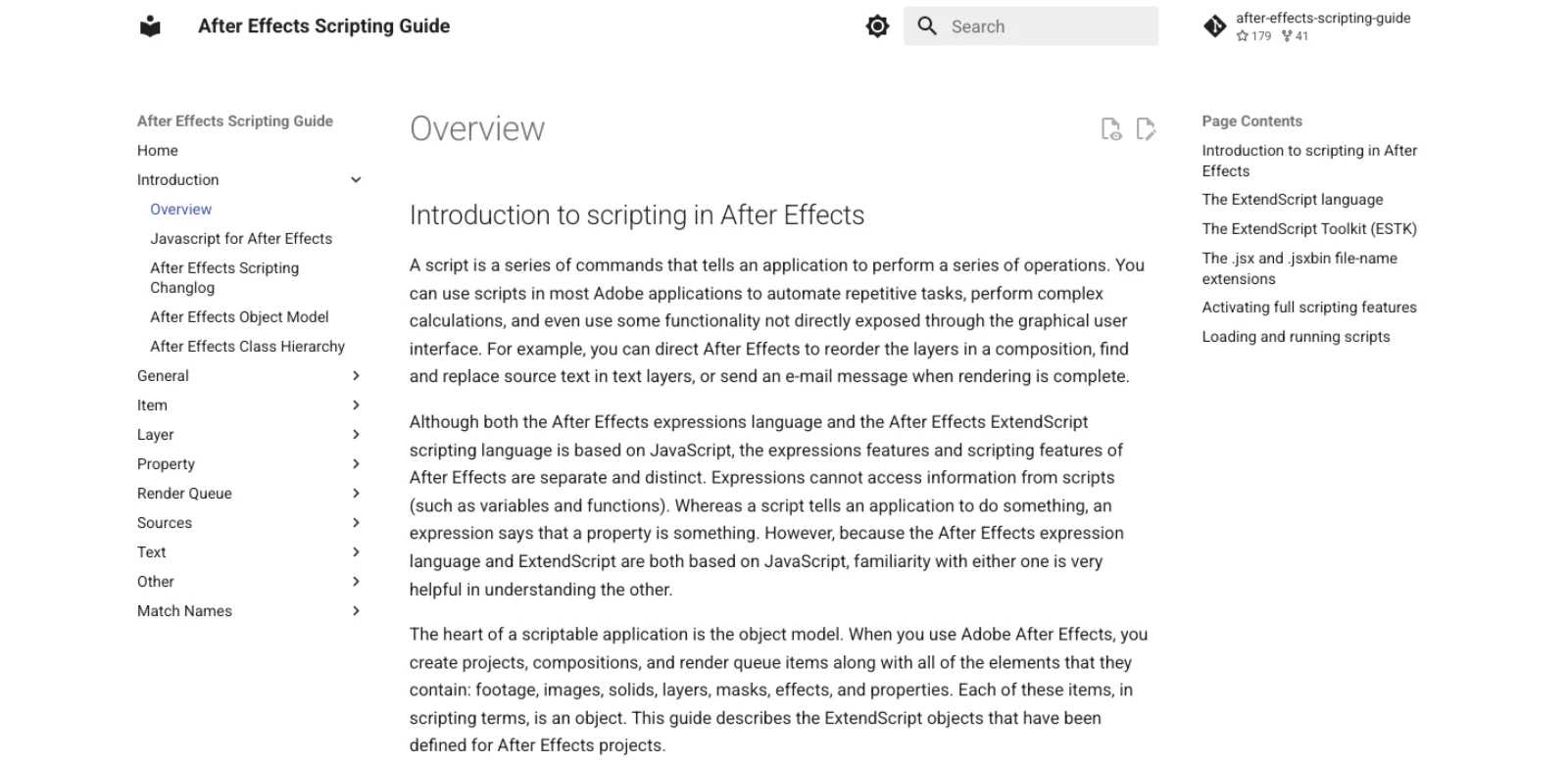
After Effects has had a scripting API for two decades. ExtendScript, Adobe's dialect of JavaScript based on "the 3rd Edition of the ECMA-262 Standard", can create compositions, add layers, set keyframes, write expressions and drive the render queue, and it runs from File > Scripts > Run Script File, from a panel in the ScriptUI Panels folder, or from the command line with afterfx -r (After Effects Scripting Guide). An MCP server is a small program that exposes some of that API as named tools an agent can call, then finds a way to get the resulting ExtendScript into a live After Effects session and the result back out.
That second half is where the servers differ, and it is the thing to check before installing any of them. There are three bridge designs in use:
| Bridge | How it works | Servers using it | What breaks |
|---|---|---|---|
| Polling panel | A ScriptUI or CEP panel inside After Effects watches a folder or endpoint and runs whatever arrives | Dakkshin, ishu86, a-y-ibrahim, Engine Room, aftr | The panel must stay open and visible; a hidden panel or a modal dialog stalls every call |
| OS scripting, no panel | The server asks the operating system to run a script in After Effects and reads results from a mailbox file | kumoproductions, adobe-mcp-rs, Higgsfield local bridge | macOS Automation permission prompts; nothing to see inside the app |
| Native plugin plus panel | A CEP panel backed by a compiled AEGP plugin hosts an HTTP endpoint on localhost | JUNKDOGE-JOE | Plugin and panel versions must match; macOS quarantine on the plugin bundle |
All three end in ExtendScript executing with the same authority as a script you wrote yourself. Most also require the preference Adobe calls Allow Scripts To Write Files And Access Network, which is off by default and is exactly what it sounds like (After Effects Scripting Guide).
Adobe's position: a connector without After Effects, and an Assistant without a socket
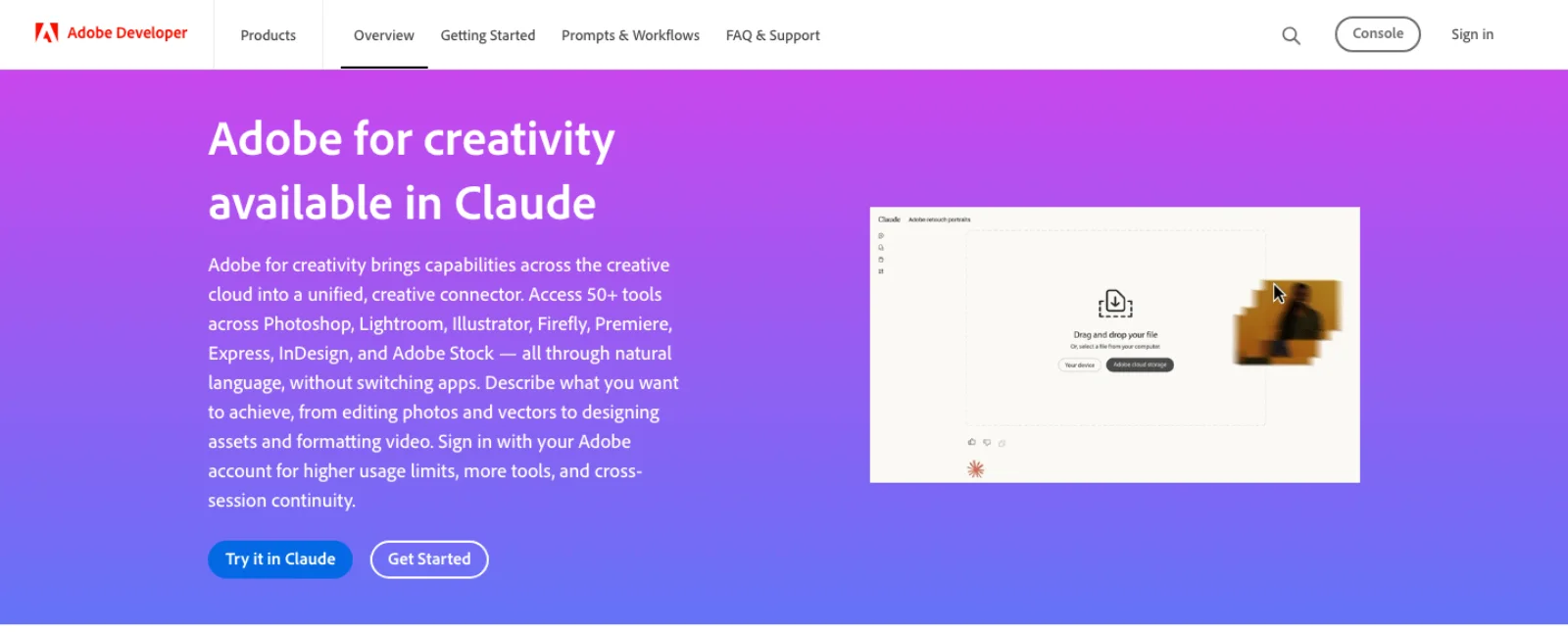
Adobe's official MCP offering is the Adobe for Creativity connector, which its developer page describes as "50+ tools across Photoshop, Lightroom, Illustrator, Firefly, Premiere, Express, InDesign, and Adobe Stock", available in Claude chat, Cowork and Claude Desktop, with "about ~40 standard tools" usable as a guest without an Adobe account (Adobe Developer). The page was last updated 28 April 2026. After Effects does not appear on it, and the video tools it lists work on media you hand the connector in chat, not on an open project on your machine. If you want an agent inside a comp, this is not the route.
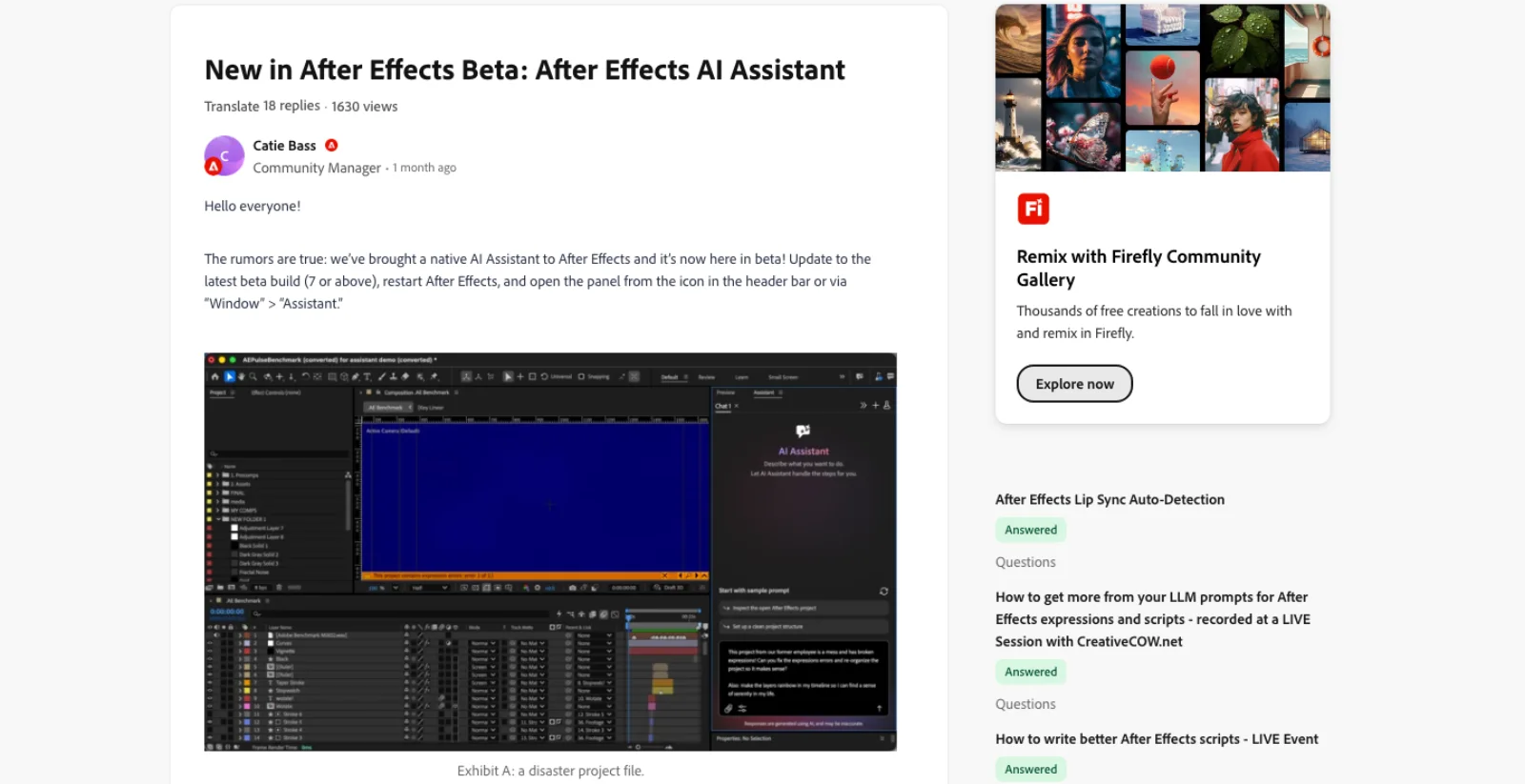
The second official thing is the AI Assistant in the After Effects beta, announced on the Adobe community forum on 6 August 2026 for beta build 7 and later. It organises projects, reads, writes and debugs expressions, and generates images and video "directly from Firefly (and its supported models)". Two behaviours are worth knowing because none of the community servers match them: it is "programmed to ask for permission before taking actions", and "everything the Assistant does lands in the standard undo stack, though undo currently runs one action at a time rather than grouping a whole request" (Adobe Community). It ships as a separate beta build alongside the 26.5 release (CG Channel).
What it is not is an MCP server you can point Claude Code at. When a developer asked in that thread about Model Context Protocol support for extensions, the community manager's answer was that Adobe is "looking at ways for third parties to provide information to the AI Assistant so it can understand and work with the tools you build". That is a plan for plugins to describe themselves to Adobe's agent, not for external agents to drive After Effects. There is also no adobe-mcp-servers repository under the Adobe GitHub organisation; the nearest thing is an App Builder template for building remote MCP servers on Adobe I/O Runtime, which has nothing to do with desktop apps (GitHub).
The community servers, checked on 17 September 2026
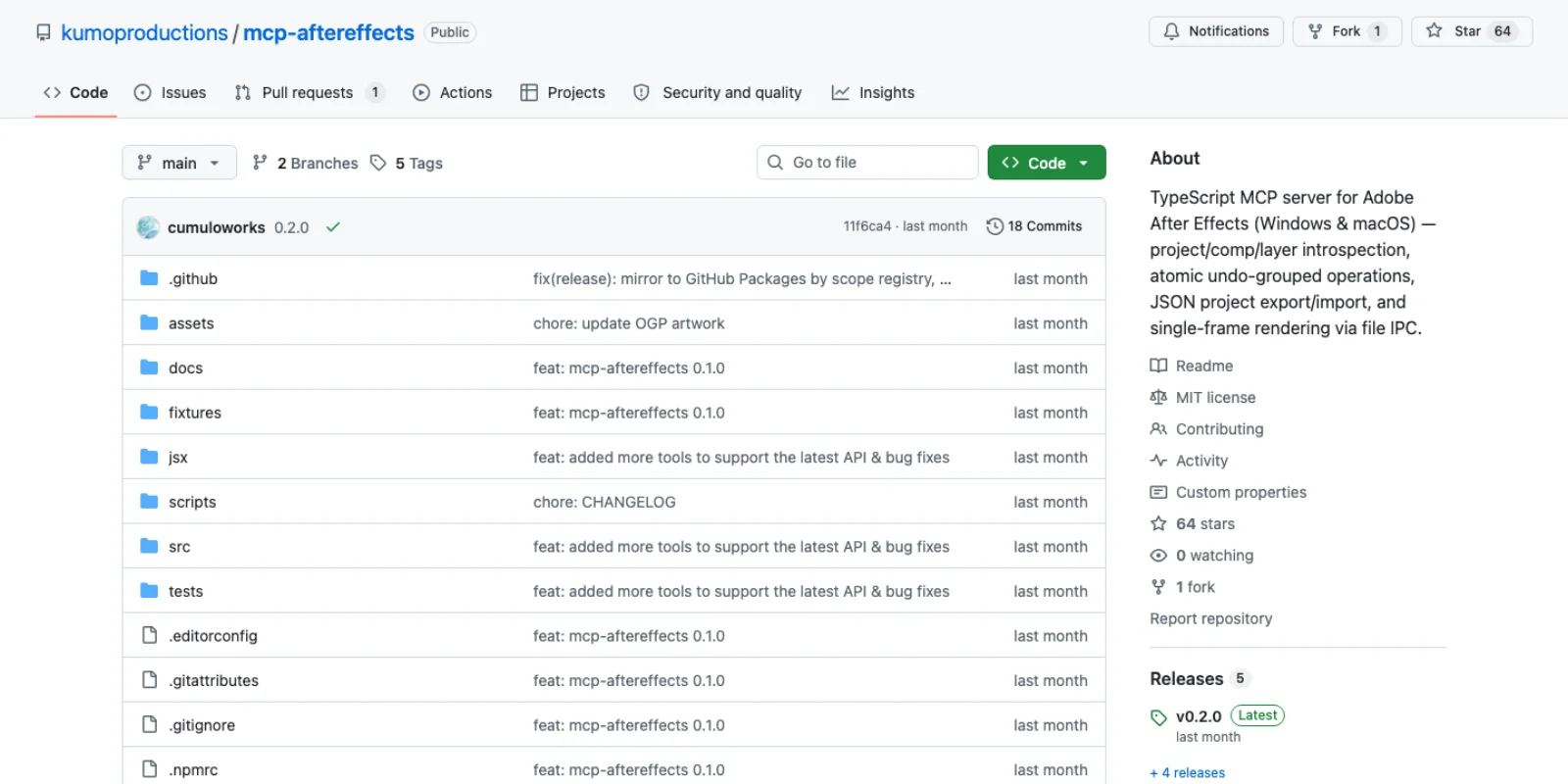
Stars and last push are from the GitHub API on the day of writing. Tool counts are the repos' own claims from their READMEs.
| Server | Stars | Last push | Bridge | Tools | Platform, requirements | Notes |
|---|---|---|---|---|---|---|
| Dakkshin/after-effects-mcp | 626 | 1 Apr 2026 | ScriptUI panel polls "every few seconds" | 14 | AE 2022+, Node 14+ | The original and most forked; 22 open issues, no commits in five months |
| JUNKDOGE-JOE/after-effects-mcp | 65 | 5 Sep 2026 | CEP panel plus native AEGP plugin, HTTP on 127.0.0.1:11488 | 13 public, incl. checkpoint and revert | Windows and macOS, AE plus matching plugin | Most engineered; 491 commits, 8 contributors, v0.10.7 |
| kumoproductions/mcp-aftereffects | 64 | 9 Sep 2026 | File IPC via OS scripting, no panel | Inspect, edit, keyframes, effects, masks, expressions, backups, frame render | Windows and macOS, AE 2024 to 2026, Node 24+ | Undo-grouped operations, read-only mode, eval off by default |
| ishu86/after-effects-mcp | 29 | 28 Jul 2026 | CEP extension polls a Documents folder every 100 ms | 70+ plus templates | macOS and Windows, AE 2024+, Node 18+ | Lower thirds, title cards, transitions and 20+ expressions built in |
| Aodaruma/adobe-mcp-rs | 27 | 8 Aug 2026 | Headless JSX through a local daemon | run-jsx, frame export, instance listing | Windows and macOS, Rust build | After Effects is the primary target; Premiere, Photoshop, Illustrator experimental |
| Arman-Luthra/aftr | 20 | 13 Jul 2026 | Signed CEP panel dials a Node controller over WebSocket | ~90 JSX commands, also a CLI | AE 2024 to 2026, Node 18+, FFmpeg | Built for scripted video production end to end, including aerender |
| Engine-Room-Games/after-effects-mcp | 18 | 15 Sep 2026 | CEP panel | 76, incl. run_batch and screenshot_frame | AE 2026 only | Ships a .mcpb for Claude Desktop; no render queue or footage replacement |
| a-y-ibrahim/after-effects-mcp | 16 | 12 Sep 2026 | ScriptUI panel, built on Dakkshin's | 57, incl. execute-script, see-frame | Windows and macOS, AE 2022+, Node 18+ | Background render through aerender; Arabic and RTL text handling |
| higgsfield-ai/fnf-local-pluging-bridge-mcp | 5 | 17 Sep 2026 | OS scripting plus a file mailbox | 12 | macOS and Windows, AE 2024 to 2026, Node 24+ | MIT, no Higgsfield account needed; vendor-maintained |
| mikechambers/adb-mcp | 709 | 8 Jul 2026 | CEP panel through a Node proxy | Arbitrary ExtendScript for AE | Multi-app: Photoshop, Premiere, InDesign, Illustrator, AE | "Not endorsed by nor supported by Adobe"; AE is a secondary target |
A few readings of that table. Dakkshin's server is what most directories list, and its star count reflects being first in April 2025, but it has not been pushed to since 1 April 2026 and carries 22 open issues and pull requests. It has 125 forks, and a-y-ibrahim's server in the table is an explicit extension of it. The two servers with sustained engineering are JUNKDOGE-JOE's, which is the only one with checkpoint and revert tools and the only one that needs a compiled plugin, and kumoproductions', which is the only one with no panel at all and the only one that ships arbitrary script execution switched off. Engine Room's is the most polished install (a .mcpb you double-click in Claude Desktop) and the narrowest compatibility, After Effects 2026 only.
There is also a hosted route. Higgsfield's After Effects plugin can be driven from ChatGPT or Claude through a connector at bridge.higgsfield.ai/mcp, and the plugin page describes an agent building "a logo reveal with a bounce ease and a light streak" in the open project; it needs After Effects 2025 or later, a signed-in account and a connection, and generation spends plan credits (Higgsfield). Their MIT local bridge above is the offline version of the same idea and its README is the most candid on the shelf: "A consumed request that times out may have executed: inspect before retrying mutations", and "batch.run groups operations for undo but does not roll back automatically on failure" (GitHub). Those are useful questions to ask of any bridge. Do not infer rollback or safe retries from an undo-group claim.
A local test: change one title, keep the other shot
On 17 September 2026, we created a six-second, 1280 × 720, 24 fps project in After Effects 26.5 (build 89) through Voyager's local ExtendScript integration. It contains two three-second compositions built from text and solids. We changed the second composition's headline from "EARLY ACCESS" to "JOIN THE WAITLIST", saved a separate .aep and rendered frames at 0.75 and 4.25 seconds before and after.
The first pair of PNGs was byte-identical; the second showed the new headline. The master remained six seconds with two composition layers. This demonstrates a targeted scripting edit and sampled visual verification. It does not test MCP transport, generated footage, audio, or every frame of an animation.
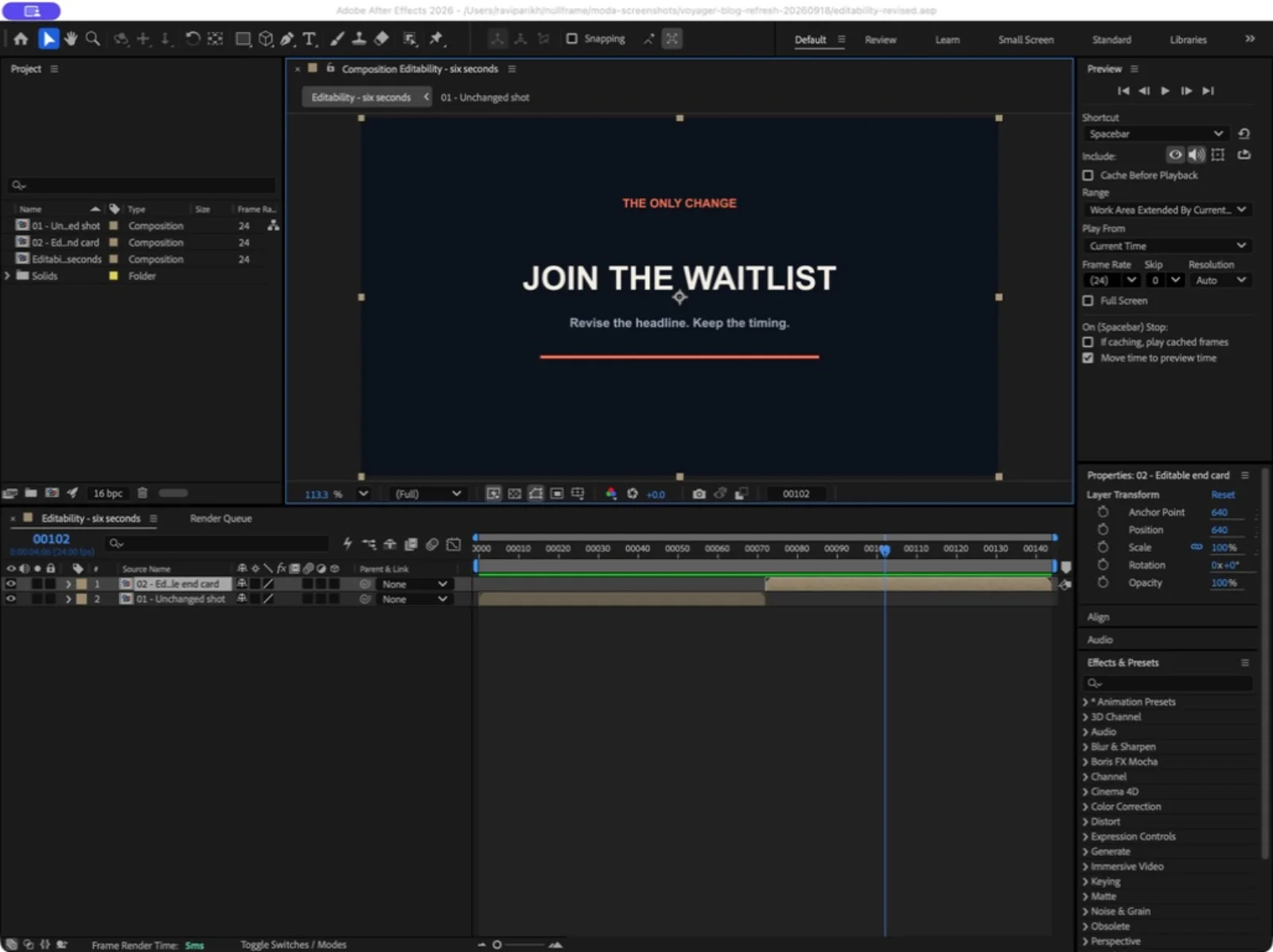
For your first write, use the same narrow shape: name the composition and layer, change one value, inspect it, then render a frame. A successful tool response establishes less than a visible, saved result.
The routes that are not servers
Ask a model to write the script, then run it yourself. This needs nothing installed. Paste the task into Claude or ChatGPT, ask for ExtendScript that targets the After Effects object model, save it as a .jsx, and run it from File > Scripts > Run Script File. Without inspection tools, supply the relevant project structure and check the result yourself. In exchange you read every line before it executes and there is no bridge to fail. The two things that go wrong are the same every time: the model writes modern JavaScript that ExtendScript's ES3 engine rejects (arrow functions, let, template literals), and it guesses at match names for effects and properties. Asking for ES3 and for app.beginUndoGroup around the work fixes most of it.
Agent skills. A skill is a folder of instructions and helper scripts that a coding agent loads on demand, and several exist for After Effects. yumehiko's ae-agent-skills (31 stars, pushed 1 September 2026) installs an extension, a command-line tool and skills for Claude Code, Codex and Gemini in one npx ae-agent-skills install (GitHub). aedev-tools' adobe-agent-skills (99 stars, last pushed 2 March 2026) generates and runs ExtendScript directly, wraps actions in undo groups, ships 34 prebuilt scripts, and is macOS only for now (GitHub). The TerminalSkills library has an After Effects skill covering ExtendScript, panels, expressions and aerender (GitHub). Skills and servers are not exclusive; the better servers ship a skill so the agent knows the object model before it starts calling tools.
aerender. After Effects ships a command line renderer that renders a saved project's queue or a named comp without the interface, and aerender -help prints the reference (Adobe Help). An agent with shell access can drive it with no MCP at all, which is why aftr and a-y-ibrahim's server both use it for background renders. The constraint is that the project has to be saved to disk first.
Expressions. Expressions are per-property JavaScript evaluated at render time, on an engine based on ECMAScript 2018 rather than ES3 (Adobe Help). A chat model can draft an expression, but you still need to check syntax, references and performance. Expressions compute property values rather than running general project-editing scripts.
Screen control. Anthropic's computer use tool gives a model screenshots, mouse and keyboard, and its documentation is blunt about the precautions: "a dedicated virtual machine or container with minimal privileges", no access to credentials, and "asking a human to confirm decisions that might result in meaningful real-world consequences" (Anthropic). For After Effects it is the fallback for things no script can reach, such as a plugin's own dialog, and it is slow and brittle for everything else. Prefer any scripted route when one exists.
Which route for which job
| Job | Best route | Why |
|---|---|---|
| One-off housekeeping: rename layers, clear unused solids, add loopOut to a selection | Prompt a model for a .jsx and run it yourself, or Adobe's Assistant in the beta | Reviewable, undoable, nothing to install |
| Write or debug an expression | Any chat model, or the Assistant | Scoped to one property; no bridge needed |
| Build a rig or a template from a description (lower third, counter, logo reveal) | An MCP server with an undo-grouped batch tool: kumoproductions, JUNKDOGE-JOE, Engine Room | The agent needs to read the comp it is building in and iterate |
| Agent needs to see the result | JUNKDOGE-JOE (ae_previewFrame), Engine Room (screenshot_frame), a-y-ibrahim (see-frame) | Frame readback is what separates these from the rest |
| Generate footage into the comp under agent control | Higgsfield's hosted bridge | A documented route for generation and placement in the project |
| Batch renders, versioning, data-driven output | aerender from a shell, or aftr | Headless, scriptable, no panel to babysit |
| Multiple Adobe apps from one agent | adb-mcp or adobe-mcp-rs | Accept that After Effects is not the primary target |
| Something only a plugin's own UI can do | Computer use, in a sandbox | Last resort |
Maturity and security, honestly
What works today: reading a project, creating comps and layers, setting keyframes, applying effects by match name, writing expressions, and rendering a frame for the agent to look at. Several of these repos have shipped bug-fix releases in the last month against live After Effects testing, which is a good sign for a category that did not exist eighteen months ago.
What breaks: anything that stalls the bridge. A modal dialog freezes a panel-based server until someone clicks it; ishu86's README notes that commands time out if the panel is hidden, and aftr's warns that "modal dialogs in AE freeze the bridge". Timeouts are the deeper problem. When a call takes longer than the server's limit, the client gets an error and the script may still have run, so an agent that retries can apply the same change twice. Higgsfield's local bridge says this outright and the others should. Undo is the mitigation, and it is uneven: kumoproductions and aedev-tools wrap operations in undo groups, Engine Room's run_batch collapses a sequence to one step, JUNKDOGE-JOE adds explicit checkpoints, and the Dakkshin lineage documents nothing about undo at all.
On security, three points. First, every server runs ExtendScript with your user's permissions, and with the file-and-network preference on, a script can read and write anywhere you can and make network requests; kumoproductions leaving eval off by default is the exception, not the norm. Second, project contents go to the model: as the same README puts it, "composition names, layer names, expressions, keyframes, footage file paths" may be sent to the AI service you use, which matters on client work under NDA. Third, panel installs on modern After Effects require either a signed extension or Adobe's PlayerDebugMode flag, which several installers set for you; that flag lets any unsigned panel load, not just this one. Save before every session, work on a copy of anything that matters, and start with read-only mode until you trust the tool.
Frequently asked questions
Does After Effects have an MCP server? Not from Adobe. There are at least ten community servers on GitHub that expose After Effects scripting as MCP tools, listed in the table above with their maintenance state. The most starred is Dakkshin's, last updated April 2026; the most actively developed are JUNKDOGE-JOE's and kumoproductions'.
Is there an official Adobe After Effects MCP? No. Adobe's official connector, Adobe for Creativity, covers Photoshop, Lightroom, Illustrator, Firefly, Premiere, Express, InDesign and Stock, not After Effects. The AI Assistant in the After Effects beta is Adobe's own agent inside the application, and Adobe has said only that it is looking at ways for third-party tools to describe themselves to it.
Is an After Effects MCP server free? The community servers are MIT or Apache licensed and free. You pay for the model: an API key or a Claude, ChatGPT, Cursor or Codex subscription. Higgsfield's hosted bridge is free to connect but generation spends plan credits, and its local bridge is free and needs no account.
What can an After Effects MCP server actually do? Whatever ExtendScript can do that the server has wrapped: create and inspect comps, add text, shape, solid, null and camera layers, set and ease keyframes, apply effects and presets, write expressions, manage masks and markers, save and back up the project, and in some servers render a frame so the agent can see its work. It cannot do what scripting cannot: anything inside a third-party plugin's own interface, and generation of pixels, which is a separate model's job.
Do these work on Windows and macOS? Most do; check the table. Engine Room's requires After Effects 2026, aedev-tools' skills are macOS only, and the panel-based servers need either a signed extension or PlayerDebugMode enabled.
Make your next project in Voyager
Create an account, download Voyager, and start making.
