
 Read Markdown
On Resolve Studio 21.1, start with the native MCP server: open File > Setup AI Assistants and configure your client. On free Resolve 21.1, installing a community wrapper does not restore the Python scripting access those bridges depended on. File-based imports remain a separate option.
Choose a community server for a specific extra capability or an older supported version, rather than for its tool count. The comparison below records repository activity on 17 September 2026. Installation instructions are checked against documentation; the local free-edition inspection is identified separately.
Jump to: setup · server comparison · choose a route · security
Setup, verified against the docs
Native server with Claude Code (Studio 21.1)
- Install Claude Code and run it once so Resolve can detect it.
- In Resolve Studio, choose File > Setup AI Assistants and wait for the confirmation dialog.
- Restart Claude Code. Run
claude mcp listto confirm the Resolve entry, or type/mcpin a session to see connection status and tool count (Claude Code MCP docs). - Ask something read-only first, such as a timeline breakdown, then try a write on a duplicated timeline.
If Resolve did not detect Claude Code, add it by hand: claude mcp add davinci-resolve -- "/Applications/DaVinci Resolve/DaVinci Resolve.app/Contents/Applications/ResolveMCP". The -- is required so Claude Code does not parse the path as its own option; --scope project writes it to .mcp.json instead of your user config.
Native server with Codex
Setup AI Assistants writes a [mcp_servers.davinci_resolve] block into ~/.codex/config.toml. Manually: codex mcp add davinci-resolve -- "/Applications/DaVinci Resolve/DaVinci Resolve.app/Contents/Applications/ResolveMCP", or on Windows set command to the ResolveMCP.exe path in the TOML; paths must be absolute (Codex MCP docs). codex mcp list confirms it. Codex CLI and the ChatGPT desktop app are different clients; the Windows failure above was the desktop app.
Community server with Claude Code, Cursor or Codex
- In Resolve Studio, set Preferences > System > General > External scripting using to Local.
- Run
npx davinci-resolve-mcp setup. The installer creates a virtual environment, finds the Resolve paths and writes config for Claude Desktop, Claude Code (.mcp.json), Cursor (~/.cursor/mcp.json), Codex CLI (~/.codex/config.toml) and nine others (install guide). npx davinci-resolve-mcp doctorchecks the environment without changing anything.- Confirm the server connected in the client, then start with
get_resolve_status.
On 20.x or 21.0.x free, add python scripts/install_resolve_bridge.py, restart Resolve and launch Workspace > Scripts > resolve_bridge. On free 21.1 this path is closed.
The routes at a glance
| Route | What it is | Studio? | Best for |
|---|---|---|---|
| Native MCP server (21.1) | ResolveMCP executable in the app, set up from File > Setup AI Assistants | Yes | Studio 21.1 users: nothing to install, vendor supported |
| Community MCP servers | Python servers on GitHub wrapping the scripting API, some with extra helpers | Studio, except 21.0.x free bridges | Older Resolve, extra clients, transcription and media analysis |
| Scripting API directly | Python or Lua against DaVinciResolveScript from a shell | Studio since 21.1 | Agents with a shell running batch jobs |
| CLI wrappers | dvr and similar: typed commands, JSON output | Studio | Pipelines, cron jobs |
| Agent skills | Instructions plus API references for Claude Code or Codex | No (they only document) | Making any route produce correct scripts |
| Screen control | Computer-use tools driving the GUI by screenshot | No | Jobs with no API: retime curves, some imports, panel settings |
The native server in Resolve Studio 21.1
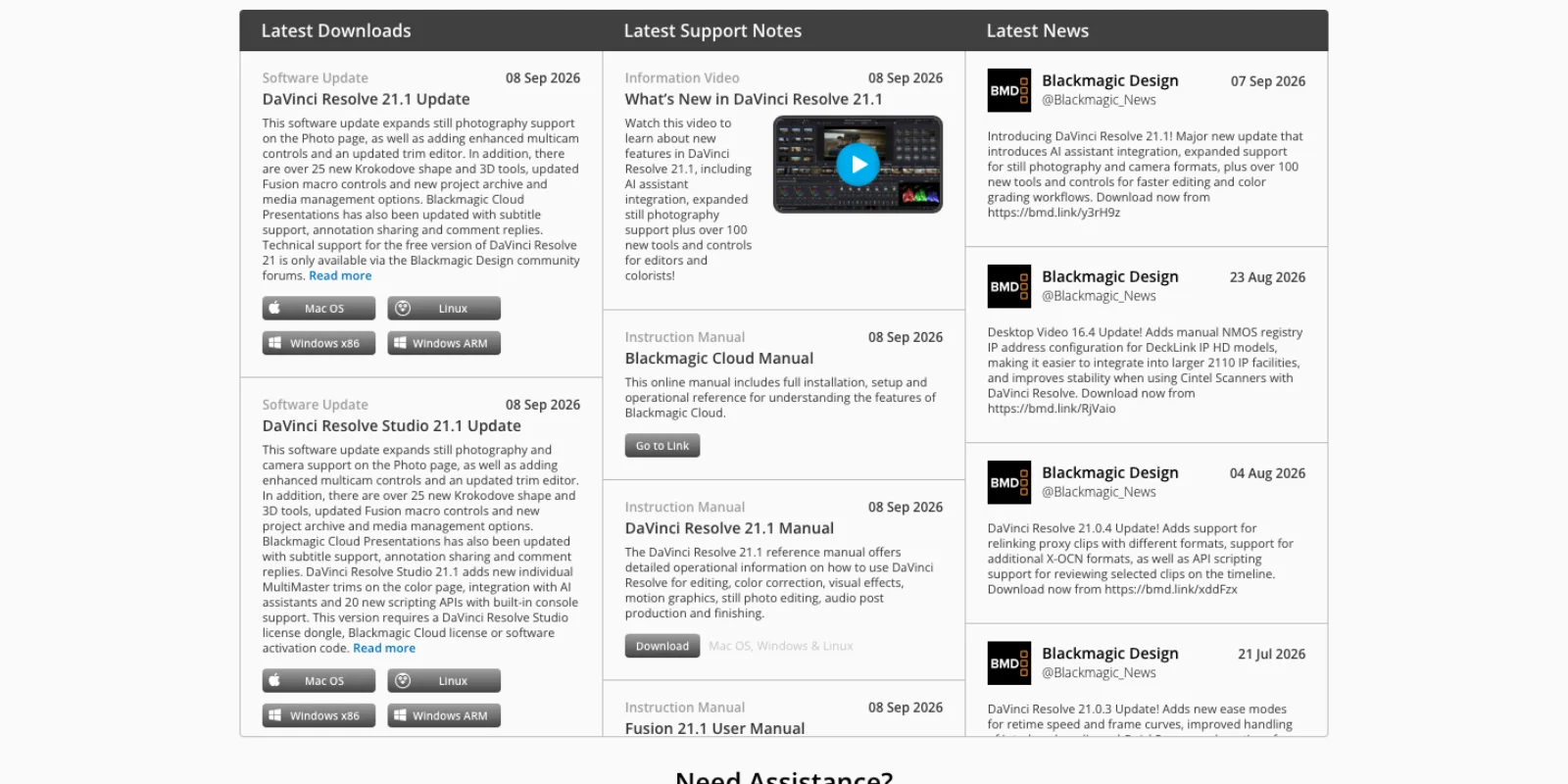
Blackmagic's announcement says 21.1 "now supports integration with AI assistants such as Claude, Claude Code and ChatGPT Codex, allowing customers to analyze projects, organize media, adjust settings and batch render using everyday conversational language" (press release, 8 September 2026). The release notes list "Native MCP server for interacting with AI assistants" beside "Advanced scripting now requires DaVinci Resolve Studio" (release notes), and the support page lists the integration under the Studio download only (Blackmagic support).
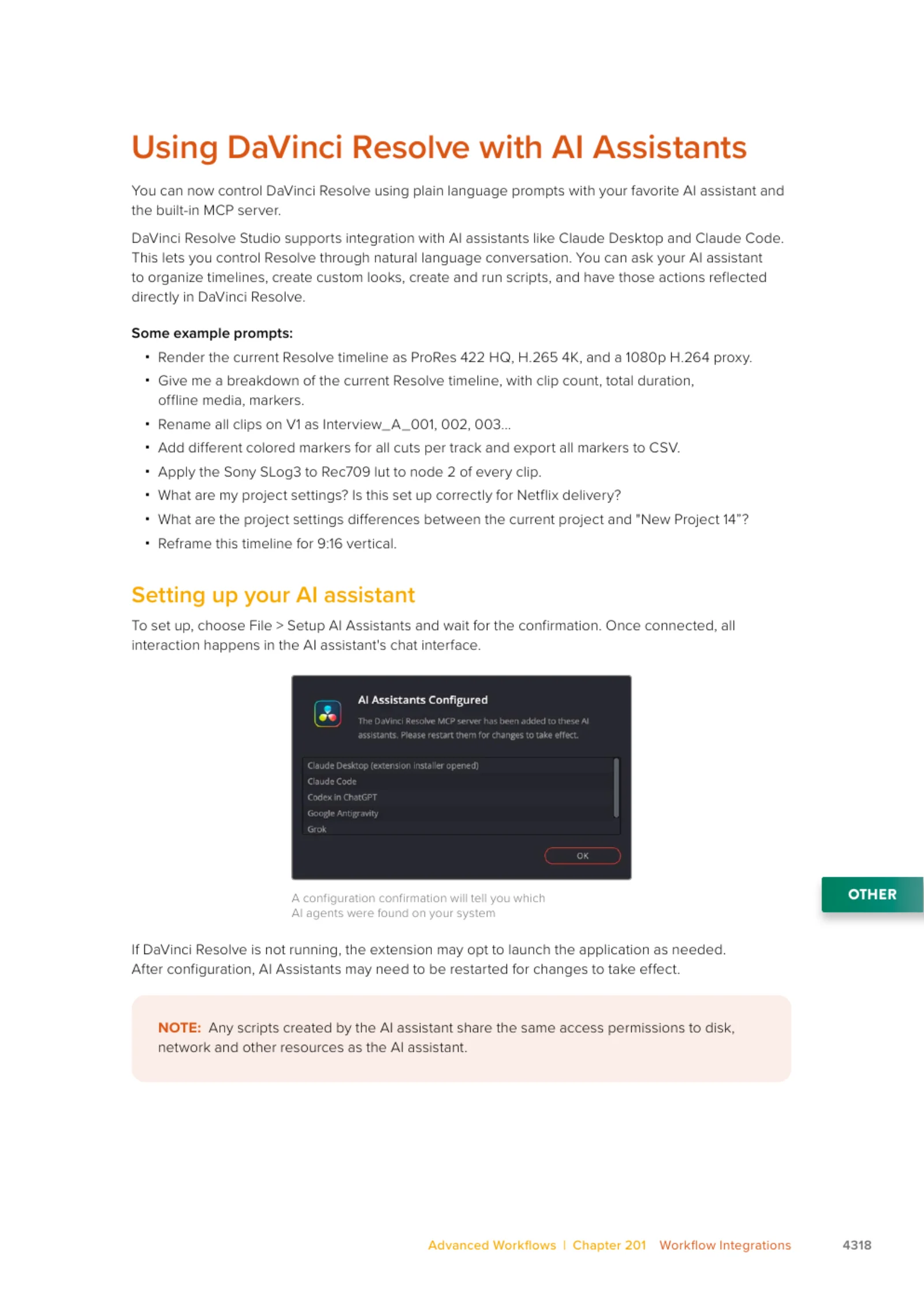
The 21.1 Reference Manual covers it on one page, and its example prompts are the useful part: render the timeline as ProRes 422 HQ, H.265 4K and a 1080p proxy; rename all clips on V1 sequentially; add coloured markers at every cut and export them to CSV; apply a LUT to node 2 of every clip; compare project settings between two projects; reframe for 9:16 (Reference Manual 21.1, page 4318).
Clients and paths
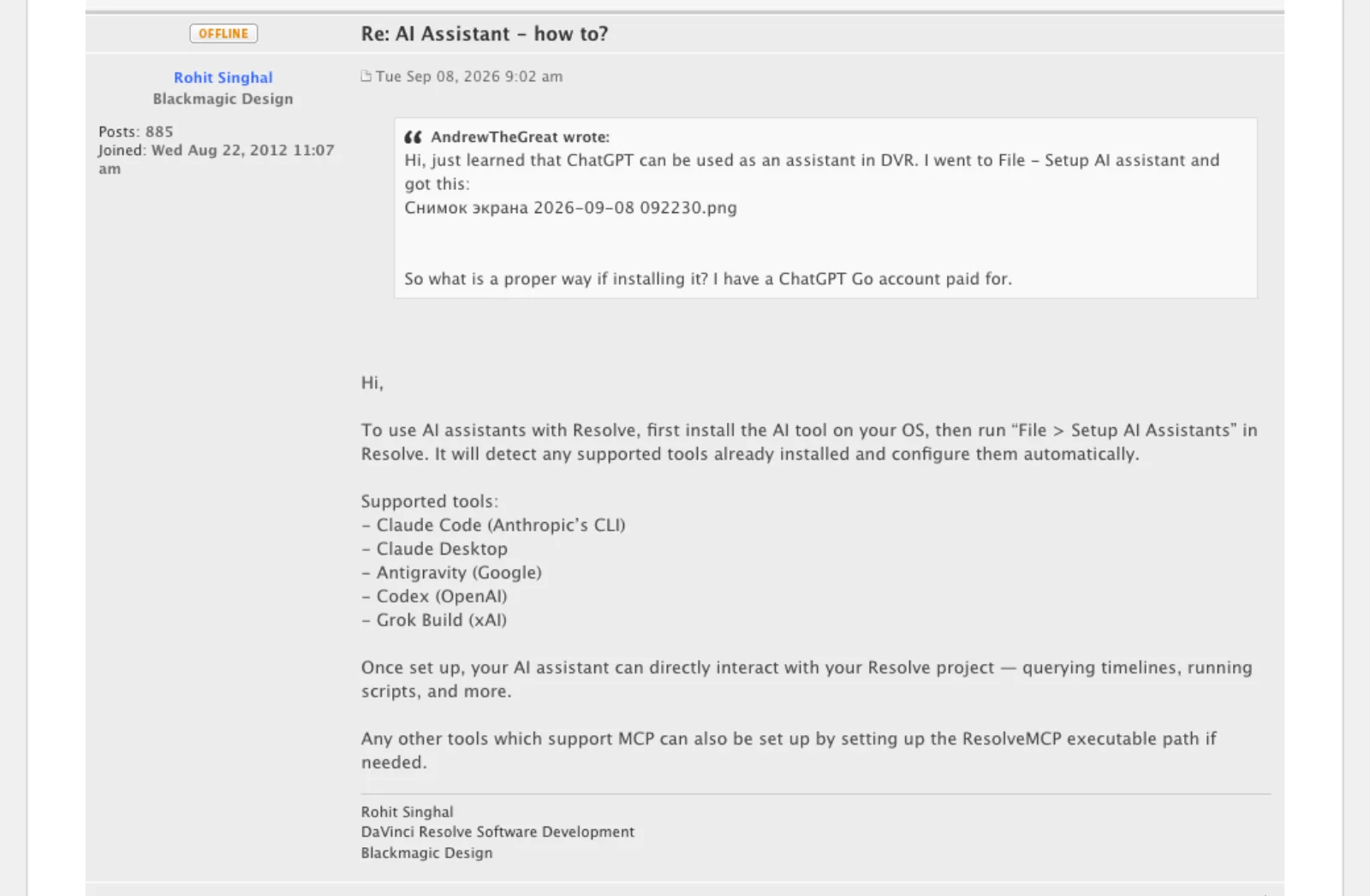
A Blackmagic developer listed the supported tools on release day: "Claude Code (Anthropic's CLI), Claude Desktop, Antigravity (Google), Codex (OpenAI), Grok Build (xAI)", adding that "any other tools which support MCP can also be set up by setting up the ResolveMCP executable path if needed" (Rohit Singhal, Blackmagic Design). Users in the thread posted the path: /Applications/DaVinci Resolve/DaVinci Resolve.app/Contents/Applications/ResolveMCP on macOS, C:\Program Files\Blackmagic Design\DaVinci Resolve\ResolveMCP.exe on Windows. One user has LM Studio driving a local Qwen model through it, so it is plain stdio MCP, not tied to the five listed clients.
The free edition does not ship it. On a Mac running the free 21.1.0 build, Contents/Applications in the app bundle holds the panel daemons and OFX loader and no ResolveMCP binary, which matches the support page.
What it exposes
Blackmagic has not published a tool list. A forum user connecting a third-party agent reported "14 tools exposed by mcp" (Blackmagic forum), and a Codex skill written against the native server calls get_resolve_status, search_scripting_api, get_scripting_api, run_script and run_script_unsafe, describing run_script as executing Python with a resolve object injected and the unsafe variant adding OS access (codex-skill-davinci-resolve-edit). So the design is a small tool set centred on "write a script, run it inside Resolve", a different shape from community servers that expose one tool per API call, and the reason the manual warns that scripts the assistant creates "share the same access permissions to disk, network and other resources as the AI assistant."
What users hit in the first week
From the forum thread, 8 to 16 September:
- Codex in the ChatGPT desktop app on Windows showed "AI Assistants Configured" but received no Resolve tools; another user quoted ChatGPT saying write-capable MCP is in beta for Business and Enterprise plans, unverified but consistent with the failure. Claude and Antigravity connected first time.
- Claude Desktop needs a second step: Resolve opens an extension installer, and one user got errors until re-running setup with Claude closed and clicking Install.
- A veteran scripter noted it "can only act on what is scriptable", and that a marker landed wrong because the timeline did not start at zero timecode.
- Unlisted agents work with a manual config, but the setup dialog keeps reporting "No AI Assistants Found". There is no network mode; the executable runs on the licensed machine.
Community MCP servers on GitHub
A GitHub search for "davinci resolve mcp" returns 69 repositories; most are forks, weekend experiments or unstarred. The table has every one with a distinct approach or more than a dozen stars. Stars and last push are from the GitHub API on 17 September 2026, the rest from each README.
| Repository | Stars | Last push | Tools | Studio? | Notes |
|---|---|---|---|---|---|
| samuelgursky/davinci-resolve-mcp | 2,904 | 17 Sep 2026 | 37 compound, 389 granular, 18 offline | Studio; free via in-app bridge on 21.0.x only | MIT, v4.7.9, all platforms. Installer configures 13 clients. Whisper, media analysis |
| barckley75/resolve-claude-mcp | 363 | 14 May 2026 | 48 plus execute_resolve_code | Studio 18+ | MIT, macOS only. README: "Do not use in production" |
| apvlv/davinci-resolve-mcp | 77 | 7 Apr 2026 | Fusion helpers | Not stated | MIT. Thin README |
| hiteshK03/davinci-resolve-mcp | 72 | 28 Mar 2026 | 162, "155 work on Free" | Free via in-app bridge | MIT. Predates 21.1 |
| wassermanproductions/unofficial-davinci-mcp | 35 | 20 Jul 2026 | Two tiers, auto-detected | Live on Studio; free gets FCPXML, EDL, LUT and marker files | Apache 2.0. Beat grids, loudness, LUT colour match |
| hoyt-harness/davinci-mcp-professional | 25 | 3 Sep 2026 | 6 kernel, 289 loaded on demand | Studio | GPL-3.0. Built to keep context small |
| flamexnreal/davinci-resolve-ai-bridge-mcp | 23 | 7 Sep 2026 | Timeline, colour, frame and audio analysis | Free and Studio via a Scripts-menu bridge | MIT. Validated on Free 21.0.3.7, not 21.1 |
| mhadifilms/dvr | 15 | 8 Sep 2026 | 39+ typed, plus CLI and library | Studio | MIT. Structured JSON, decoded errors |
| guycochran/resolve-mcp-server | 12 | 16 Sep 2026 | 77 tools, 16 resources, 5 prompts | Studio 21 | MIT. Uses the 21.1 transcription APIs |
| 2sem/davinci-resolve-lite-mcp | 4 | 16 Sep 2026 | 163 | Free App Store build via menu script | MIT, macOS. "Unavailable on DaVinci Resolve Lite 21.1+" |
Three things stand out.
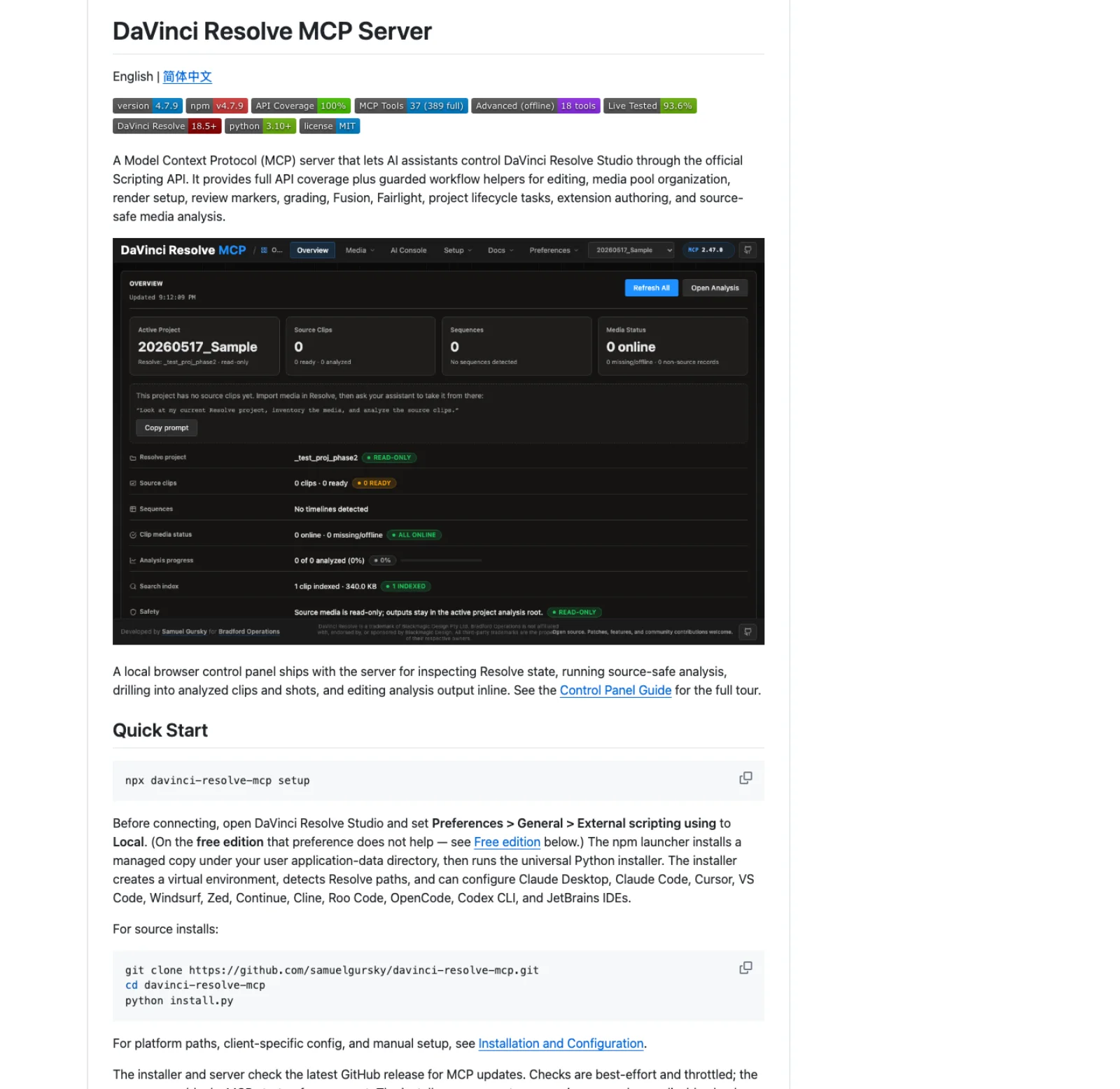
The largest community project is the starting shortlist. samuelgursky/davinci-resolve-mcp has 2,904 stars, 44 contributors, 418 releases and a push on the day of writing; the next project has an eighth of the stars and no push since May. Its README claims 361 of 361 API methods covered and 338 live-tested on Studio 19.1.3, 20.3.2 and 21.0.2 (README), and several smaller repos describe themselves as forks of it. Its documented version coverage and compound tools make it worth evaluating first; a recent push or a large star count does not establish that it works on your build.
Python-based free-edition bridges changed with 21.1. The in-app bridges discussed here used a Python route: a Python script launched from Workspace > Scripts inside the free edition received a live resolve object, so the server ran inside Resolve and re-exported it over localhost. The samuelgursky README now says that on free 21.1 "the Scripts menu no longer lists .py files at all" and to "treat the bridge as a 21.0.x path"; 2sem's README says the same for the App Store build. Blackmagic's reason: "The Python API was being used to hack studio features into the free version. DaVinci Resolve relies on studio license sales to pay for the engineering team" (release notes). Wasserman's interchange tier avoids that dependency, because it never touches the app: it writes FCPXML, EDL, LUTs and marker CSVs for you to import.
Tool counts are a design choice, not a score. 389 granular tools means one per API method, exhaustive and expensive in context; the compound mode groups them behind 37, davinci-mcp-professional starts with 6, and the native server exposes about 14 and routes work through run_script. For an agent that can write Python, fewer tools and a good reference beat hundreds of thin wrappers.
The scripting API underneath everything
Every route ends at the same API, documented in the README that installs with Resolve under Developer/Scripting (dated 31 August 2026). It supports "user scripting in Lua 5.1 and Python 3.6 (or higher versions)", run from the Scripts menu or Console, "locally (from the Terminal in the same system), or if configured, from the local network." The external scripting preference (None, Local or Network) is in Preferences > System > General "in DaVinci Resolve Studio"; Network listens on port 1144; and Resolve "can be launched in a headless mode without the user interface using the -nogui command line option" with the APIs still working. 21.1 bundles its own Python 3.14 as ResolvePython, so import DaVinciResolveScript works without environment variables. The licensing side of all this is in DaVinci Resolve free vs Studio.
Two limits shape what any agent can do. Calls "can return with a False status" when "the function references a Studio function from the free DaVinci Resolve version" or an AI Extras pack is missing, so the Neural Engine tools that AI plugins for DaVinci Resolve lists as Studio only stay Studio only through MCP. And some operations have no API: the Codex skill above routes splitting an existing clip, variable speed ramps and SRT import to the Edit page UI, even with the native server. The 21.1 changelog narrowed the gap with AddTransition, SetSpeed, SetFades, CreateMulticamClip, AutoAlignClips, GetTranscription with speaker timing and render preset management, which is why servers written before September under-report what is now possible.
CLI wrappers and skills instead of MCP
If your agent has a shell, it does not strictly need MCP. Claude Code and Codex can write a Python script and run it with ResolvePython against Studio with external scripting set to Local. What they need is an accurate reference, which is what the skill projects supply.
- wheheohu/bmd_doc publishes a
davinci-resolve-scriptingskill generated from the official docs: aSKILL.mdindex plus references for signatures, return types, settings dictionaries and deprecations. It "documents the API only". Install with/plugin marketplace add wheheohu/bmd_docthen/plugin install davinci-resolve@bmd-doc-marketplace, or copy the folder into~/.claude/skills/(BMD Docs). Pushed 17 September. - samuelgursky's repo ships
docs/SKILL.mdplus.claude,.codexand.cursor/rulesfolders; ChaiWithJai/davinci-resolve-claude-skills (18 stars, May 2026) is a task-skill set built from the Resolve 20 manual. - mhadifilms/dvr is the CLI route proper:
pip install dvr, thendvr timeline inspectreturns JSON,dvr render submit --preset delivery --wait --streamstreams progress, anddvr mcp serveexposes the same operations as typed tools. Its README lists the raw API's pain:AddRenderJob()"returnsNoneon success or failure" and settings "with undocumented valid values".
There is a precedent. When Unity shipped a CLI with an MCP server inside it, a Unity staffer wrote that calling the pipeline "through the CLI is a better option, but we wanted to make sure we continued to provide an MCP for the users that rely on it" (Unity Discussions, July 2026); its September Claude Code plugin bundles skills, CLI and MCP (Unity blog). Blackmagic's run_script design is closer to that than to a 389-tool wrapper. For a batch job, a script the agent writes once and you keep beats a conversation you repeat; one forum user runs the task through the assistant once, saves the script and triggers it from a Stream Deck.
Screen control as the fallback
For jobs no API reaches, the last option is an agent driving the GUI. Anthropic's computer use tool gives Claude "screenshot capabilities and mouse/keyboard control"; the same page recommends "a dedicated virtual machine or container with minimal privileges" and warns that Claude may "follow commands found in content even when they conflict with your instructions" (Anthropic docs). Resolve does not suit a minimal VM and clicking through a colour page at screenshot cadence is slow, so keep it for one step: a retime curve, a panel-only setting, a dialog the API cannot dismiss.
Which route for which job
| Job | Route | Why |
|---|---|---|
| Timeline breakdowns, marker exports, project setting audits | Native server | Read-only, exactly the prompts Blackmagic documents, nothing to install |
| Batch renders with several deliverables | Native server, then a saved script | Render control has been in the API for years; keep the generated script |
| Rename, relink, reorganise bins | Native server or scripting API | Deterministic; a script beats a conversation on the second run |
| Rough assembly from a transcript, take comparison, sync | samuelgursky compound server | Whisper, media analysis and multicam helpers live outside Resolve's API |
| Beat-cut a music edit, loudness to spec, match a look | Wasserman's server | Engines run on any edition; outputs are files Resolve imports |
| Nightly pipeline, CI, no chat | dvr CLI or ResolvePython with -nogui | Shell, JSON, exit codes |
| Free edition on 21.1 | Interchange files, or stay on 21.0.x | External and menu Python scripting are Studio only now |
| Resolve 18.5 to 20.x | samuelgursky server | Baseline is 19.1.3; the native server needs 21.1 |
| Cursor, Windsurf, Zed, LM Studio, local models | Native executable path, or samuelgursky's installer | Both are stdio; the installer writes the config |
| Retime curves, panel settings, dialogs | Screen control, or do it yourself | No API; the GUI step is usually faster by hand |
Security notes
The manual says scripts created by the assistant "share the same access permissions to disk, network and other resources as the AI assistant." The native run_script and the community code-execution tools run arbitrary Python, so an agent that misreads a prompt can delete a timeline as easily as rename one: work on a duplicate and keep backups (samuelgursky's compound server archives a timeline before mutating it). Keep External scripting on Local unless you need port 1144 open to your LAN; Blackmagic's README asks you to "be aware of the security implications when executing scripts from unknown origins". And read any skill file before installing it, because a skill is instructions the agent will follow.
Frequently asked questions
Does DaVinci Resolve have an MCP server? Yes, since 21.1 on 8 September 2026. Resolve Studio ships a ResolveMCP executable and a File > Setup AI Assistants menu that configures Claude Code, Claude Desktop, Codex, Antigravity and Grok Build (Blackmagic forum, staff reply). Before 21.1 the only servers were community projects, which still work on older Studio versions.
Is it free? It costs nothing beyond the Studio licence, $295 once with free updates (Blackmagic Design); the assistant subscription is separate. The community servers are open source, mostly MIT.
Does it need Studio? Yes. The support page lists the integration under Studio only, the free 21.1.0 bundle has no executable, and 21.1 moved Python scripting to Studio, closing the bridges the "free edition" servers used. On free, your options are import files, staying on 21.0.x, or buying Studio.
What can it actually do? Anything in the scripting API: inspect and build timelines, import and organise media, apply LUTs and grades node by node, create Fusion comps, transcribe, set up and run renders, change project settings, and since 21.1 add transitions, fades, speed changes and multicam clips. Visual review requires frame capture and a model or person to inspect it; an API wrapper alone cannot operate controls such as retime curves.
Make your next project in Voyager
Create an account, download Voyager, and start making.
