
 Read Markdown
If you need Magic Mask, native transcription or Voice Isolation, compare the $295 Studio licence with your alternatives before shopping for plugins. If you need generated footage, Studio alone does not solve that job: a generation panel or another app supplies the clip. For free Resolve, check the exact plugin and application version together, especially after the 21.1 scripting change.
The shortlist separates effects you adjust on a node, panels that return media, and tools you use outside Resolve. It is based on vendor documentation for Resolve 21.1; a vendor's free-edition claim is identified as such, rather than treated as a successful installation test.
Jump to: shortlist · Studio requirements · free-edition captions · compatibility check
The layers, and what each one can touch
| Layer | Examples | Free edition? |
|---|---|---|
| Native Neural Engine tools in the menus and Resolve FX | Magic Mask, IntelliTrack, transcription, Voice Isolation, Speech Generator | Almost none. See the Studio list below |
| OpenFX plugins, loaded as nodes on the Color and Fusion pages | Topaz Video, Boris FX Continuum, Colourlab AI | Vendor by vendor. Topaz: no. Colourlab: yes |
| Scripted panels under Workspace > Scripts that write media into the Media Pool | Higgsfield, AutoSubs, GenAI | Uncertain since 21.1 moved Python scripting to Studio |
| AI assistants driving Resolve from outside over MCP | Claude, Claude Code, Codex | No. Studio only |
| Round-trip apps: process elsewhere, import the file | Runway, ElevenLabs, Topaz standalone | Yes, it is an import |
The layer matters more than the brand. An OpenFX plugin sees the frames of the clip it sits on and renders with the timeline. A scripted panel can read the timeline and write a new clip back, but cannot process a clip in place. A round-trip app knows nothing about your project. When a vendor says its tool "works inside Resolve", ask which of these it means.
The shortlist
| Tool | Layer | What it does in Resolve | Price | The tradeoff |
|---|---|---|---|---|
| Resolve Studio | Native | Every Neural Engine feature: masking, tracking, transcription, audio AI, speech, face tools, upscaling | $295 once | Nearly all AI sits behind this one purchase |
| Higgsfield plugin | Scripted panel | Generate video and images, reframe, remove background, upscale; results land in the Media Pool | Plan credits | Cloud only, 4 to 15 second clips, credits spent even on "unlimited" models |
| Topaz Video OFX | OpenFX | Enhance and frame interpolation models on a node | $299 a year | Requires Studio; vendor warns about 3x to 4x upscales |
| Boris FX Continuum | OpenFX | Face ML, UpRes ML, Motion Blur ML, DeInterlace ML, ML masking | From $325 a year | Broad suite; you pay for a lot you may not use |
| Colourlab AI | OpenFX plus app | AI shot matching and balancing as nodes | $150 a year or $299 perpetual | Vendor pages disagree on price |
| AutoSubs | Scripted panel | On-device transcription, styled captions to the timeline | Free, MIT | Open issue reports it failing on Resolve 21 |
| GenAI (DavinciClaude) | Scripted panel | Prompt-to-clip via Fal.ai models, placed on the timeline | $24 plus Fal.ai usage | Small vendor; bring your own API key |
| MCP assistants | Native, Studio | Organise media, batch render, highlight edits by conversation | Studio plus an assistant | Automation, not picture processing |
Which AI features need Studio
This is the purchase decision. Blackmagic's Studio page states that the Neural Engine powers "many of the features found exclusively in DaVinci Resolve Studio" and that the free edition finishes "up to 60 fps in resolutions as high as Ultra HD 3840 x 2160" (Blackmagic Design). The DaVinci Resolve 21 Reference Manual, dated July 2026, marks each of the following as "Studio Version Only" in its section headings (reference manual PDF):
Edit and Cut pages: Audio Transcription and Text Based Editing, Detect Speakers, IntelliScript (assemble a timeline from a script), Multicam SmartSwitch, AI Animated Subtitles, Smart Reframe, Scene Cut Detection, Remove Silence, Beat Detector, Super Scale.
Media page: IntelliSearch (search clips by object, dialogue or face), Slate Finder and Slate ID, Motion DeBlur.
Color page and Resolve FX: Magic Mask v2, IntelliTrack point tracker, Depth Map, Relight, CineFocus, Face Refinement, Face Age Transformer, Face Reshaper, Blemish Removal, Beauty, Object Removal, Patch Replacer, Noise Reduction, UltraSharpen, Lens Blur, Lens Flare, Lens Reflections, Film Look Creator, Film Grain, Halation, Lens Distortion, Dead Pixel Fixer.
Fairlight: Voice Isolation, Music Remixer, Music Editor, Dialogue Separator, Dialogue Matcher, Audio Assistant, Voice Convert, Speech Generator.
One thing is not on that list: Dialogue Leveler, the plugin that rides dialogue levels without compressor pumping, carries no Studio marker in the manual, so it is one of the few AI-adjacent tools available free.
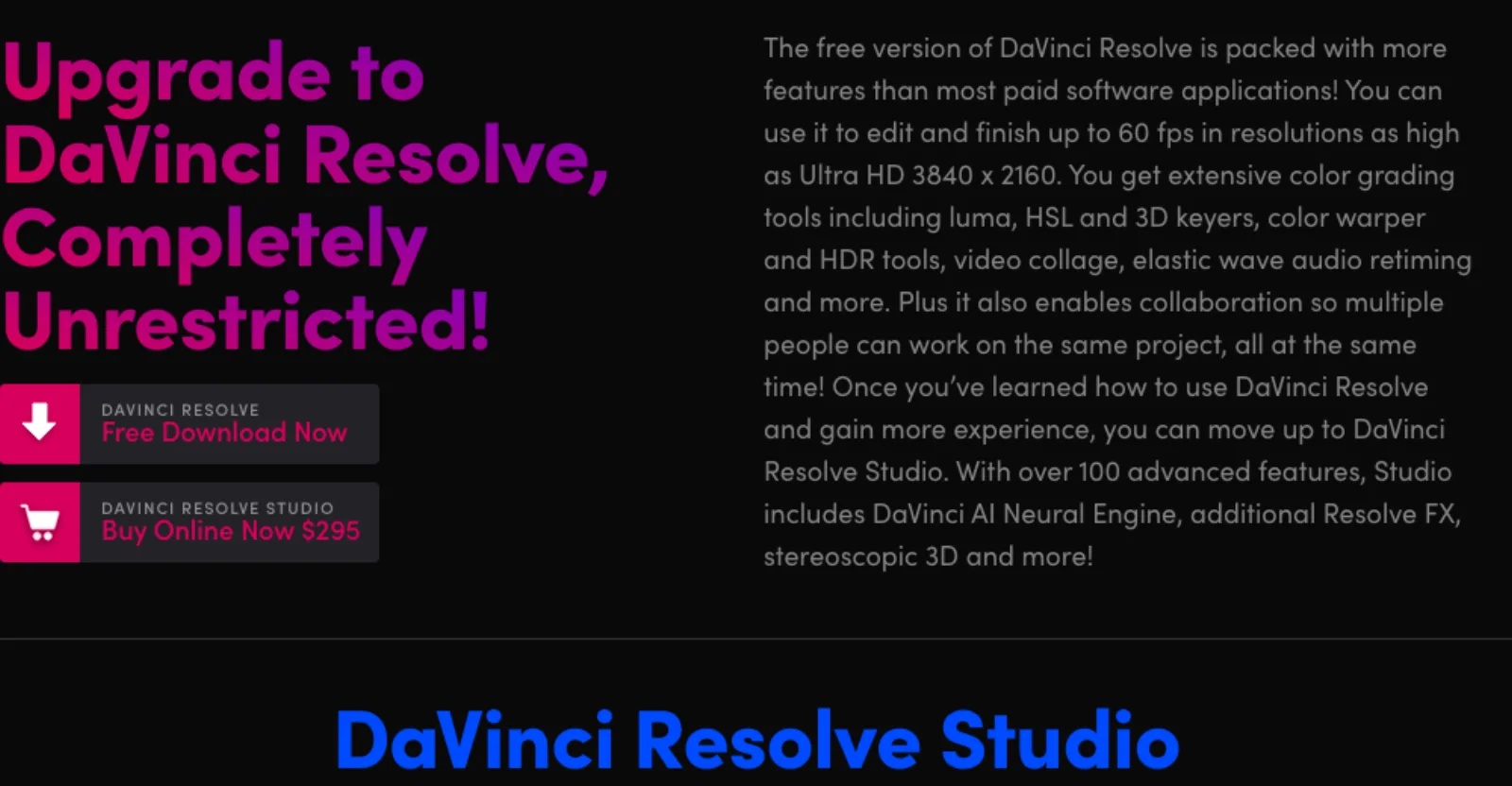
The Resolve 21 additions follow the same pattern. Blackmagic's April 2026 announcement introduced IntelliSearch, Speech Generator (which "can create a unique voice from as little as a 10 second clip"), CineFocus, Face Age Transformer, Face Reshaper, Blemish Removal, Slate ID, UltraSharpen and Motion Deblur (Blackmagic Design press release). Every one of them is Studio only in the manual.
The 21.1 scripting change
Resolve 21.1, released on 8 September 2026, added a native MCP server so that "AI assistants such as Claude, Claude Code and ChatGPT Codex" can "analyze projects, organize media, adjust settings and batch render using everyday conversational language" (Blackmagic Design press release). The same update moved Python scripting to Studio. Blackmagic's release notes, as quoted by CineD and Puget Systems, say the Python API "was being used to hack studio features into the free version" and that Resolve "relies on studio license sales to pay for the engineering team" (CineD, Puget Systems). Every route for connecting an agent to Resolve, native and community, is compared in DaVinci Resolve MCP.
This matters because the scripted-panel layer depends on that API. Any tool under Workspace > Scripts that reads the timeline or imports media is now something to test on the free edition before relying on it. Lua tools may behave differently from Python ones, and vendors have not all updated their notes. If a scripted plugin is central to your free-edition work, stay on 21.0 until the vendor confirms, or budget for Studio.
DaVinci Resolve Studio: the one purchase that unlocks most of the AI
Fits: anyone who wants masking, tracking, transcription or audio cleanup inside Resolve. Buy it before any plugin below; several require it anyway.
What it does in the timeline: the Neural Engine features run on your GPU, produce native nodes and tracks, and render with the timeline. Magic Mask v2 can now be rendered in place "as a separate matte node", which keeps grading responsive on long shots (Resolve 21 New Features Guide). Transcription feeds text-based editing, IntelliScript, Animated Subtitles, SmartSwitch and IntelliSearch's dialogue search, so it unlocks the most other features. IntelliSearch and Speech Generator need their models downloaded from the Extras Download Manager first, per the same guide.
Purchase check: $295 is a one-time licence with free updates, per the product page. The manual lets you choose which GPU or Neural Engine handles the AI tools (reference manual), a hint that they compete with playback for memory; Blackmagic publishes no per-feature VRAM figure, so budget for a current GPU. Since 21.1 the MCP integration and the new scripting APIs are also Studio only.
Higgsfield: generative video and images from a panel
Fits: editors who need generated B-roll, an alternate aspect ratio or a background removed without leaving the Media Pool, and who already pay for a Higgsfield plan.
What it does: one installer ships seven tools in a dockable panel under Workspace > Scripts > Higgsfield: Generate AI Video, Generate AI Image, Reframe, Remove Background, Upscale, Draw to Edit and Edit Video (Higgsfield plugin page). The launch post names Seedance 2.0 as the default video model and Nano Banana 2 for images, says clips come back in "the 4 to 15 second range", and describes results going "into the Media Pool or directly onto the Timeline" (Higgsfield blog). It needs Resolve 19 or newer and is "not compatible with the App Store version of DaVinci Resolve".
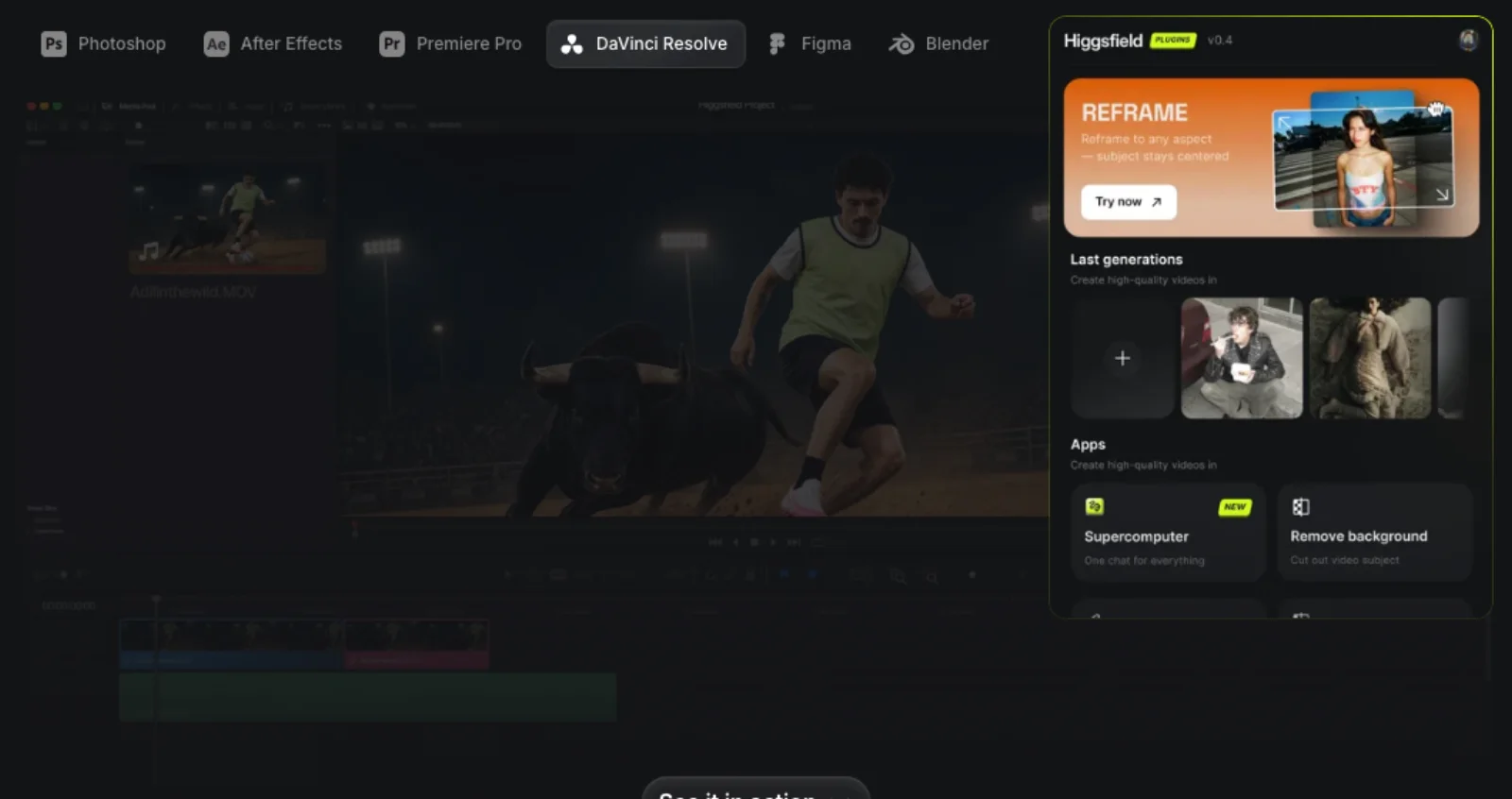
Purchase check: "an internet connection is required for every generation, since inference runs on Higgsfield's servers", and every generation "spends credits from your Higgsfield plan balance", including models that are unlimited on the web (Higgsfield blog). The pricing page adds that unlimited models and free generations "are accessible only via higgsfield.ai" (Higgsfield pricing), so treat the plugin as metered even on a plan that feels unlimited in the browser. Higgsfield's pages do not say whether the free edition of Resolve is supported; given the 21.1 change, ask. The clips that come back are rendered files: a Media Pool clip can be trimmed and graded, but a changed shot means a new generation, which is the subject of what "editable" should mean for AI video.
Topaz Video: enhancement models on a node
Fits: finishing work on archival, phone or low-light footage where you want Topaz's enhance and interpolation models inside the grade instead of a separate export.
What it does: Topaz's OpenFX bundle exposes "Enhance and Interpolation effects" as nodes, installed from the Plugins menu of the Topaz Video app or by copying the bundle into the OFX plugins folder (Topaz docs).
Purchase check: the docs are direct about limits. "DaVinci Resolve Studio is required, and the free version will not load/run the plugin." Activation "must be completed through the main Topaz Video application", so the standalone app must be installed and signed in. Performance "may be reduced when upscaling to 3-4x", and Topaz asks users to "take great consideration with the amount and types of operations" to avoid stalls (Topaz docs). Topaz Video is $299 a year on the Personal annual plan, or $59 a month (Topaz pricing). For a heavy 4x restoration the vendor's own guidance points to the standalone app and a round trip; the plugin suits 1x to 2x work you want live in the timeline.
Boris FX Continuum: ML tools inside a large effects suite
Fits: finishing artists who already want Continuum's transitions, particles and film tools and would use its ML features as part of that set.
What it does: Continuum 2026.5 runs in Resolve as OpenFX and ships Face ML for beauty work, UpRes ML, Motion Blur ML, License Plate ML for plate detection and tracking, the new BCC+ DeInterlace ML, and AI masking in PixelChooser through Object Brush ML and Matte Assist ML (Boris FX press release, Continuum product page).
Purchase check: "Subscriptions start at $325/year or $48/month" per the press release, priced by host. Several of these jobs overlap with Studio's own tools: Face Refinement and Beauty cover much of Face ML's ground, and Studio's de-interlacing and Super Scale cover DeInterlace ML and UpRes ML for many shots. Continuum earns its price when you want the rest of the suite, not as a way to add AI on its own.
Colourlab AI: shot matching that runs on the free edition
Fits: editors and one-person colourists who want a first balance and shot match across a scene before manual grading, and who are on the free edition.
What it does: applied as a plugin on the clip: "choose a reference, hit Match. AI takes care of the rest", with AI Balance and Region Matching alongside, as nodes with "no fetching, pushing, or round-tripping" (Colourlab for Resolve). The page states it "Works in Free Resolve" with "No Studio version required", one of the few AI plugins here a free-edition user can install.
Purchase check: the vendor's pages disagree. The Resolve product page lists Creator at $29 a month or $290 a year; the pricing page lists Colourlab AI 3 Creator at $15 a month, $150 a year or $299 perpetual (Colourlab pricing). Confirm at checkout. The compatibility note lists Resolve 18, 19 and 20, so check 21 before buying. There is a 15-day trial with no card.
AutoSubs: free, on-device captions
Fits: anyone on the free edition who needs subtitles, since transcription itself is Studio only.
What it does: an open-source desktop app that transcribes with Whisper, Parakeet or Moonshine models, identifies speakers, translates across "100+ languages", and connects through Workspace > Scripts > AutoSubs to place styled captions on the timeline, "fully on-device", with nothing sent to the cloud (AutoSubs on GitHub). MIT licensed; donations rather than payment.
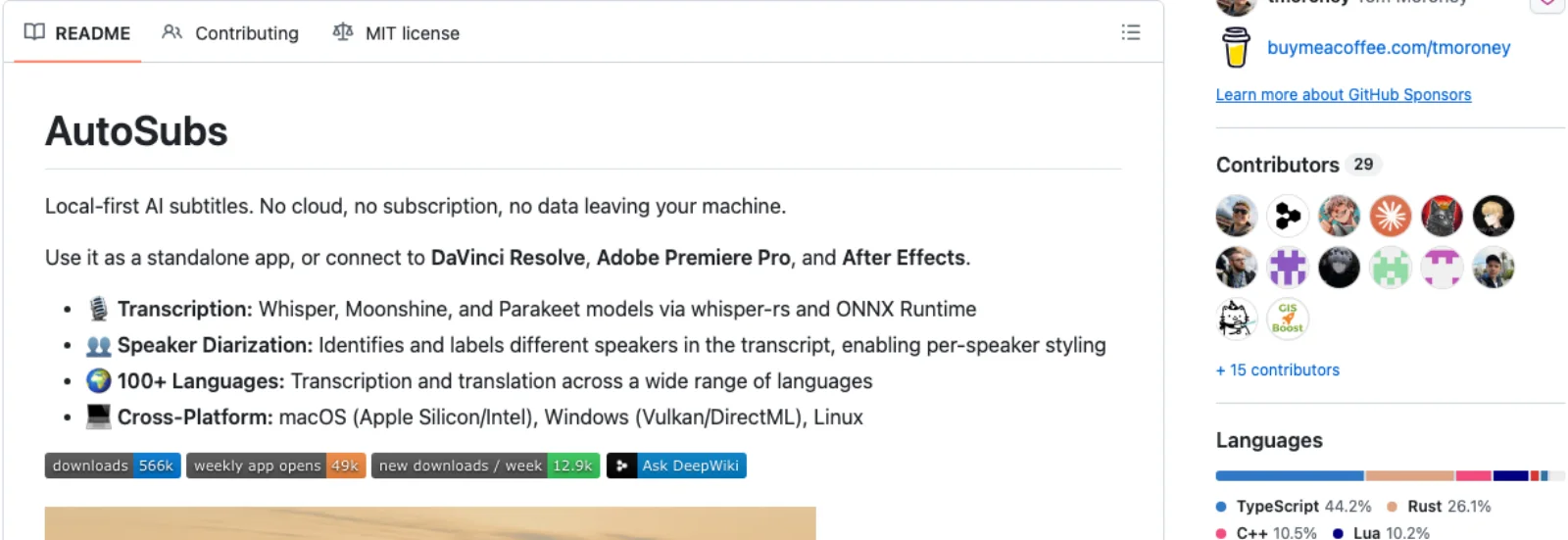
Purchase check: the Resolve side is a Lua launcher running a local server inside Resolve (integration README), not the Python API Blackmagic gated. Even so, an issue opened on 10 September 2026 reports AutoSubs not opening from the Scripts menu after updating to Resolve 21, with no maintainer response yet (issue #829). The Mac App Store build of Resolve is not supported. Check the tracker before updating a working setup.
GenAI: bring your own model account
Fits: editors who want prompt-to-clip inside Resolve without a Higgsfield plan and are comfortable managing an API key.
What it does and the check: GenAI, from the DavinciClaude suite, routes prompts to "Veo 3.1, Kling, Runway, NanoBanana, SAM3" and other models through Fal.ai and lands the result on the timeline; the plugin is $24 once, generations bill pay-as-you-go from your own Fal.ai account, and the key "is stored locally on your machine" (DavinciClaude GenAI page). The page says "DaVinci Resolve 2022 and later" and does not address 21.1 or the free edition. It is a small vendor: install on a test project first. As with Higgsfield, what comes back is a rendered clip; if you are choosing between text and image prompts for that B-roll, text-to-video vs image-to-video covers what each input locks.
Check the edition before the feature list
Before paying, write down the Resolve version, free or Studio edition, operating system and plugin version. Ask the vendor to confirm that combination. "Works with Resolve" does not tell you whether it depends on Python scripting, OpenFX support or a separate activation app.
Use a duplicate project for the trial. Import one clip, run the operation, save, close and reopen. For captions, change a word after reopening. For an effect, disable and re-enable its node. For a generation panel, confirm the returned file remains linked. Those checks distinguish an install that opens from a workflow you can keep revising.
If your question is whether to buy Studio at all, use the broader free versus Studio comparison. This guide is about the tools to add around that decision.
How to choose
Runway, ElevenLabs and the Topaz standalone app are round trips: Runway's panel is for Premiere and After Effects, and ElevenLabs voices arrive by download to a Fairlight track, a job Studio's Speech Generator now covers from a 10 second sample. That is fine when the tool is better than the plugin; it just means the change loop runs through the other app.
Start with Studio if its native features solve a recurring task. It is also the prerequisite for Topaz's plugin and the native MCP assistant integration, but free captioning tools and occasional external processing can cost less. On the free edition, your realistic options are Colourlab for grading, AutoSubs for captions and Dialogue Leveler for audio, with the 21.1 caveat on anything in the Scripts menu. Add Higgsfield or GenAI when you need generated footage in the Media Pool and accept that it comes back as a render. Add Topaz or Continuum only for a specific restoration or effects job Studio's own tools do not already cover.
Frequently asked questions
Does the free version of DaVinci Resolve have any AI features? Almost none. The Resolve 21 Reference Manual marks Magic Mask, IntelliTrack, transcription, Voice Isolation, Super Scale, IntelliSearch, Speech Generator and the rest as Studio only. Dialogue Leveler carries no Studio marker, and Colourlab AI and AutoSubs state they run on the free edition.
Is Studio a subscription? No. It is a $295 perpetual licence, and 21.1 was released "free of charge" like every prior update. The subscriptions in this guide are the third-party plugins and Higgsfield's credit plans.
Which AI plugins work without Studio? Per vendor documentation as of September 2026: Colourlab AI ("No Studio version required") and AutoSubs. Higgsfield and GenAI do not clearly state a Studio requirement in the cited pages; that omission does not establish free-edition compatibility. Topaz Video's OFX plugin does not load in the free edition. Because 21.1 moved Python scripting to Studio, test any Scripts-menu plugin on the free edition before relying on it.
Can I generate AI video inside DaVinci Resolve? Not natively. Blackmagic's AI generates speech, masks, depth and searches, not footage. For generated video you need a panel plugin such as Higgsfield or GenAI, which send prompts to a server and return a clip to the Media Pool, or a round trip through a generator's own app.
What does the AI assistant integration in 21.1 actually do? It is an MCP server that lets Claude, Claude Code or ChatGPT Codex organise media, adjust settings, build highlight edits and batch render by conversation. It automates the application rather than processing pictures, requires Studio, and you supply the assistant subscription.
Make your next project in Voyager
Create an account, download Voyager, and start making.
