
 Read Markdown
Use Gopher if you want Image-Line's assistant inside FL Studio. To bring your own agent, compare community bridges and check which operations they expose: transport and mixer controls are different from writing notes into a Piano roll. For composition alone, importing a MIDI file can avoid a live bridge altogether.
Start with an empty pattern and known instruments. A server may send notes into whichever Piano roll is open, so identifying the target is part of the task. The server comparison and setup below use documentation checked on 17 September 2026; the beat walkthrough has not been run in FL Studio for this article.
Jump to: setup · routes · first beat · server comparison
Setup, verified against the docs
karl-andres/fl-studio-mcp with Claude Code
- Create a virtual MIDI port: enable the IAC Driver in Audio MIDI Setup on macOS, or install loopMIDI on Windows.
- Clone the repository and run
./install.sh(macOS) or.\install.ps1(Windows). The installer sets up uv, copiesdevice_FLStudioMCP.pyintoSettings\Hardware\FLStudioMCP\andComposeWithLLM.pyscriptintoSettings\Piano roll scripts\, and writes the MCP entry for Claude Desktop and Claude Code (README). - In FL Studio, open Options > MIDI Settings, select the virtual port and set its controller type to FLStudioMCP, then check View > Script output for the init line (MIDI Scripting reference).
- If you skipped the installer:
claude mcp add --transport stdio fl-studio -- uv run --directory /path/to/fl-studio-mcp fl-studio-mcp. The--keeps Claude Code from parsing the command as its own flags, and--scope projectwrites it to.mcp.jsoninstead of your user config (Claude Code MCP docs). - Open a Piano roll on the channel you want notes in, run ComposeWithLLM once from its Scripts menu so it becomes "last script", and on macOS grant the terminal Accessibility permission for the keystroke. Then
/mcpto confirm, andfl_connection_statusbefore anything that writes.
rosasynthesiz/flstudio-mcp with Claude Desktop
- Create two virtual MIDI ports named exactly
FLStudioMCP RXandFLStudioMCP TX, in loopMIDI or the IAC Driver. - Run
scripts\install_windows.batorscripts/install_macos.sh, then in Options > MIDI Settings enable RX as an input with controller type FLStudioMCP and TX as an output on the same port number; the Script output should read[FLStudioMCP] Ready. - Start the daemon that owns the ports with
fl-studio-mcp-daemon, and add the server toclaude_desktop_config.json(%APPDATA%\Claude\on Windows,~/Library/Application Support/Claude/on macOS) as{"command": "fl-studio-mcp", "env": {"FLSTUDIO_MCP_TRANSPORT": "tcp"}}so the client talks to the daemon rather than grabbing the ports itself (README). - In the Piano roll, run
MCP_Applyonce per session from the Scripts menu. Note writes stay queued until you do.
PostFader ships a Codex package and a .mcpb for Claude Desktop, and the macOS fork of geezoria's server registers itself with Claude Code; any stdio server in the table fits Codex through codex mcp add <name> -- <command> (Codex MCP docs).
The routes at a glance
| Route | What it is | Platform | Best for |
|---|---|---|---|
| Gopher | Image-Line's own assistant inside FL Studio 2026, experimental, no external access | Windows, macOS | Producers who want an agent without installing anything; not for your own agent |
| Controller-script servers | A Python MIDI controller script runs inside FL Studio; an MCP server outside talks to it over virtual MIDI, a file, or a localhost socket | Windows, macOS (socket route Windows only) | Transport, Channel Rack, mixer, plugin parameters, step sequencer |
| Piano roll script bridges | A .pyscript in the Piano roll reads a JSON queue when a keystroke fires it | Windows, macOS | Writing notes into the open pattern |
| FruityLink C# servers | A .NET plugin system with an MCP adapter | Windows x64 only | Deep project access on Windows, non-commercial licence |
| PyFLP project editing | Reading or writing the .flp binary with FL Studio closed | Any | Batch inspection; writes need backups |
| MIDI files | The agent writes a .mid file; you drag it in | Any edition, including the trial | No install, no script, nothing running inside FL Studio |
| Agent skills | Reference material that teaches an agent the scripting API | Any | Pairing with a server, or writing Piano roll scripts |
| Screen control | Computer-use tools driving the GUI by screenshot | Any | The few things no API reaches |
What Image-Line actually provides
Gopher: an agent, but not yours
FL Studio 2026 shipped on 10 July 2026 as a free update, and its Gopher panel "can now perform actions directly inside projects" (MusicRadar, Image-Line). The manual page is titled "Gopher Assistant Control (Experimental)" and lists the complete set: open windows, play, stop and set tempo, add, rename, mute, solo, pan and colour channels, populate the step sequencer, adjust plugin parameters "depending on which controls the plugin publishes to FL Studio", quantize, save, run and generate Piano roll scripts, rename Playlist tracks, and set mixer levels, routing and effect slots (Gopher Control). Two lines on that page matter. One is architecture: "When Gopher interacts with FL Studio, it works the same way MIDI scripting does. FL Studio exposes a set of controls, and MIDI hardware, scripts, or Gopher can request information from those controls." The other is a limit: Gopher "functions as an internal web page inside FL Studio" and asks for an Approve or Deny before it touches a project.
There is no documented way to point Gopher's controls at a model of your choice. One proof-of-concept, sadoway7/flaik (3 stars, pushed 12 July 2026), takes over the panel's WebView2 through the Chrome DevTools Protocol and sends the same JSON-RPC tools/call requests Gopher does to a local model; its README calls itself "proof of concept" and a "gray area with Image-Line's ToS". Treat it as evidence of how Gopher is wired, not as a route.
Image-Line knows the request exists. A forum thread from 15 April 2026 asked for MCP integration under the title "Give Gopher Hands", and a site admin replied two days later, "We are working on it" (Image-Line forum). The 2026.1.1 release notes from 13 July mention Gopher and new MIDI scripting functions such as setPatternLength, and nothing called MCP (release notes).
The three scripting layers
Everything else stands on Python that FL Studio itself runs. There are three separate interpreters with three separate APIs, and the difference explains most of the odd engineering in the servers below.
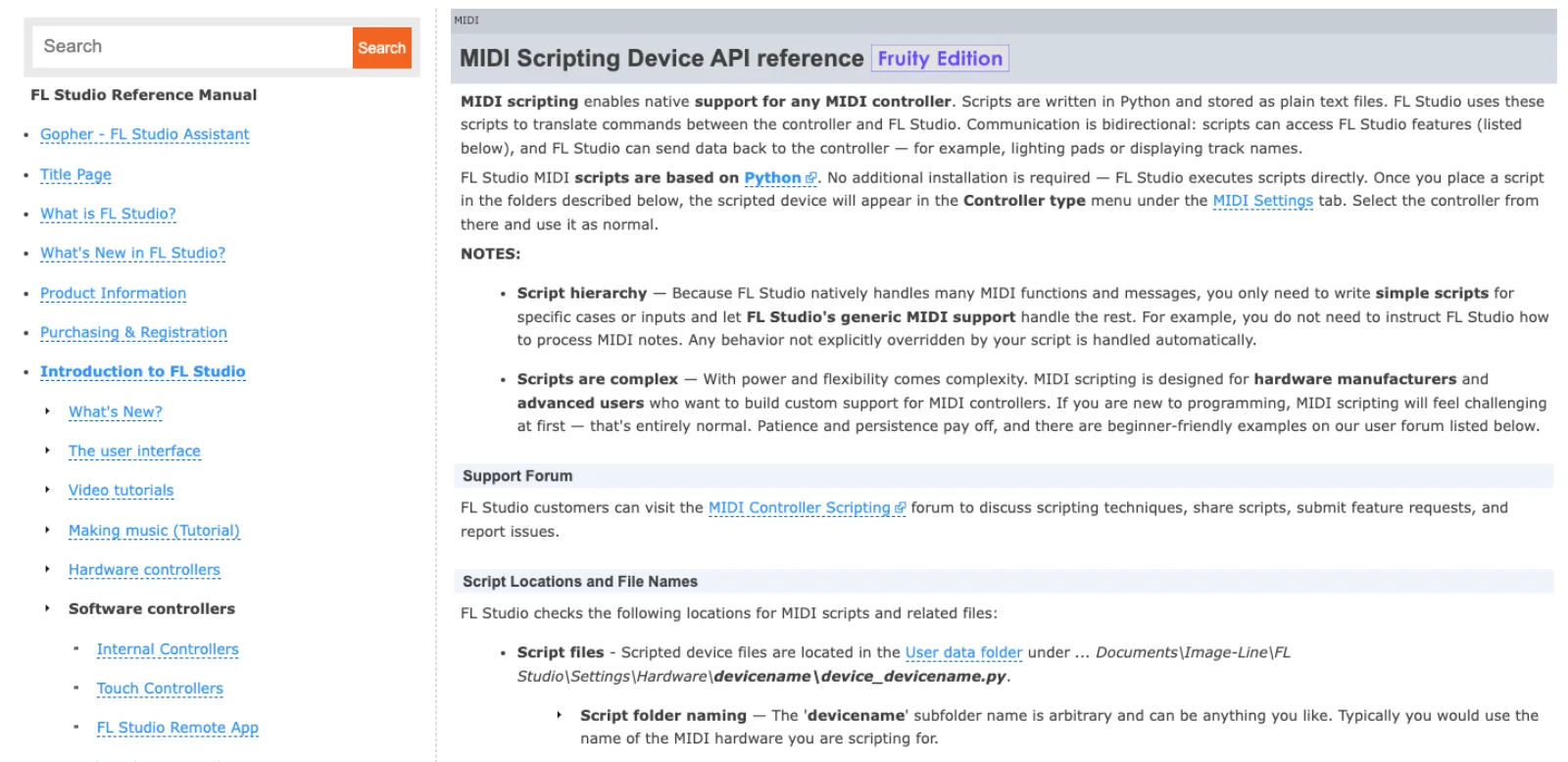
MIDI Controller Scripting. Introduced in FL Studio 20.7 in May 2020 (MusicTech), it is the API written for hardware makers. A script named device_<name>.py lives under Documents\Image-Line\FL Studio\Settings\Hardware\<name>\, appears as a controller type in the MIDI settings, and gets callbacks such as OnInit, OnMidiIn, OnIdle, OnRefresh and OnProjectLoad. It imports modules named channels, mixer, patterns, playlist, arrangement, transport, plugins, ui, general and device, and the manual tags the page with the Fruity Edition badge, so every paid edition has it (MIDI Scripting reference). This is the layer that can read the mixer, set a plugin parameter, toggle a step in the sequencer, start playback and rename a channel. What it cannot do, from any module, is write notes into a pattern.
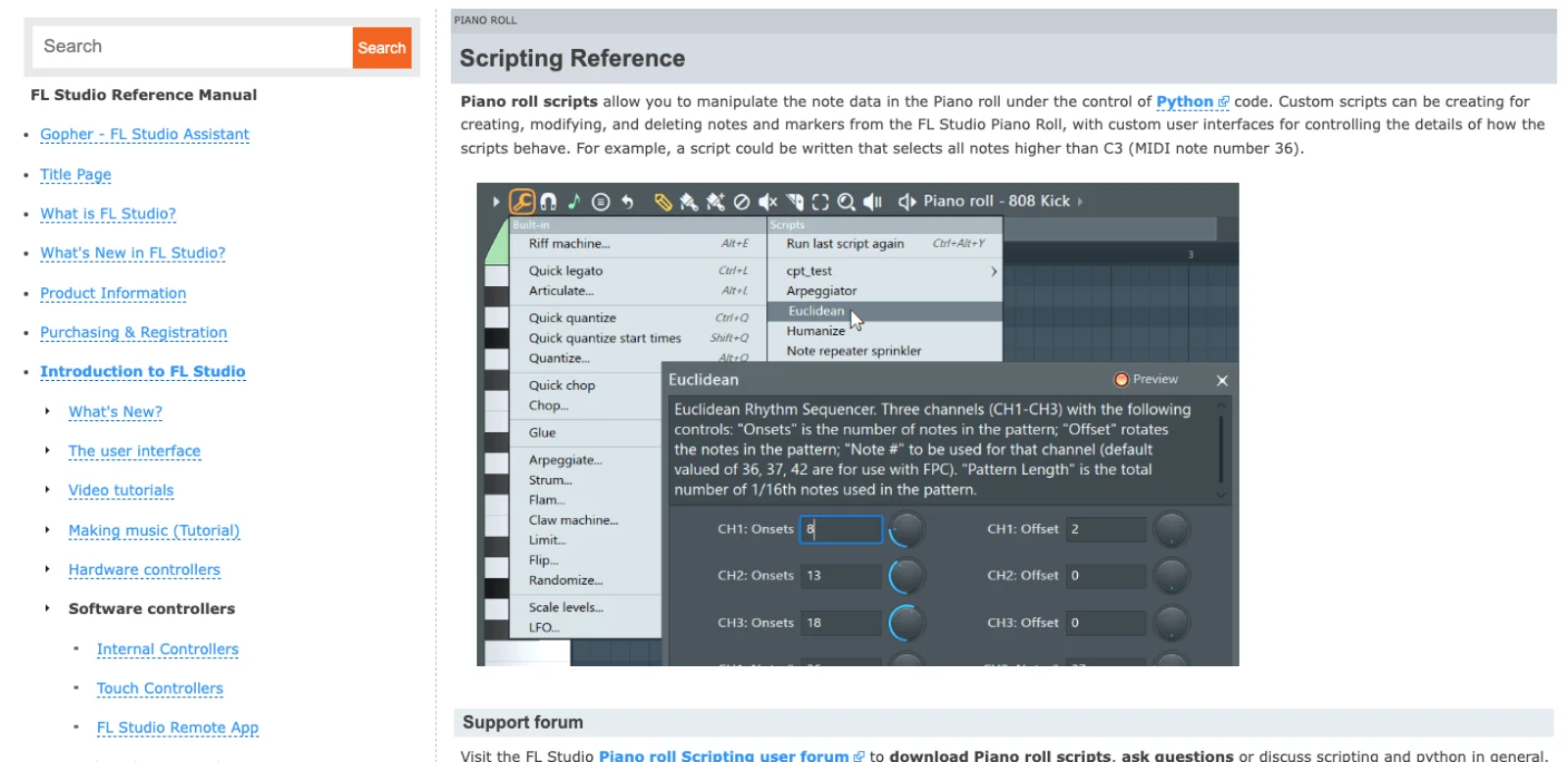
Piano roll scripting. The flpianoroll module exists only inside a .pyscript run from the Piano roll's Scripts menu, from Documents\Image-Line\FL Studio\Settings\Piano roll scripts. Its score object exposes addNote, getNote, deleteNote, clearNotes and the marker equivalents, Note objects carry pitch, time, length, velocity, release, filter cutoff, pitch offset, slide and porta, and a script can declare a dialog of knobs and dropdowns that FL Studio draws for it (Piano roll Scripting reference). It arrived with the FL Studio 21.1 beta in mid-2023 (Image-Line forum). It is the only official way to put a note in a pattern, and it runs only when a human, or a synthetic keystroke, invokes it.
Edison scripting. Audio scripts, also .pyscript, run from Tools > Scripting in Edison or Slicex and live in Settings\Audio scripts; they can read and write samples, normalise, reverse, add regions and load files (Audio Editor Script Tool). No MCP server wraps it today.
The community reference for all three is IL-Group/FL-Studio-API-Stubs (72 stars, LGPL-3.0, pushed 13 May 2026), whose README now says the documentation "is unmaintained. Please refer to the documentation in the FL Studio manual." One more wrinkle drives the server designs: on Windows, FL Studio 2025 ships Python 3.12 with _socket available, so a controller script can bind a TCP port; on macOS the same interpreter "blocks sockets, threads, and subprocesses" (geezoria/FLStudioMCP, calvinw/MacFLStudioMCP). Hence virtual MIDI ports and JSON files as the transports of choice.
The community servers, checked on 17 September 2026
A GitHub search for "fl studio mcp" returns 67 repositories. The table has every one with a distinct bridge, more than thirty stars, or a recent push and something the others lack. Stars and last push come from the GitHub API on the day of writing; tool counts are the repositories' own claims.
| Repository | Stars | Last push | Bridge | Tools | Platform | Notes |
|---|---|---|---|---|---|---|
| karl-andres/fl-studio-mcp | 147 | 10 Sep 2026 | Controller script; JSON files plus a MIDI note as the doorbell; .pyscript fired by Ctrl+Alt+Y | 57 in source | Windows, macOS; FL 20.7+ | MIT. Auto-configures Claude Desktop and Claude Code; cannot load plugins or create patterns |
| veenastudio/flstudio-mcp | 105 | 8 Jul 2025 | MIDI only, values encoded across several notes | Live recording into the Piano roll | Windows, macOS | No licence file. No push in fourteen months |
| ohhalim/flstudio-mcp | 55 | 4 Jul 2025 | MIDI only, same encoding approach | Recording into the Piano roll | Windows, macOS | No licence file. Dormant |
| rosasynthesiz/flstudio-mcp | 49 | 3 Jul 2026 | Controller script; two virtual MIDI ports owned by a daemon; MCP_Apply pyscript armed once per session | 67 across 14 categories, 6 resources | Windows 10/11, macOS; FL 2025+ | MIT. Mix Doctor, snapshot and rollback on every write, reference matching |
| calvinw/fl-studio-mcp | 38 | 11 Jan 2026 | JSON queue plus keystroke; Piano roll only | 4 | macOS primary, Windows secondary | MIT. The minimal design the others grew from |
| szichedelic/fl-studio-mcp | 9 | 3 May 2026 | MIDI SysEx over a virtual port; Node server | 13 | Windows, macOS, Linux ALSA | MIT. Transport, patterns, channel and mixer reads |
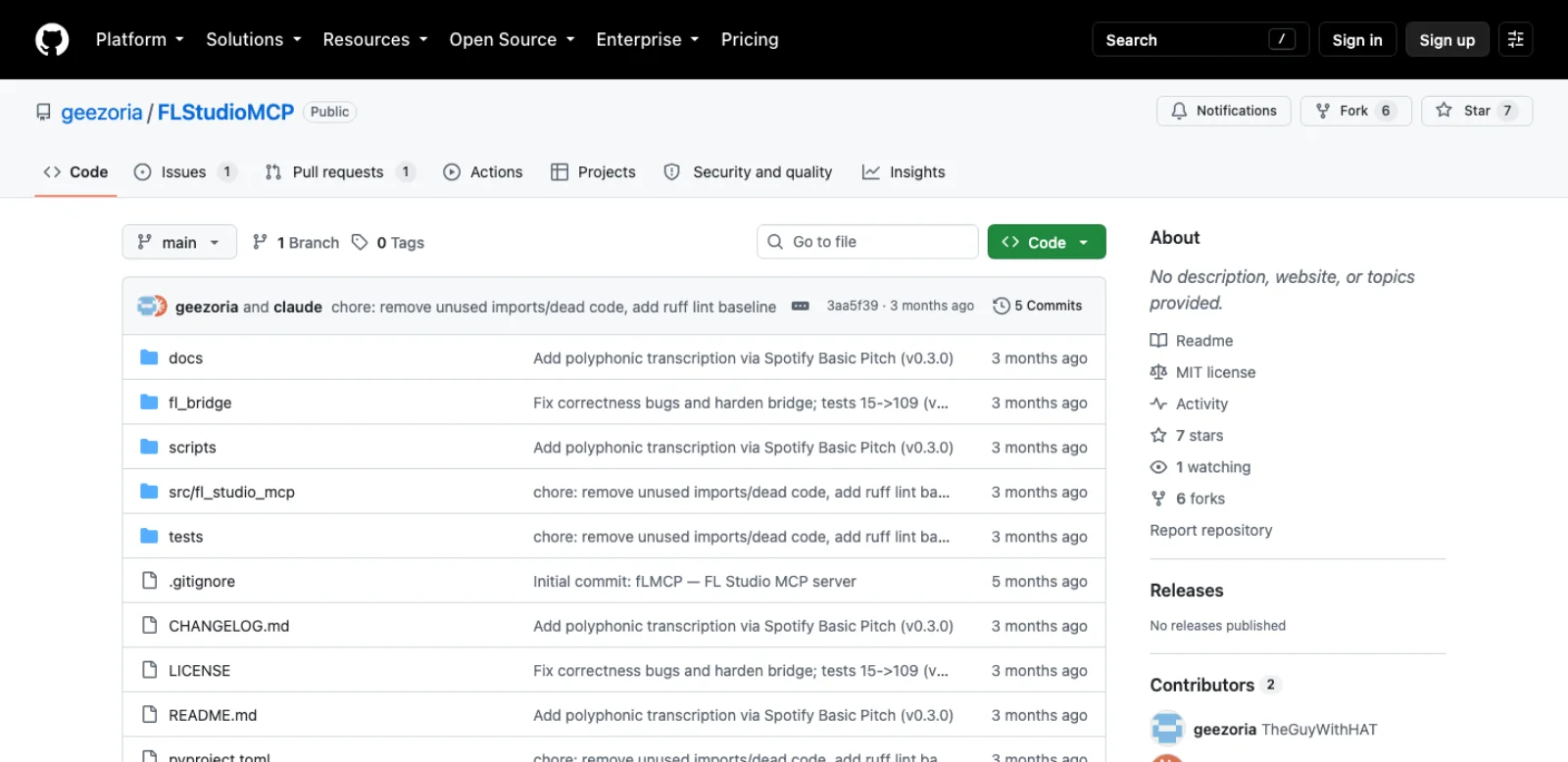
| geezoria/FLStudioMCP | 7 | 17 Jun 2026 | Controller script binding TCP 127.0.0.1:9876, length-prefixed JSON; pyscript via SendInput | 159 across 15 categories, 7 resources | Windows only; FL 2025 | MIT. Voice-to-MIDI, audio analysis, generators; the most complete map of the API |
| calvinw/MacFLStudioMCP | 4 | 14 May 2026 | Fork of geezoria's; file bus and an IAC port instead of a socket | Same surface | macOS 12+ | MIT. Registers itself with Claude Code; optional HTTP on 8000 |
| synopsys0/postfader-fl-studio-mcp | 2 | 14 Sep 2026 | Controller script over a virtual MIDI endpoint | 134, 8 resources | Windows, macOS; FL 2026 26.1.3+ | Apache-2.0. Starts read-only, never auto-saves, no telemetry; installers for Codex and Claude Desktop |
| Realynx/Fl-MCP | 1 | 15 Sep 2026 | FruityLink C# SDK plugin | 27 | Windows x64; verified on 26.1.3.5570 | PolyForm Noncommercial. Notes, playlist clips, routing, automation, embedded Python |
| CryptoJones/FL-Studio-MCP-Server | 1 | 1 Aug 2026 | PyFLP offline, Flapi live, bundled pyscripts | Three routes in one | FL 2025 | Apache-2.0. The only server that edits .flp files with FL Studio closed |
Four readings.
The star count and the pulse point at different repositories. veenastudio's and ohhalim's servers hold 160 stars between them and have not been pushed since July 2025. Both are MIDI-only bridges that pack note positions across several 7-bit values because MIDI carries nothing wider (veenastudio). karl-andres's server is the one with both a following and a September commit, so it is the one this post uses for setup.
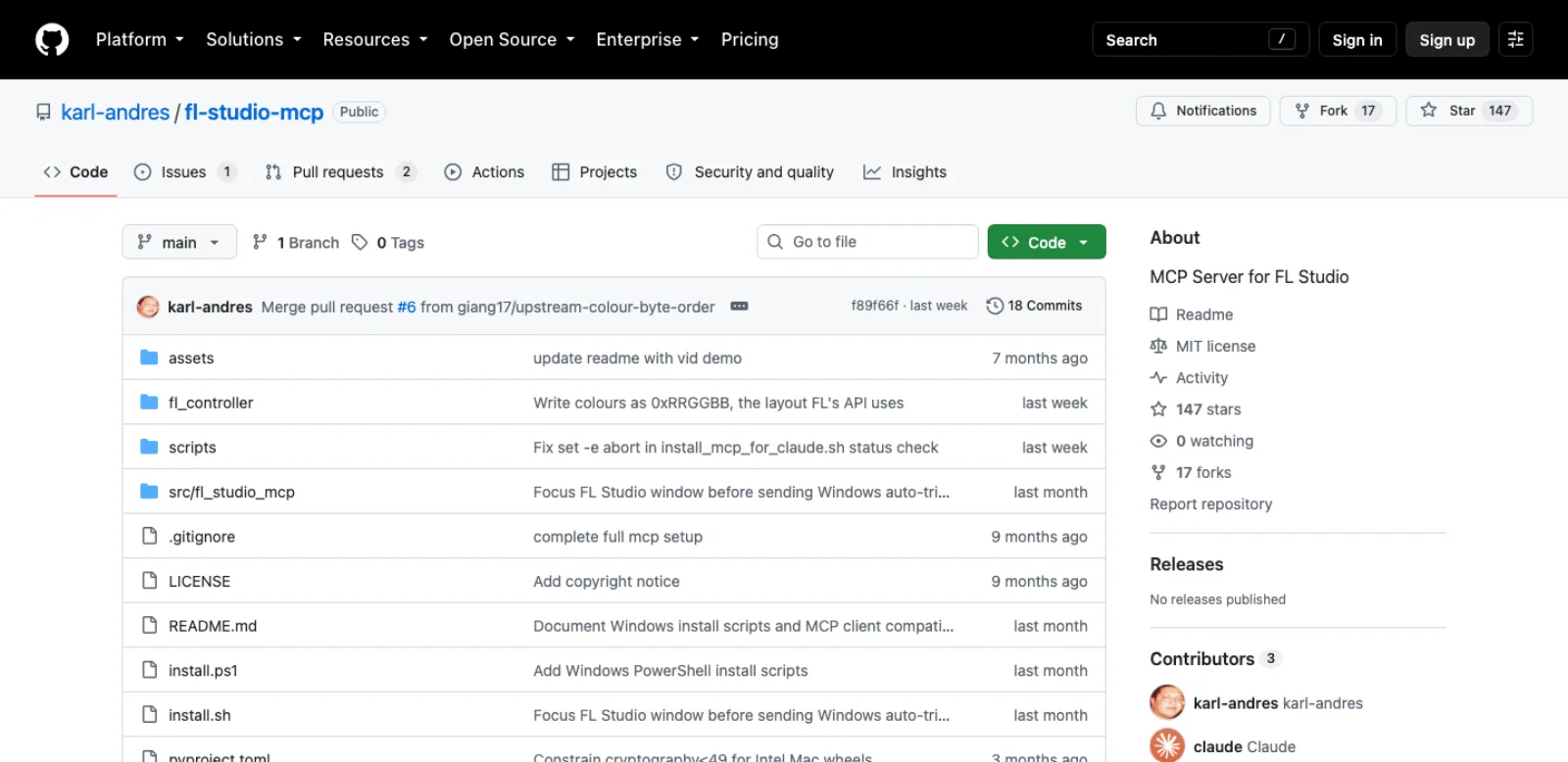
Some servers need separate control and note-writing bridges. The controller script handles transport, channels, mixer and plugins; a separate .pyscript handles notes, because flpianoroll is only available there. The server stages notes in a JSON file and presses Ctrl+Alt+Y, the Piano roll's "Run last script again" shortcut, on your behalf. On Windows the FL Studio window is brought to the front first; on macOS the terminal running the server needs Accessibility permission (karl-andres README, calvinw).
The socket route is Windows only. geezoria's server is the most thorough wrapper of the controller API, with 159 tools and seven read-only resources, and it avoids virtual MIDI ports entirely by opening a TCP listener inside FL Studio. That trick relies on Python's socket module being present in FL Studio's interpreter, which holds on Windows and not on macOS, which is why the macOS port swapped the socket for JSON files in a bus/ folder and an IAC MIDI port as the wake-up (MacFLStudioMCP).
A different foundation exists on Windows. Realynx/FL-Automation (2 stars, pushed 16 September 2026, MIT) is a C# plugin system called FruityLink that claims "complete programmatic control" of FL Studio on Windows x64 with .NET 9. Its MCP adapter, Fl-MCP, is PolyForm Noncommercial and notes that live verification covers one build, 26.1.3.5570. It is the only route that does not go through Image-Line's Python, so verify its documented operations on the exact FL Studio build before relying on it.
The routes with no MCP server
Plain MIDI files. FL Studio "can import note and controller events from standard MIDI files" with Import MIDI File in the Piano roll menu, or by dragging a .mid from the Browser onto the Piano roll (MIDI File format). An agent with a shell and mido (1,639 stars, MIT, pushed 16 September 2026) can write drums, bass and chords as MIDI files with nothing installed inside FL Studio, and it works in the trial. What you lose is everything after the notes: instruments, mixer, plugin state, arrangement.
PyFLP and the project file. A .flp is a binary, undocumented format. demberto/PyFLP (212 stars, GPL-3.0, pushed 16 February 2026) parses arrangements, channels, mixer, patterns and plugin data, and can save, with the README's advice "to do a backup of your projects before doing any changes". CryptoJones's server uses it for create-from-template, inspection and tempo or channel-name edits against "FL Studio 2025 (25.x)" files, and defers composition to the live routes. For reading fifty old projects it is the right tool; for writing, a file FL Studio refuses to open has no undo.
Flapi as a raw surface. MaddyGuthridge/Flapi forwards calls from the API stubs in an ordinary Python process into FL Studio over two virtual MIDI ports, so a script outside can call transport.start(). It is MIT, marked unmaintained, and still the shortest path from a REPL to a running FL Studio, which is how CryptoJones's live route uses it.
Agent skills. delorenj/flstudio-scripting-skill (4 stars, pushed 6 February 2026) packages the scripting API, "427+ API functions across 14 modules", so Claude writes controller and Piano roll scripts that call real functions. An agent that writes a good .pyscript you run from the Scripts menu is a working route with no bridge at all, and it is the route Gopher itself takes for note generation.
Screen control. Anthropic's computer use tool gives Claude screenshots and mouse and keyboard control, recommends "a dedicated virtual machine or container with minimal privileges", and warns that Claude "will follow commands found in content even when they conflict with your instructions" (Anthropic docs). Keep it for one step with no API, such as a third-party plugin's own window or the Playlist, which none of the controller-script servers can draw clips into.
A first beat to try
The prompt is "90 BPM, a drum pattern with a kick on every beat and a clap on 2 and 4, hats on eighths, and a G minor root-fifth bass line." With karl-andres's server the calls are these, named as in the source:
fl_connection_status, thenfl_get_all_channelsto learn what is in the Channel Rack, because the server cannot add channels or load plugins and has to work with what you loaded.- Tempo is the first surprise: this server has no tempo tool. The scripting API changes tempo through a REC event rather than a plain setter, so you set 90 BPM by hand, or pick geezoria's or rosasynthesiz's server, which wrap it.
- Drums go through the step sequencer, not the Piano roll:
fl_set_step_sequence(channel=0, pattern=[True, False, False, False] * 4)for the kick, the same call with steps 5 and 13 on for the clap, and alternating steps for the hats. This is thechannelsmodule's grid, the thing Gopher populates when you ask for "a 4 by 4 pattern". - The bass goes through the Piano roll. With the bass channel's Piano roll open,
fl_send_notes(notes=[{"midi": 31, "time": 0, "duration": 0.5}, {"midi": 38, "time": 0.5, "duration": 0.5}, ...], mode="add")writes G1 and D2 alternating in eighths, timed in quarter notes. The server writes the queue, sends Ctrl+Alt+Y, waits about two seconds, and the notes appear. fl_get_piano_roll_stateto confirm,fl_route_channel_to_mixerto give the bass its own mixer track, andfl_play.
Two things are visible in that sequence. Pattern creation is missing, so the whole beat lands in whichever pattern is selected. And a note write is a keystroke into whichever Piano roll is open, so the wrong channel in front puts a bass line on the kick. rosasynthesiz's server wraps each write in a snapshot and rollback for this reason, and PostFader "starts read-only" until you enable writes.
Which route for which job
| Job | Route | Why |
|---|---|---|
| Tidy a project: names, colours, routing, levels, no install | Gopher | Its listed controls cover exactly this, with an approve prompt |
| The same, from Claude Code or Codex | karl-andres, rosasynthesiz, PostFader | Controller-script servers wrap the channels and mixer modules directly |
| Drum patterns | Any controller-script server's step-sequencer tools | The grid is a plain API call, no keystroke needed |
| Melodies, chords, bass lines into a pattern | karl-andres, rosasynthesiz, geezoria, PostFader | All stage notes for a .pyscript; pick by platform and safety features |
| Notes with no bridge at all | MIDI files with mido, or a .pyscript the agent writes | Import works in every edition; a script runs from the Scripts menu |
| Mix diagnosis: clipping, headroom, EQ overlap | rosasynthesiz's Mix Doctor, PostFader | Analysis tools built on mixer reads and audio exports |
| Everything the API can reach on Windows | geezoria | 159 tools, TCP socket, no virtual MIDI |
| The same on macOS | MacFLStudioMCP or rosasynthesiz | File bus or MIDI ports, because sockets are blocked |
| Playlist clips, automation, project files with FL Studio running | Realynx Fl-MCP | The only route past the Python API, Windows only, non-commercial |
| Audit fifty projects for tempo, channels and plugins | PyFLP | Reads the .flp with FL Studio closed |
| Process a sample: normalise, reverse, slice | Edison scripting by hand | No server wraps it |
| A plugin's own window, a Playlist drag | Screen control, or your own hands | No API exists |
Maturity and security, honestly
What works: reading the Channel Rack and mixer, transport, tempo where a server wraps it, names and colours, step-sequencer patterns, plugin parameters the plugin publishes, preset stepping, and notes into the open pattern. A beat that takes ten minutes of clicking takes one prompt, and the result is ordinary FL Studio data you can edit.
What does not work, or not well: creating patterns and placing clips in the Playlist, which the controller API does not expose and only the C# route claims; loading plugins, which karl-andres lists as impossible; rendering, which rosasynthesiz calls "UI-only"; anything in Edison; and any judgement that needs ears. A server can report that the master peaks at minus 0.2 dBFS; it cannot hear that the kick and the 808 are fighting. Note writing is the most fragile step in every server, because it depends on a keystroke reaching the right window.
Four security points.
- A controller script is arbitrary Python inside FL Studio. It runs with your user's permissions. Read the script before installing it; karl-andres's is one file.
- Check the bind address and the port. geezoria's listener is on
127.0.0.1:9876, loopback only. MacFLStudioMCP's optional HTTP mode on port 8000 is designed to be exposed through a Cloudflare tunnel to claude.ai, so your DAW is reachable from the internet while the tunnel is up. - Keystroke injection needs Accessibility. On macOS the terminal that runs the server can then type into any application, not only FL Studio. Use a trusted client and review its OS permissions; a separate terminal profile is not a macOS permission boundary.
- Your project goes to the model. Channel names, plugin lists, mixer state and notes are sent to whichever model you use. Gopher's "no data collection of your work, no training models" line applies to Gopher only (Image-Line).
Frequently asked questions
Does FL Studio have an MCP server? Community servers exist; Image-Line does not document an official external MCP endpoint in the sources reviewed here. FL Studio 2026's Gopher assistant performs actions inside the DAW, and one reverse-engineering project reports that it does so through an internal JSON-RPC handler, but Image-Line documents no endpoint and the forum answer to the request is "We are working on it." Every server that connects Claude, Codex or Cursor to FL Studio is a community project.
Can Claude control FL Studio? Yes, through a community server. karl-andres/fl-studio-mcp is the best-maintained: a controller script plus a Piano roll script, virtual MIDI on Windows and macOS, and an installer that registers with Claude Desktop and Claude Code. rosasynthesiz's server adds mixing diagnostics and rollback; geezoria's wraps the most of the API, on Windows.
Is there an FL Studio API? Three Python scripting APIs, all documented by Image-Line: MIDI Controller Scripting for transport, channels, mixer, patterns, playlist and plugins; Piano roll scripting for notes and markers; Edison scripting for audio. None is a general application API, and none can be called from outside FL Studio without a bridge.
Does it work on Mac? Mostly. karl-andres, rosasynthesiz, PostFader and calvinw's servers run on macOS through the IAC Driver, and note writing needs Accessibility permission for the keystroke. geezoria's socket-based server is Windows only, and its macOS fork swaps the socket for a file bus. The FruityLink C# route is Windows x64 only.
Is it free? Licences differ: most listed servers use MIT; PostFader and CryptoJones's use Apache-2.0, and PyFLP uses GPL-3.0. Fl-MCP uses PolyForm Noncommercial, a source-available licence with a commercial-use restriction. Do not assume a repository without a licence grants reuse rights. You pay for the model through an API key or a Claude, ChatGPT, Cursor or Codex subscription, and for FL Studio: the manual badges MIDI scripting as a Fruity Edition feature, so the cheapest paid edition qualifies, and MIDI file import works even in the trial.
Make your next project in Voyager
Create an account, download Voyager, and start making.
